

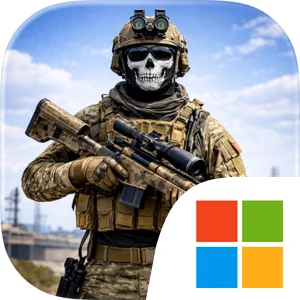
Play Ghost Sniper: War FPS Shooter on Windows PC
Download the official Ghost Sniper: War FPS Shooter Windows PC client and learn how to install and play the game on PC, with controls, system requirements, and practical tips.

Download Ghost Sniper: War FPS Shooter Official Windows PC Client
Official Windows PC client provided by LDPlayer.
About the Official Ghost Sniper: War FPS Shooter PC Client
Developer: Alda Games s.r.o.
The core loop is built around entering a battlefield, locating the target, lining up an accurate shot, and completing the assigned objective while remaining a ghost. Your rifles and other equipment form the main progression system: as operations become more demanding, upgrading your gear gives you a way to improve your military setup and stay ahead of the enemy. The game presents these upgrades as an important part of completing the massive military campaign, giving the player a reason to keep working through missions rather than treating every encounter as an isolated shooting gallery. On PC, a mouse is especially useful for the game’s precision-first design, allowing finer control when aiming at a distant target or adjusting your view across a battlefield before committing to a shot. Keyboard input also makes movement through desert outposts and tropical jungles more direct, helping you position yourself, survey an area, and maintain control while preparing an attack. A larger display can make the 3D combat information and environmental details easier to read as you scan for threats, distinguish open approaches from concealed positions, and judge where to focus your attention. Because the campaign is fully offline, Ghost Sniper: War FPS Shooter is structured as a self-contained military experience that can be played without an internet connection. The combination of global operations, rifle and equipment upgrades, realistic sniper action, and a campaign designed for anytime play makes it a focused choice for players who want a straightforward marksman role centered on patience, accuracy, and objective-based combat.
Screenshots
How to Download and Install the Official Ghost Sniper: War FPS Shooter PC Client
- Download and install the official Windows client distributed by LDPlayer.
- Open the app and sign in with your Google Play account.
- Search for Ghost Sniper: War FPS Shooter in the app store.
- Install the game and finish the first-launch download.
- Use the same game login if account sync is available.
Why Play Ghost Sniper: War FPS Shooter on PC?
Menus, maps, resources, and combat details are easier to read on a desktop display.
Keyboard and mouse input makes repeated actions and long sessions more comfortable.
Desktop play avoids phone battery drain during longer farming sessions.
Keep guides, codes, and notes open alongside the game on PC.
Controls and Performance
These three settings solve most common issues when playing on PC.
Map navigation, skill use, and repeated resource actions first.
Lower resolution or graphics quality if crowded scenes lose frames.
Link your account before switching devices so progress can be restored safely.
Ghost Sniper: War FPS Shooter Official PC Client FAQ
Can I play Ghost Sniper: War FPS Shooter on PC?
Yes. Download the official Windows PC client distributed by LDPlayer and play with a larger screen, keyboard, and mouse controls.
Is Ghost Sniper: War FPS Shooter better on PC than mobile?
Playing on PC can make longer sessions, detailed menus, and resource management more comfortable, while mobile is still convenient for quick check-ins.
Will my Ghost Sniper: War FPS Shooter progress sync on PC?
Progress depends on the sign-in options supported by the game. Use the same linked Google, Facebook, Apple, or game account on both devices.
Why does Ghost Sniper: War FPS Shooter lag on PC?
Lag can be caused by limited RAM, demanding graphics settings, outdated client files, or background apps. Lower the graphics settings and keep the PC client up to date.
DOWNLOAD STARTED
Your download is starting
Check your browser Downloads if it does not appear.
Official PC client for Windows, distributed by LDPlayer.
Download again