

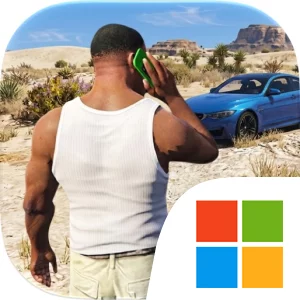
Play Grand Gangster Crime Mafia 3D on Windows PC
Download the official Grand Gangster Crime Mafia 3D Windows PC client and learn how to install and play the game on PC, with controls, system requirements, and practical tips.

Download Grand Gangster Crime Mafia 3D Official Windows PC Client
Official Windows PC client provided by LDPlayer.
About the Official Grand Gangster Crime Mafia 3D PC Client
Developer: Muhammad Hasan Parvez
Progression throughout Grand Gangster Crime Mafia 3D is defined by steady tactical execution and survival against mounting odds. Each assignment pushes you deeper into contested zones where adversaries actively seek to surround, ambush, and kill you. To beat all the enemies who were trying to kill you, you must cultivate sharp situational awareness, prioritize high-threat targets, and master responsive combat maneuvering. As you advance through each stage, the mission-by-mission structure tests your operational endurance and positioning. Encounters escalate from skirmishes against isolated lookouts to chaotic shootouts against coordinated squads. Winning these brutal exchanges requires balancing offensive pushes with smart defensive positioning, utilizing city structures for cover, and adapting whenever hostile reinforcements attempt a flank. Every successful contract expands your influence across the district, cementing your status as a formidable force in the making while you continuously adapt to outgunning coordinated foes throughout the Clash of Gangster Crime 3D campaign.
Experiencing Grand Gangster Crime Mafia 3D on PC provides substantial tactical advantages over playing on a smaller portable device, particularly through the combination of an expansive visual canvas and responsive hardware controls. First, running the title on a large monitor significantly enhances your environmental awareness across vegas city. In intense shootouts, hostile gangsters often attack from obscured alleys, distant intersections, or shadowed building perimeters. A high-resolution desktop screen allows you to detect muzzle flashes, incoming vehicles, and hostile movements long before adversaries close the distance, ensuring you can read combat engagements accurately and avoid being blindsided in tight choke points. Second, the precision of mouse and keyboard inputs transforms the gunplay of this gangster shooting game. A mouse provides fluid, granular aiming control that makes tracking moving enemies and securing rapid headshots far more reliable than managing virtual touch buttons. At the same time, dedicated keyboard bindings allow you to strafe, duck behind urban cover, and swap weapons instantaneously during frantic exchanges. These combined hardware capabilities give you the exact control needed to conquer every mission and secure your position as the ultimate mafia lord.
Screenshots
How to Download and Install the Official Grand Gangster Crime Mafia 3D PC Client
- Download and install the official Windows client distributed by LDPlayer.
- Open the app and sign in with your Google Play account.
- Search for Grand Gangster Crime Mafia 3D in the app store.
- Install the game and finish the first-launch download.
- Use the same game login if account sync is available.
Why Play Grand Gangster Crime Mafia 3D on PC?
Menus, maps, resources, and combat details are easier to read on a desktop display.
Keyboard and mouse input makes repeated actions and long sessions more comfortable.
Desktop play avoids phone battery drain during longer farming sessions.
Keep guides, codes, and notes open alongside the game on PC.
Controls and Performance
These three settings solve most common issues when playing on PC.
Map navigation, skill use, and repeated resource actions first.
Lower resolution or graphics quality if crowded scenes lose frames.
Link your account before switching devices so progress can be restored safely.
Grand Gangster Crime Mafia 3D Official PC Client FAQ
Can I play Grand Gangster Crime Mafia 3D on PC?
Yes. Download the official Windows PC client distributed by LDPlayer and play with a larger screen, keyboard, and mouse controls.
Is Grand Gangster Crime Mafia 3D better on PC than mobile?
Playing on PC can make longer sessions, detailed menus, and resource management more comfortable, while mobile is still convenient for quick check-ins.
Will my Grand Gangster Crime Mafia 3D progress sync on PC?
Progress depends on the sign-in options supported by the game. Use the same linked Google, Facebook, Apple, or game account on both devices.
Why does Grand Gangster Crime Mafia 3D lag on PC?
Lag can be caused by limited RAM, demanding graphics settings, outdated client files, or background apps. Lower the graphics settings and keep the PC client up to date.
DOWNLOAD STARTED
Your download is starting
Check your browser Downloads if it does not appear.
Official PC client for Windows, distributed by LDPlayer.
Download again