

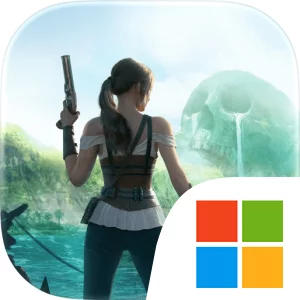
Play Guns of Glory: Lost Island on Windows PC
Download the official Guns of Glory: Lost Island Windows PC client and learn how to install and play the game on PC, with controls, system requirements, and practical tips.

Download Guns of Glory: Lost Island Official Windows PC Client
Official Windows PC client provided by LDPlayer.
About the Official Guns of Glory: Lost Island PC Client
Developer: FunPlus International AG
The central loop combines exploration, stronghold development, treasure hunting, crafting, and strategic decision-making. You begin by exploring the mists of the cursed island, searching for discoveries and resources while dealing with enemies that can block your progress. Buried treasures give you more than immediate rewards: the store description connects them with advanced skills and the creation of powerful artifacts, making collection an important part of preparing for the dangers ahead. As your expedition develops, a stronger stronghold provides a base for your efforts, while the tavern gives you a place to mingle and socialize with adventurers from all walks of life. Building your team and rallying adventurers from around the world also adds a social dimension, with allies available whether your challenges take place on land or at sea. The game emphasizes varied strategies rather than a single winning approach; a resourceful king must calculate, maneuver, and manipulate circumstances to remain on top. That makes decisions about when to explore, what treasures and resources to pursue, how to improve your artifacts and skills, and when to rely on fellow adventurers central to the experience. On PC, a larger display is useful when you are surveying the island’s fog-covered areas, tracking routes through newly explored territory, and keeping an eye on threats such as pirates, ghosts, and sea monsters. Keyboard and mouse input can also make repeated stronghold and expedition tasks easier to manage, from selecting discoveries and resources to comparing the benefits of collected treasures, crafting choices, and advanced skills. The added screen space helps keep those objectives, the state of your expedition, and the wider strategic situation readable as you decide how to move forward. Guns of Glory: Lost Island is free to download and play, requires a network connection, and includes optional purchases, including a monthly subscription that grants exclusive in-game privileges for 30 days.
Screenshots
How to Download and Install the Official Guns of Glory: Lost Island PC Client
- Download and install the official Windows client distributed by LDPlayer.
- Open the app and sign in with your Google Play account.
- Search for Guns of Glory: Lost Island in the app store.
- Install the game and finish the first-launch download.
- Use the same game login if account sync is available.
Why Play Guns of Glory: Lost Island on PC?
Menus, maps, resources, and combat details are easier to read on a desktop display.
Keyboard and mouse input makes repeated actions and long sessions more comfortable.
Desktop play avoids phone battery drain during longer farming sessions.
Keep guides, codes, and notes open alongside the game on PC.
Controls and Performance
These three settings solve most common issues when playing on PC.
Map navigation, skill use, and repeated resource actions first.
Lower resolution or graphics quality if crowded scenes lose frames.
Link your account before switching devices so progress can be restored safely.
Guns of Glory: Lost Island Official PC Client FAQ
Can I play Guns of Glory: Lost Island on PC?
Yes. Download the official Windows PC client distributed by LDPlayer and play with a larger screen, keyboard, and mouse controls.
Is Guns of Glory: Lost Island better on PC than mobile?
Playing on PC can make longer sessions, detailed menus, and resource management more comfortable, while mobile is still convenient for quick check-ins.
Will my Guns of Glory: Lost Island progress sync on PC?
Progress depends on the sign-in options supported by the game. Use the same linked Google, Facebook, Apple, or game account on both devices.
Why does Guns of Glory: Lost Island lag on PC?
Lag can be caused by limited RAM, demanding graphics settings, outdated client files, or background apps. Lower the graphics settings and keep the PC client up to date.
DOWNLOAD STARTED
Your download is starting
Check your browser Downloads if it does not appear.
Official PC client for Windows, distributed by LDPlayer.
Download again