
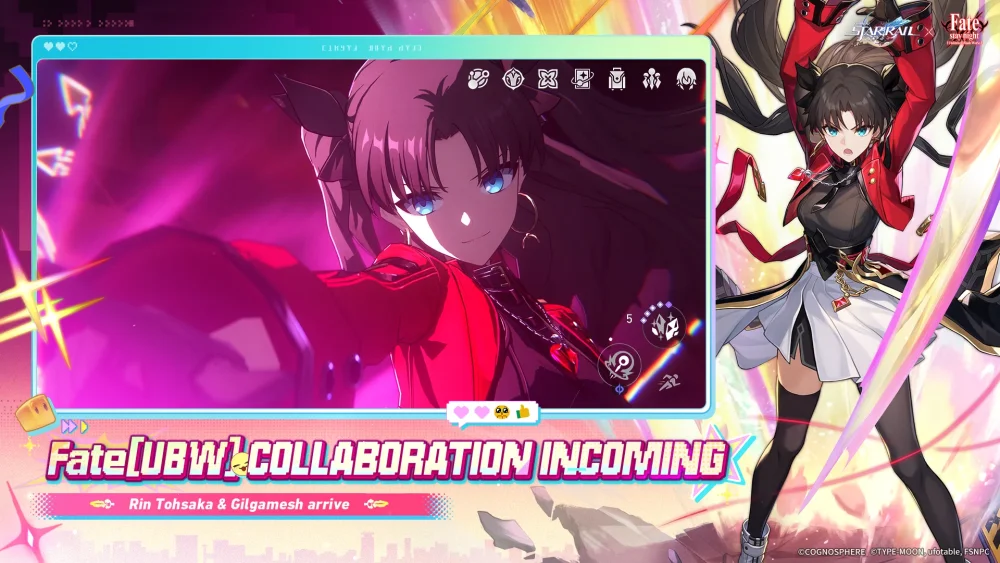
To experience every major cutscene in the Honkai: Star Rail Version 4.7 Trailblaze Mission without interruption, complete all preceding story epilogues in your Mission Navigator and clear any active Companion Quests that occupy featured story characters. Once the chapter is finished, you can rewatch unlocked cinematics at any time through the Parlor Car Memory interface or the Fate's Atlas menu.
Unlocking Mission Checkpoints and Resolving Quest Locks
Reaching the Version 4.7 narrative sequence requires clearing all previous Trailblaze Mission chapters. If earlier story objectives remain incomplete, the quest tracker will pause progression at regional transition points.
Before starting the new chapter, address the following progression checks:
- Epilogue Verification: Open the Mission Navigator to confirm that all prior main storyline milestones and epilogues are completed.
- Character Availability: Check your quest log for active Adventure Missions or Companion Quests set in the same region. If a key story character is tied to an unresolved side mission, narrative checkpoints cannot trigger until that conflict is cleared.
- Trailblaze Level: Ensure your account meets the base Trailblaze Level requirement indicated in the mission log to prevent progress gates between scenes.
Preparing Combat Teams for Mid-Battle Cutscene Triggers
Version 4.7 ties several high-impact cinematics directly into scripted boss encounters. Wiping during an encounter resets the battle to the preceding checkpoint, disrupting the story flow.
Build a durable party before entering marked story arenas:
- Run a Dedicated Sustain Unit: Include a reliable healer or shielder to absorb heavy area-of-effect damage. Scripted transitions often trigger immediately when a boss crosses a specific health threshold, leaving unprepared teams vulnerable to incoming phase attacks.
- Maintain Defensive Buffs: Keep shields and damage reduction active as you push enemy health bars toward phase transitions so your team survives the scripted shift intact.
- Cover Essential Weaknesses: Pair your sustain unit with an established damage dealer suited to the encounter's elemental weaknesses to clear combat thresholds efficiently.
Version 4.7 Story Phases and Cutscene Milestones
The narrative progression in Version 4.7 is structured around three consecutive operational phases, each culminating in a distinct cinematic moment.
| Progression Phase | Trigger Objective | Cutscene Focus | Required Action |
|---|---|---|---|
| Phase 1: Infiltration | Reach the command sector waypoint | Narrative setup and faction standoff | Clear minor obstacle battles; avoid fast-forwarding dialogue |
| Phase 2: Midpoint Climax | Deplete phase one of the story boss | Mid-battle transformation and arena shift | Maintain active shields before triggering the health threshold |
| Phase 3: Finale Resolution | Defeat the final chapter encounter | Climax cinematic and narrative wrap-up | Watch sequence uninterrupted; await the reward prompt |
To avoid visual or audio desynchronization during the render-heavy Phase 2 and Phase 3 cutscenes, avoid modifying display or graphics settings while inside instanced story corridors.
Replaying Cutscenes in the Archive
If you missed dialogue choices or visual details during the initial playthrough, you can review cutscenes without replaying combat encounters:
- Complete the final objective of the Version 4.7 Trailblaze Mission to validate chapter completion on the server.
- Open the Fate's Atlas menu or interact with the Memory interface inside the Astral Express Parlor Car.
- Select the unlocked Version 4.7 chapter entry to review recorded cinematics.
Accessing cutscenes via the archive removes background combat calculations. This allows hardware to render scenes smoothly at your monitor's native refresh rate and lets you preview alternative voice-over languages or higher graphics configurations without gameplay frame drops.
Preventing Accidental Skips and Technical Interruptions
- Disable Dialogue Auto-Advance: Rapid clicking or fast-forwarding can unintentionally skip in-engine character dialogue and narrative prompts that provide context for subsequent rendered cinematics.
- Maintain Network Stability: Connection drops during transition triggers can cause the game client to reload past the cinematic, placing you directly at the post-cutscene checkpoint upon reconnecting.
- Check Device Storage: Ensure your device has sufficient local cache storage available before initiating the chapter so that incoming cinematic video data loads without hitching.

Free Honkai: Star Rail Codes
Current active codes and how to redeem them.

Sarah Williams
Sarah specializes in RPG and collection games, explaining team building, character growth, and beginner-friendly ways to avoid expensive early mistakes.
COMMUNITY
Player Comments
107 players commented on this guide.
This helped me understand strategy much better.
The tips are practical and easy to follow.
I wish I had read this before upgrading the wrong thing.
This guide answered the exact question I had.