
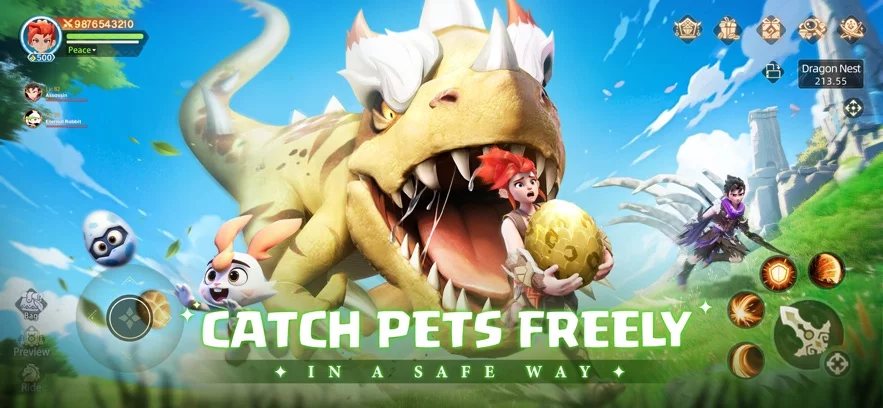
In Huntopia, cosmetic items play a significant role in personalizing your avatar beyond standard gear stats. While many players focus heavily on combat power and skill builds, collecting unique cosmetic accessories like wings is a priority for those looking to stand out in social hubs and high-level zones.
This guide covers how to track down event-based cosmetic rewards and the steps to ensure you successfully add these items to your collection.
Locating Limited-Time Cosmetic Rewards
Cosmetic wings in Huntopia are often distributed through time-limited events or community milestone rewards. To ensure you don't miss these opportunities, keep an eye on the following areas:
- Event Hub: Check the primary event dashboard daily. New cosmetic drops often appear alongside seasonal challenges.
- Mailbox Notifications: Important reward redemptions and event-specific items are frequently delivered directly to your in-game mailbox. Always check for pending attachments.
- Promotion Sections: Sometimes, specific wings are tied to promotional campaigns or temporary login milestones. Look for banners on the main menu that indicate "Claim" or "Event" status.
How to Claim Your Wings
When an event offers cosmetic wings, the redemption process is usually straightforward but requires active input from the player. Follow these steps to secure your items:
- Verify Eligibility: Ensure your character meets any level or progression requirements listed in the event description.
- Access the Event Screen: Navigate to the specific event tab where the wings are featured.
- Confirm Redemption: Click the "Claim" or "Receive" button. If the item is a reward for a task, ensure the task status shows as "Completed" before attempting to claim.
- Check Inventory: Once claimed, items do not always equip automatically. Open your Bag or Character Customization menu to find the wings.
Managing Your Cosmetic Collection
Once you have obtained your wings, you can manage them within your character profile.
| Feature | Action |
|---|---|
| Equipping | Go to the Appearance/Cosmetics tab in your Character menu. |
| Storage | Wings typically do not take up standard inventory space once unlocked in your wardrobe. |
| Previewing | Use the preview window to see how different wings interact with your current armor set. |
Troubleshooting Common Issues
If you are unable to claim your rewards, consider these common troubleshooting tips:
- Server Synchronization: If you have just completed a requirement, wait a few moments for the server to update your progress.
- Redemption Windows: Always check the countdown timer on the event. If the timer has expired, the wings may no longer be available for collection.
- Mailbox Space: If your mailbox is full, clear out old, expired messages to ensure new reward notifications can arrive properly.
By staying proactive with the event calendar and checking your notification center regularly, you can build a diverse collection of cosmetic wings in Huntopia without needing to rely on premium purchases.
Free Huntopia Codes
Current active codes and how to redeem them.

Michael Smith
Michael covers live-service games, events, reward systems, and efficient daily routines, turning frequent updates into clear actions for players.
COMMUNITY
Player Comments
154 players commented on this guide.
This guide answered the exact question I had.
The explanation is clear, especially for beginners.
I wish I had read this before upgrading the wrong thing.
This saved me time in the early game.