

Download Huntopia Official Windows PC Client
Official Windows PC client provided by LDPlayer.
About the Official Huntopia PC Client
Developer: Leniu Games
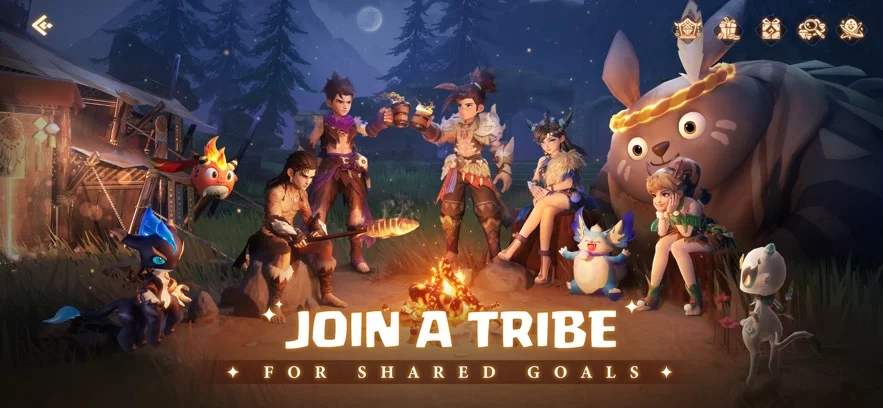
The core loop combines open-world hunting, creature collection, pet development, and cooperative MMORPG combat. As you travel through the wilds, you can catch and tame magical creatures rather than treating them as simple collectibles. These pets become trusted combat companions, fighting at your side throughout the journey and giving the hunt a continuing strategic purpose. Their progression is built around battle and nurturing: help a pet evolve, unlock new forms, and develop devastating skills before creating a distinctive ultimate pet suited to the threats ahead. That system gives exploration a practical reward, since encounters in the wilds, abysses, and hidden realms can expand the group you bring into later battles. The larger conflict also pushes beyond solo play. By joining a tribe and calling upon players from different classes, you can form a hunting party, coordinate roles, and devise strategies for intense co-op battles. The final test is the fight against the massive otherworldly bosses, including Nihilo, the sealed evil dragon whose return places Pamons at risk. Every strike in these encounters contributes to the game’s central objective: protecting the continent and shaping its fate. On PC, a larger display helps you read the action more clearly during boss fights, keep track of combat information, and distinguish threats in visually varied environments such as the rainforest and dragonbone desert. Keyboard-and-mouse input also suits the repeated tasks that define this adventure, from moving through a broad hunting ground and selecting targets to managing your party’s actions, comparing your available pets, and responding quickly when a boss uses a powerful skill. With the world, tribe, pets, and boss encounters visible at a larger scale, Huntopia on PC presents its progression and cooperative systems in a format suited to planning as well as direct action.
Screenshots
How to Download and Install the Official Huntopia PC Client
- Download and install the official Windows client distributed by LDPlayer.
- Open the app and sign in with your Google Play account.
- Search for Huntopia in the app store.
- Install the game and finish the first-launch download.
- Use the same game login if account sync is available.
Why Play Huntopia on PC?
Menus, maps, resources, and combat details are easier to read on a desktop display.
Keyboard and mouse input makes repeated actions and long sessions more comfortable.
Desktop play avoids phone battery drain during longer farming sessions.
Keep guides, codes, and notes open alongside the game on PC.
Controls and Performance
These three settings solve most common issues when playing on PC.
Map navigation, skill use, and repeated resource actions first.
Lower resolution or graphics quality if crowded scenes lose frames.
Link your account before switching devices so progress can be restored safely.
Huntopia Official PC Client FAQ
Can I play Huntopia on PC?
Yes. Download the official Windows PC client distributed by LDPlayer and play with a larger screen, keyboard, and mouse controls.
Is Huntopia better on PC than mobile?
Playing on PC can make longer sessions, detailed menus, and resource management more comfortable, while mobile is still convenient for quick check-ins.
Will my Huntopia progress sync on PC?
Progress depends on the sign-in options supported by the game. Use the same linked Google, Facebook, Apple, or game account on both devices.
Why does Huntopia lag on PC?
Lag can be caused by limited RAM, demanding graphics settings, outdated client files, or background apps. Lower the graphics settings and keep the PC client up to date.
DOWNLOAD STARTED
Your download is starting
Check your browser Downloads if it does not appear.
Official PC client for Windows, distributed by LDPlayer.
Download again