

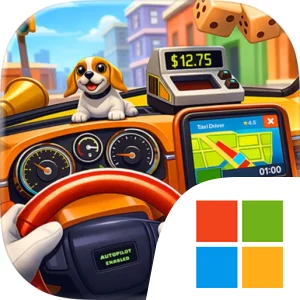
Play I Am Taxi Driver on Windows PC
Download the official I Am Taxi Driver Windows PC client and learn how to install and play the game on PC, with controls, system requirements, and practical tips.

Download I Am Taxi Driver Official Windows PC Client
Official Windows PC client provided by LDPlayer.
About the Official I Am Taxi Driver PC Client
Developer: Estoty
The core loop is straightforward but deliberately reactive: pick up a passenger, observe what is happening in the back seat, choose how to respond, and see how that interaction affects the ride. You can chat to engage with a passenger, poke or tease them to push the situation in a different direction, or calm them down when the chaos starts to get out of hand. The important decision is not choosing a driving line or mastering traffic, but judging which interaction fits the moment and deciding how much trouble a particular ride is worth. You can also simply watch the chaos unfold, making observation itself part of the experience rather than forcing every situation into the same response. Ratings and cash provide the clearest form of ongoing progress described for the game: successful trips help build your standing and earnings, while the way you handle passengers gives each fare a distinct result. The store description does not point to a separate combat system, equipment collection, open-world exploration, or squad-management layer, so the defining systems here are passenger interaction, situational judgment, and repeated taxi management.
A larger PC display is useful because the passenger, the back seat, and the available interaction choices are where the game’s information is concentrated. With more screen space, you can read the current situation and passenger reactions more comfortably while keeping track of the ride’s broader context, rather than treating every response as a rushed selection. Keyboard-and-mouse input also suits the repeated actions that shape each fare. Moving between chat, poke, tease, and calm options with a mouse can make it easier to select the precise response you intend, while keyboard input can keep the rhythm of picking up passengers, reviewing what is happening, and choosing the next action responsive across multiple trips. That matters when a ride changes quickly and the difference between teasing, calming, or merely observing may affect the passenger’s reaction, your rating, and the cash you take away. Played on PC, I Am Taxi Driver is therefore less about simulating the routine of steering a cab and more about managing a stream of compact, unpredictable social scenarios, one passenger and one back-seat problem at a time.
Screenshots
How to Download and Install the Official I Am Taxi Driver PC Client
- Download and install the official Windows client distributed by LDPlayer.
- Open the app and sign in with your Google Play account.
- Search for I Am Taxi Driver in the app store.
- Install the game and finish the first-launch download.
- Use the same game login if account sync is available.
Why Play I Am Taxi Driver on PC?
Menus, maps, resources, and combat details are easier to read on a desktop display.
Keyboard and mouse input makes repeated actions and long sessions more comfortable.
Desktop play avoids phone battery drain during longer farming sessions.
Keep guides, codes, and notes open alongside the game on PC.
Controls and Performance
These three settings solve most common issues when playing on PC.
Map navigation, skill use, and repeated resource actions first.
Lower resolution or graphics quality if crowded scenes lose frames.
Link your account before switching devices so progress can be restored safely.
I Am Taxi Driver Official PC Client FAQ
Can I play I Am Taxi Driver on PC?
Yes. Download the official Windows PC client distributed by LDPlayer and play with a larger screen, keyboard, and mouse controls.
Is I Am Taxi Driver better on PC than mobile?
Playing on PC can make longer sessions, detailed menus, and resource management more comfortable, while mobile is still convenient for quick check-ins.
Will my I Am Taxi Driver progress sync on PC?
Progress depends on the sign-in options supported by the game. Use the same linked Google, Facebook, Apple, or game account on both devices.
Why does I Am Taxi Driver lag on PC?
Lag can be caused by limited RAM, demanding graphics settings, outdated client files, or background apps. Lower the graphics settings and keep the PC client up to date.
DOWNLOAD STARTED
Your download is starting
Check your browser Downloads if it does not appear.
Official PC client for Windows, distributed by LDPlayer.
Download again