

Play Ikemen Sengoku Eternity: Otome on Windows PC
Download the official Ikemen Sengoku Eternity: Otome Windows PC client and learn how to install and play the game on PC, with controls, system requirements, and practical tips.

Download Ikemen Sengoku Eternity: Otome Official Windows PC Client
Official Windows PC client provided by LDPlayer.
About the Official Ikemen Sengoku Eternity: Otome PC Client
Developer: CYBIRD
Progression in Ikemen Sengoku Eternity: Otome centers on deepening your bond with a chosen suitor and unlocking more of his route. Each character has more than 10 fully voiced romance episodes, making voice performance a major part of the way these relationships develop. Alongside the narrative, you can collect stunning cards featuring all 22 warlords, with story scenes that bring the illustrations to life, and customize your avatar with beautiful kimonos and dresses. The avatar feature also lets you freely decorate your own room, adding a personal, visual layer to the romance and collection systems. On PC, a larger display is especially useful when following lengthy story scenes, reading each choice carefully, and taking in the details of character illustrations, cards, and room decorations without crowding the text and artwork together. Keyboard-and-mouse controls also suit the game’s choice-driven format: clicking through dialogue, selecting responses, and moving through episodes feels direct, while a mouse makes it easier to inspect visual story content and manage dress-up or room-decoration selections. Whether you are pursuing Nobunaga’s invitation to rule beside him, responding to Masamune’s adventurous outlook, enduring Mitsuhide’s teasing, or following Kenshin’s promise of protection, the experience is defined by route selection, relationship-building, branching outcomes, voiced episodes, and collecting the characters and scenes that make each romance distinct. It is a natural fit for players who enjoy otome games, dating sims, interactive love stories, samurai and ninja settings, and time-travel romance presented with an anime-inspired cast.
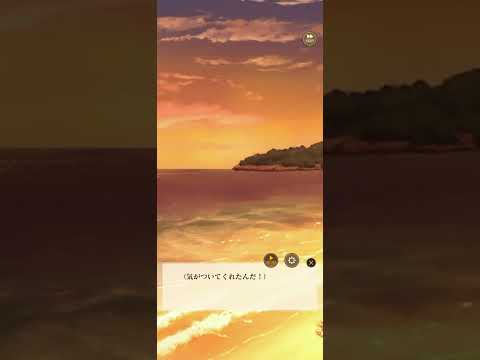
Screenshots
How to Download and Install the Official Ikemen Sengoku Eternity: Otome PC Client
- Download and install the official Windows client distributed by LDPlayer.
- Open the app and sign in with your Google Play account.
- Search for Ikemen Sengoku Eternity: Otome in the app store.
- Install the game and finish the first-launch download.
- Use the same game login if account sync is available.
Why Play Ikemen Sengoku Eternity: Otome on PC?
Menus, maps, resources, and combat details are easier to read on a desktop display.
Keyboard and mouse input makes repeated actions and long sessions more comfortable.
Desktop play avoids phone battery drain during longer farming sessions.
Keep guides, codes, and notes open alongside the game on PC.
Controls and Performance
These three settings solve most common issues when playing on PC.
Map navigation, skill use, and repeated resource actions first.
Lower resolution or graphics quality if crowded scenes lose frames.
Link your account before switching devices so progress can be restored safely.
Ikemen Sengoku Eternity: Otome Official PC Client FAQ
Can I play Ikemen Sengoku Eternity: Otome on PC?
Yes. Download the official Windows PC client distributed by LDPlayer and play with a larger screen, keyboard, and mouse controls.
Is Ikemen Sengoku Eternity: Otome better on PC than mobile?
Playing on PC can make longer sessions, detailed menus, and resource management more comfortable, while mobile is still convenient for quick check-ins.
Will my Ikemen Sengoku Eternity: Otome progress sync on PC?
Progress depends on the sign-in options supported by the game. Use the same linked Google, Facebook, Apple, or game account on both devices.
Why does Ikemen Sengoku Eternity: Otome lag on PC?
Lag can be caused by limited RAM, demanding graphics settings, outdated client files, or background apps. Lower the graphics settings and keep the PC client up to date.
DOWNLOAD STARTED
Your download is starting
Check your browser Downloads if it does not appear.
Official PC client for Windows, distributed by LDPlayer.
Download again