
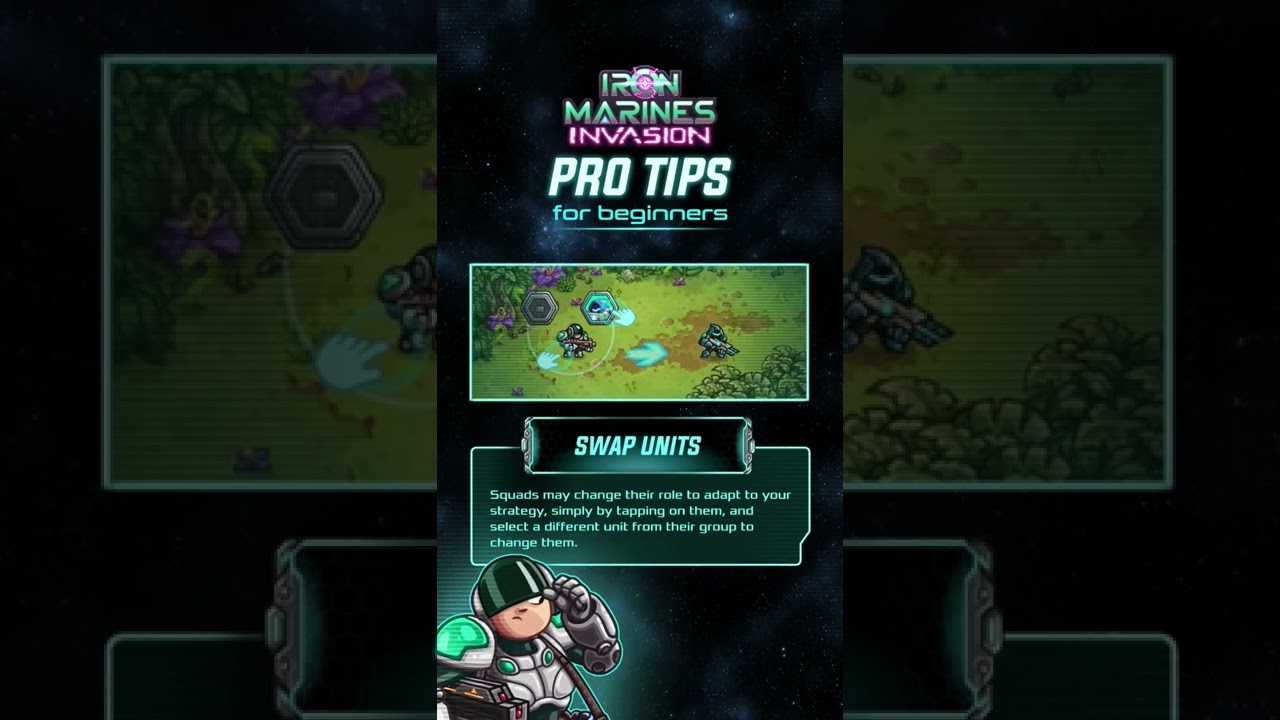
In Iron Marines+, you can change an active squad's combat class mid-mission without returning to a production building or waiting on build queues. Selecting an active squad opens a command radial menu that lets you spend Etherium to transform that squad directly at their current position.
Before confirming a swap, pull your squad back toward a Hero or defensive perimeter. Units remain vulnerable during the transformation animation, so never initiate a swap while surrounded by hostile melee units.
How the Unit Swap Mechanic Works
Because your army size is constrained by squad deployment caps, swapping functions as a dynamic field re-specialization system rather than an expansion tool.
- Select an active squad: Tap or click the squad you want to reassign on the battlefield.
- Open the command menu: Bring up the unit radial interface to view your unlocked roster classes, such as assault infantry, snipers, brawlers, or alien specialists.
- Confirm the swap: Spend the required Etherium cost. The squad transforms on the spot, immediately updating their weapon profiles, attack ranges, and passive traits to match the new role.
When to Swap Squads Against Enemy Waves
Enemy encounters rotate between swarm rushes, armored walkers, and flying units. Rather than restarting an encounter when caught off-guard, alter your squad loadouts to counter the incoming wave profile.
| Tactical Situation | Recommended Squad Swap | Resource Consideration |
|---|---|---|
| Horde & Swarm Creeps | Transition single-target units into Flamethrowers or rapid-fire assault infantry | Balance swap costs against the need to reinforce casualties |
| Armored Walkers & Bosses | Switch basic troopers to heavy ordnance units or anti-material Snipers | Ensure you retain enough Etherium to replenish fallen squad members |
| Aerial Ambush | Shift short-range or melee bruisers to anti-air troopers or long-range missile squads | Swap one squad at a time to maintain a frontline ground buffer |
| Choke Point Defense | Reassign mobile scouts into entrenched ranged defenders or area-denial units | Verify passive refinery income can cover defensive turret upkeep |
Defensive Swapping to Prevent Squad Casualties
Losing an entire squad triggers a respawn penalty and forces you to recruit a replacement from scratch. Swapping serves as an emergency preservation tool when a squad is reduced to a single surviving member.
Transforming an injured squad updates their engagement envelope and behavior immediately. For example, morphing a critically damaged melee unit into a long-range Sniper pulls their combat position back behind your frontline. This creates the breathing room needed for passive regeneration, support drones, or reinforcement recovery to stabilize the squad before they are wiped out.
Managing Etherium and Avoiding Common Mistakes
Swapping costs Etherium, which competes directly with base upgrades, refinery expansions, and defensive turrets. To keep your economy stable:
- Avoid over-swapping early: Do not spend your initial Etherium bank reassigning squads against minor scout units. Identify the dominant unit archetype for the mission stage before committing resources.
- Maintain an Etherium buffer: Always keep a reserve pool of Etherium ready so you can immediately reinforce missing soldiers once the transformation completes.
- Disengage before transforming: If a squad is actively taking heavy fire or pinned by melee enemies, use your Hero's crowd-control abilities to stun the attackers, kite the squad backward, and only then execute the swap.

Free Iron Marines+ Codes
Current active codes and how to redeem them.

Emily Johnson
Emily writes practical mobile strategy guides with a focus on resource planning, base progression, and the early decisions that shape a long-term account.
COMMUNITY
Player Comments
65 players commented on this guide.
This guide answered the exact question I had.
This helped me understand strategy much better.
I wish I had read this before upgrading the wrong thing.
The explanation is clear, especially for beginners.