
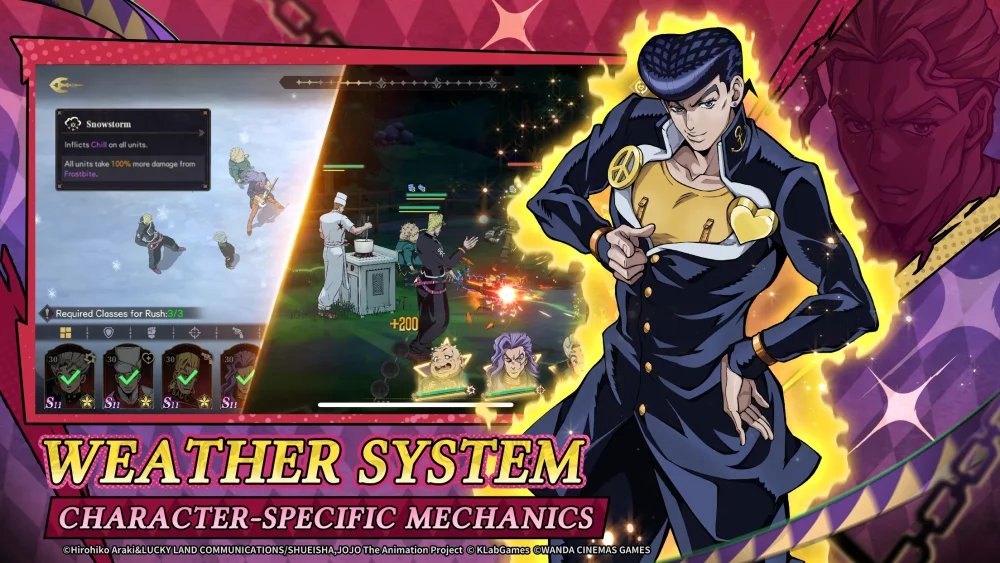
In JoJo's Bizarre Adventure: GS, your ability to react to high-speed Stand combat is only as good as the interface that facilitates your inputs. As a multigenerational RPG, the game demands precision, and navigating its UI effectively is the first step toward competitive dominance. Whether you are a newcomer or a seasoned beta tester, optimizing your settings prevents technical friction, ensuring that your hardware handles intense ability animations without compromising your visual clarity or input responsiveness.
Navigating the Primary Menu Layout
The main menu in JoJo's Bizarre Adventure: GS serves as your command center. Because the game features a deep roster of iconic characters and complex progression systems, the UI is designed with a hierarchical sidebar that prioritizes quick transitions.
- The Sidebar Hub: The left-hand navigation bar is your primary tool for movement. Familiarize yourself with the "Profile," "Combat," and "Settings" icons immediately. You should be able to navigate from the main lobby to a practice queue in under three seconds.
- The Dashboard: Your profile dashboard displays your current Stand mastery level and account status. Check this frequently after matches, as it updates with progression milestones that unlock new customization options or tactical abilities.
- Event Banners: Do not ignore the event carousel. During the beta, these areas are often updated with specific testing objectives or limited-time balance changes. Hovering over these icons often provides a tooltip regarding meta-shifts, which is essential for players looking to stay ahead of the curve.
Optimizing Performance for High-Intensity Combat
JoJo's Bizarre Adventure: GS utilizes highly stylized, resource-intensive graphical effects to capture the spirit of the series. During intense stand-offs, visual clutter can become a liability. To ensure a stable frame rate, navigate to the "Settings" menu and follow these steps:
- Post-Processing & Shadows: If you experience frame drops during Stand ability activations, prioritize lowering these two settings first. They offer the highest performance gain while maintaining the game’s core aesthetic.
- Input Latency Reduction: Ensure "V-Sync" is disabled if you are playing on a high-refresh-rate monitor. The game’s combat relies on frame-perfect inputs; any added input lag from V-Sync can hinder your ability to parry or dodge.
- Audio Balance: Use the "Audio" tab to separate "SFX" from "BGM." In competitive play, you must hear distinct audio cues for opponent attacks. Lowering the BGM by 20–30% relative to SFX will drastically improve your situational awareness.
Mastering the Character Selection Screen
The character selection screen is where you define your tactical approach for the match. Because JoJo's Bizarre Adventure: GS utilizes a team-based structure, the interface provides several filters that players often overlook.
Use the Sorting Filters to organize characters by Stand type (e.g., Close-Range Power, Long-Range Precision, or Utility). Learning to use these filters allows you to pivot your team composition during the draft phase, which is vital when you need to counter an opponent’s specific archetype.
Furthermore, pay close attention to the Loadout Indicators. Before locking in your team, verify the icons next to your character portraits. These icons indicate active status effects or equipped cosmetic modifications that might influence your starting meter or ability cooldowns. Reducing the time spent hovering in this menu allows you to focus more on your opening strategy rather than scrambling to finalize your roster.
Utilizing Beta Test Feedback Tools
As part of the JoJo's Bizarre Adventure: GS community, your experience during the closed beta is a critical component of development. The developers have integrated a direct feedback loop within the "System" tab of the settings menu.
- Reporting UI Bugs: If a menu becomes unresponsive or an icon fails to load, use the "Report Issue" tool immediately. Include a brief description of the navigation path that led to the error.
- Performance Logs: If the game stutters during specific character interactions, the system often allows you to export a diagnostic log. Providing this data helps the developers isolate the cause of frame-rate dips, leading to faster hotfixes.
Strategic Decision Making: Settings vs. Performance
One common mistake players make is prioritizing visual fidelity over responsiveness. While JoJo's Bizarre Adventure: GS is visually stunning, the "Ultra" settings can often mask visual cues that are necessary for identifying an opponent's "Stand Rush" or defensive counter.
Pro-Tip: If you find yourself missing windows for perfect blocks, lower your "Texture Quality" and "Effect Intensity" by one level. This "cleaner" look makes the animations of your opponents stand out more clearly against the background. By sacrificing some graphical flourish, you gain a tangible advantage in reaction time.
Finalizing Your Setup
Before jumping into your first ranked session, spend at least ten minutes in the training room with your finalized settings. Test your standard combos and ultimate activations to ensure that the visual adjustments haven't hindered your ability to track your own character's movement.
Once you have your UI and performance settings dialed in, stop changing them. Consistency is the hallmark of an expert player. By maintaining the same visual and audio environment, you allow your muscle memory to take over, shifting your mental energy away from navigating menus and toward the complex, strategic combat that makes JoJo's Bizarre Adventure: GS a unique experience. Keep an eye on the "News" section of the main menu for future updates, as patch notes will often indicate when new settings or UI elements have been added to the game's ecosystem.

Free JoJo's Bizarre Adventure: GS Codes
Current active codes and how to redeem them.

Emily Johnson
Emily writes practical mobile strategy guides with a focus on resource planning, base progression, and the early decisions that shape a long-term account.
COMMUNITY
Player Comments
159 players commented on this guide.
This helped me understand strategy much better.
I wish I had read this before upgrading the wrong thing.
The tips are practical and easy to follow.
This guide answered the exact question I had.