

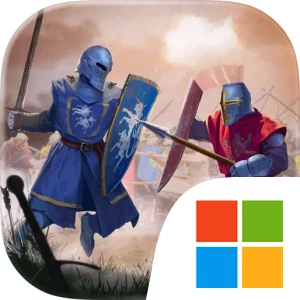
Play Kingdom Clash:Medieval Defense on Windows PC
Download the official Kingdom Clash:Medieval Defense Windows PC client and learn how to install and play the game on PC, with controls, system requirements, and practical tips.

Download Kingdom Clash:Medieval Defense Official Windows PC Client
Official Windows PC client provided by LDPlayer.
About the Official Kingdom Clash:Medieval Defense PC Client
Developer: AI Games FZ
Between battles, Kingdom Clash:Medieval Defense is built around growing and refining your army. You can collect, merge, and upgrade warriors, turning a changing roster into a stronger fighting force over time. The available troops include lancers, bombers, paladins, and archers, alongside dozens of other warriors to unlock and level up. That collection loop gives each victory a practical purpose: new or improved units expand the tactical options for later encounters, while merging and upgrading help you increase the power of the legion you bring into difficult fights. You can also summon legendary heroes, with each character offering unique skills and abilities that can help your army defeat enemies faster. Choosing how to combine ordinary troops with these heroes is part of the broader strategy, since your decisions must fit both your army’s capacity and the forces waiting across the arena. The campaign also includes dangerous lairs and epic boss encounters, where mighty creatures stand between your army and the freedom of your lands. These fights give the progression system a larger objective than simply clearing another battlefield: you are building a force capable of surviving the game’s most threatening confrontations. Keyboard-and-mouse play is useful during the repeated management work as well, giving you a comfortable way to move through troop selections, compare the units you are collecting, and perform merge or upgrade actions without obscuring the battlefield. With its combination of arena deployment, unit collection, hero abilities, varied environments, and boss battles, the PC version presents Kingdom Clash as a focused strategy experience centered on making the right choice before each clash and steadily preparing for the next one.
Screenshots
How to Download and Install the Official Kingdom Clash:Medieval Defense PC Client
- Download and install the official Windows client distributed by LDPlayer.
- Open the app and sign in with your Google Play account.
- Search for Kingdom Clash:Medieval Defense in the app store.
- Install the game and finish the first-launch download.
- Use the same game login if account sync is available.
Why Play Kingdom Clash:Medieval Defense on PC?
Menus, maps, resources, and combat details are easier to read on a desktop display.
Keyboard and mouse input makes repeated actions and long sessions more comfortable.
Desktop play avoids phone battery drain during longer farming sessions.
Keep guides, codes, and notes open alongside the game on PC.
Controls and Performance
These three settings solve most common issues when playing on PC.
Map navigation, skill use, and repeated resource actions first.
Lower resolution or graphics quality if crowded scenes lose frames.
Link your account before switching devices so progress can be restored safely.
Kingdom Clash:Medieval Defense Official PC Client FAQ
Can I play Kingdom Clash:Medieval Defense on PC?
Yes. Download the official Windows PC client distributed by LDPlayer and play with a larger screen, keyboard, and mouse controls.
Is Kingdom Clash:Medieval Defense better on PC than mobile?
Playing on PC can make longer sessions, detailed menus, and resource management more comfortable, while mobile is still convenient for quick check-ins.
Will my Kingdom Clash:Medieval Defense progress sync on PC?
Progress depends on the sign-in options supported by the game. Use the same linked Google, Facebook, Apple, or game account on both devices.
Why does Kingdom Clash:Medieval Defense lag on PC?
Lag can be caused by limited RAM, demanding graphics settings, outdated client files, or background apps. Lower the graphics settings and keep the PC client up to date.
DOWNLOAD STARTED
Your download is starting
Check your browser Downloads if it does not appear.
Official PC client for Windows, distributed by LDPlayer.
Download again