
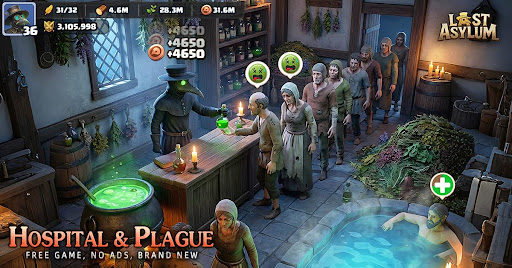
If you are experiencing a black screen when launching Last Asylum: Plague: Plague on your Android device, it can be a frustrating roadblock to your survival efforts. Often, this issue is caused by temporary file corruption, outdated cache data, or permission conflicts within the Android system.
Follow this troubleshooting guide to resolve launch issues and get back into the game.
Step 1: Clear the Game Cache
The most frequent cause of black screen issues in mobile strategy games is corrupted temporary data. Clearing the cache forces the game to rebuild these files upon the next launch without deleting your actual account progress.
- Open your phone’s Settings.
- Navigate to Apps or Application Manager.
- Locate Last Asylum: Plague: Plague in the list of installed applications.
- Tap on Storage.
- Select Clear Cache.
Note: Do not tap "Clear Data" unless you have your account linked to a social media account or email, as "Clear Data" will reset your local login credentials.
Step 2: Manage App Permissions
Sometimes the game fails to initialize because it lacks the necessary permissions to access your storage or network resources, resulting in a frozen black screen.
- In the same App Info menu for Last Asylum: Plague: Plague, look for Permissions.
- Ensure that Storage and Network permissions are set to "Allow."
- If the settings appear correct, toggle them off and back on to refresh the handshake between the game and the Android OS.
Step 3: Check for System and Game Updates
If the game was recently updated, your Android OS may have pending security patches that are required for the game's new engine requirements.
- Game Update: Visit the Google Play Store to ensure you are running the latest version of Last Asylum: Plague: Plague. Developers often push "hotfix" updates to address compatibility issues.
- System Update: Go to Settings > System > Software Update to ensure your device is running the latest version of Android.
Troubleshooting Checklist
If the black screen persists, refer to the following table for quick diagnostics:
| Issue | Recommended Action |
|---|---|
| Outdated Cache | Clear cache via App Settings |
| Insufficient Permissions | Re-enable Storage/Network access |
| Network Conflict | Switch from Wi-Fi to Data (or vice versa) |
| Corrupted Installation | Uninstall and perform a clean re-install |
Final Resort: Clean Installation
If none of the above steps work, the game files may have become deeply corrupted during a download or update.
- Uninstall Last Asylum: Plague: Plague completely.
- Restart your device to clear the RAM.
- Re-download the game from the official Google Play Store.
Important: Before uninstalling, ensure your account is bound to a platform (such as Google Play Games, Facebook, or your official game account ID) to prevent loss of your progress and base development.

Free Last Asylum: Plague Codes
Current active codes and how to redeem them.

Sarah Williams
Sarah specializes in RPG and collection games, explaining team building, character growth, and beginner-friendly ways to avoid expensive early mistakes.
COMMUNITY
Player Comments
83 players commented on this guide.
This guide answered the exact question I had.
I wish I had read this before upgrading the wrong thing.
The explanation is clear, especially for beginners.
I tried this today and it worked better than my old setup.