

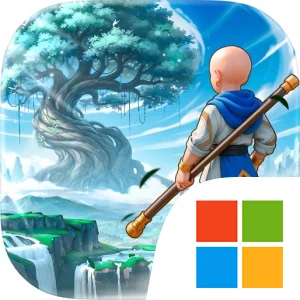
Play Legend of Elements on Windows PC
Download the official Legend of Elements Windows PC client and learn how to install and play the game on PC, with controls, system requirements, and practical tips.

Download Legend of Elements Official Windows PC Client
Official Windows PC client provided by LDPlayer.
About the Official Legend of Elements PC Client
Developer: Joy Net Games
Your first major decision is choosing from three classes, after which progression centers on mastering a broad collection of elemental abilities. Wind, fire, thunder, ice, and other elements supply the foundation for a combat system built around mixing and matching hundreds of skills. That flexibility lets you shape a character around the powers and combinations that suit your preferred approach, while the constant arrival of demons, dragons, fearful monsters, and mighty bosses gives those choices practical value. Combat is not the only way to grow stronger. The world is also filled with Spirits and Pets, each carrying mystical powers that can expand your capabilities and serve as loyal members of your adventure squad. Recruiting these companions turns collection into an important part of progression, encouraging you to develop a team rather than relying on a single hero.
The game also combines active adventure with systems designed to keep advancement moving when you are not directly controlling every encounter. Auto combat and auto leveling allow your Elementalist to continue building power with a single tap, while idle rewards provide Gear, Magites, and EXP. These resources support the ongoing process of improving your character and squad, making repeated battles and longer progression sessions more manageable. The New Player Giveaway further accelerates the opening hours with 1,000 draws, the Limited-Edition Spirit Panda Bambam, the Supreme Sword, and an item pack. The DanMachi V Collaboration Event adds another time-limited objective, giving you a chance to obtain a limited collaboration outfit while continuing your elemental journey.
Social play expands the adventure beyond solo exploration. Joining a clan lets you find other players and participate in shared activities, while forming teams provides a way to take on fierce monsters and mighty bosses together. On PC, a larger display makes the seamless open world easier to read while you cross varied terrain, search for ancient treasures, and keep track of threats appearing around you. Keyboard-and-mouse controls can also make repeated combat and menu-heavy progression more comfortable, particularly when switching between elemental skills, reviewing your available Spirits and Pets, and managing the Gear, Magites, and EXP earned through combat or idle rewards. The result is a game that links exploration, elemental customization, companion collection, automated advancement, and cooperative battles into one long-running quest to rise as the world’s elemental master.
Screenshots
How to Download and Install the Official Legend of Elements PC Client
- Download and install the official Windows client distributed by LDPlayer.
- Open the app and sign in with your Google Play account.
- Search for Legend of Elements in the app store.
- Install the game and finish the first-launch download.
- Use the same game login if account sync is available.
Why Play Legend of Elements on PC?
Menus, maps, resources, and combat details are easier to read on a desktop display.
Keyboard and mouse input makes repeated actions and long sessions more comfortable.
Desktop play avoids phone battery drain during longer farming sessions.
Keep guides, codes, and notes open alongside the game on PC.
Controls and Performance
These three settings solve most common issues when playing on PC.
Map navigation, skill use, and repeated resource actions first.
Lower resolution or graphics quality if crowded scenes lose frames.
Link your account before switching devices so progress can be restored safely.
Legend of Elements Official PC Client FAQ
Can I play Legend of Elements on PC?
Yes. Download the official Windows PC client distributed by LDPlayer and play with a larger screen, keyboard, and mouse controls.
Is Legend of Elements better on PC than mobile?
Playing on PC can make longer sessions, detailed menus, and resource management more comfortable, while mobile is still convenient for quick check-ins.
Will my Legend of Elements progress sync on PC?
Progress depends on the sign-in options supported by the game. Use the same linked Google, Facebook, Apple, or game account on both devices.
Why does Legend of Elements lag on PC?
Lag can be caused by limited RAM, demanding graphics settings, outdated client files, or background apps. Lower the graphics settings and keep the PC client up to date.
DOWNLOAD STARTED
Your download is starting
Check your browser Downloads if it does not appear.
Official PC client for Windows, distributed by LDPlayer.
Download again