
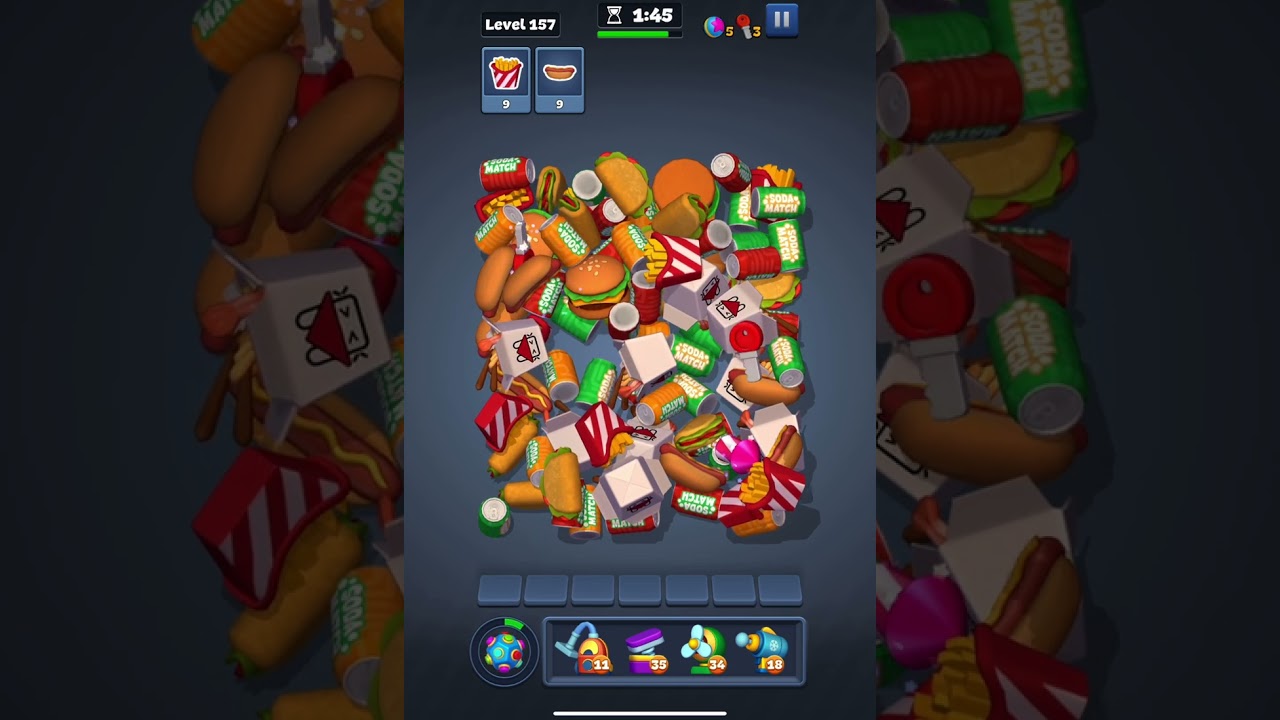
To beat Level 157 in Match Factory!, clear exposed objective items resting on the surface before digging into the mound, and never let unmatched clutter fill more than two slots in your seven-slot tray. The primary obstacles on this stage are a layered vertical object pile, tumbling physics that can bury targets, and a ticking level timer. Maintaining a buffer of three to four empty tray slots is essential to reaching buried goal pieces without locking your board.
---
Level 157 Stage Overview and Board Mechanics
Level 157 stacks items in a dense vertical pile where key goal pieces are pinned beneath non-target items. Because the pile uses active physics, picking pieces alters weight distribution and causes adjacent items to shift, slide, or roll over partially visible targets.
| Stage Element | Board Impact | Recommended Action |
|---|---|---|
| Deep Vertical Pile | Objectives are buried under clutter | Clear surface layers fully before digging down |
| 7-Slot Holding Tray | Filling all seven slots causes an instant loss | Keep at least three slots empty at all times |
| Active Pile Physics | Pulling items triggers shifting and sliding | Pause briefly after a match to let items settle |
| Level Timer | Searching idly drains remaining time | Identify complete triplets before tapping the first item |
---
Managing Tray Capacity and Avoiding Gridlock
The most common failure condition on Level 157 is filling the bottom tray with unmatched items. With only seven slots available, parking isolated items while searching for their partners quickly eliminates your margin for error.
To maintain board control:
- Enforce a two-item limit: Never store more than two unmatched items in your tray at the same time.
- Commit to complete triplets: If you select an item, prioritize finding its two matching pieces immediately to empty the tray slots.
- Recover at five items: If your tray reaches five occupied slots, stop digging for stage objectives. Focus exclusively on clearing items already taking up space in your tray to restore your buffer.
- Keep a three-slot safety cushion: Reserve at least three empty slots so you can temporarily pick blocking items when excavating a required goal piece.
---
Target Prioritization and Pile Excavation
Digging directly for buried objectives early in the stage wastes tray capacity on decoy items. The most reliable approach balances surface clearing with controlled excavation.
1. Sweep the Surface Layer
Begin the stage by clearing every fully visible target item that can be matched immediately in a set of three. Removing these easy sets clears out the top layer without adding excess clutter to your tray, reducing downward pressure on the items below.
2. Identify Pile Anchors
When moving deeper into the stack, observe how bulky items rest on top of smaller pieces:
- Top Anchors: Remove wide objects that lie across multiple items first to relieve weight on the center.
- Side Wedges: Clear perimeter pieces that prop up the main heap, allowing the central mound to spread outward and reveal hidden items.
- Tilted Objectives: Avoid removing pieces directly beneath a tilted target unless you are ready for it to slide or tumble into a new position.
3. Handle Non-Target Blockers
If a non-target item blocks a critical objective, only pick it if you can immediately complete a triplet for that blocking item. Tapping single non-target pieces into your tray as temporary holders will clog your slots and lead to board lock.
---
Timer Management and Booster Utility
Hesitating between moves drains the clock rapidly. As you tap the second and third items of an active triplet, scan the pile to locate your next set so you can transition without pausing.
If the pile settles into a deadlock or you fall behind the timer, deploy level tools to regain momentum:
- Vacuum Cleaner: Pulls multiple scattered target items directly from the board, clearing required objectives while preserving tray space.
- Spring: Knocks heavy clutter upward, exposing goal pieces trapped deep within the stack.
- Fan: Shuffles and redistributes the entire pile, unsticking jammed items when objectives are completely covered.

Free Match Factory! Codes
Current active codes and how to redeem them.

James Brown
James focuses on Android gaming on PC, emulator setup, controls, performance tuning, and practical troubleshooting for longer play sessions.
COMMUNITY
Player Comments
87 players commented on this guide.
The explanation is clear, especially for beginners.
Nice guide. I am checking the other Match Factory! articles next.
The tips are practical and easy to follow.
This guide answered the exact question I had.