

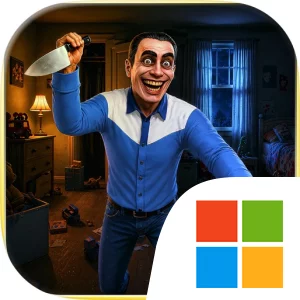
Play Midnight Cafe Roadside Story on Windows PC
Download the official Midnight Cafe Roadside Story Windows PC client and learn how to install and play the game on PC, with controls, system requirements, and practical tips.

Download Midnight Cafe Roadside Story Official Windows PC Client
Official Windows PC client provided by LDPlayer.
About the Official Midnight Cafe Roadside Story PC Client
Developer: Muhammad Nasir khan
The central gameplay loop is built around completing the responsibilities of a late-night waitress while staying alert to changes in the environment and uncovering the mystery behind the cafe. You are not given a weapon, and this is not a fighting game. Survival comes through awareness rather than combat, so the tension depends on noticing what has changed, recognizing suspicious moments, and continuing the shift despite the growing sense that the diner is unsafe. Taking orders, serving food, and cleaning tables provide the practical rhythm of each night, while hidden clues give those repeated duties a larger purpose. As every shift reveals more of the diner’s dark mystery, the story becomes more disturbing with each hour. That structure makes observation and interpretation more important than defeating enemies or managing an arsenal: the question is whether you can understand what is happening and make it to morning.
On PC, a larger display can make the game’s visual and environmental details easier to read during a tense shift. Flickering lights, movement in the shadows, the figure near the roadside, and small clues placed around the atmospheric diner all benefit from additional screen space and clearer visibility. A larger monitor also helps you keep the service area and surrounding environment in view while you move between routine tasks and investigate anything that feels wrong. Keyboard-and-mouse input is well suited to a game centered on careful movement, looking around, and repeatedly handling diner duties. Keyboard controls can keep movement responsive as you check the cafe, return to service tasks, or react to an unexpected change, while mouse control makes it easier to examine the room, follow suspicious details, and read the visual information presented through the VHS-inspired style. That combination supports the game’s emphasis on attention rather than action.
The experience is designed for players who prefer atmospheric terror, mystery thrillers, and story-driven horror over jump-scare spam or combat-heavy survival systems. Its offline format means the night shift can be played without an internet or Wi-Fi connection, keeping the focus on the roadside diner, its strange customers, and the clues hidden across every shift. Midnight Cafe Roadside Story builds its unease from mundane routines interrupted by impossible details, asking you to keep working while the environment becomes increasingly difficult to trust. If you can maintain awareness, follow the story as it unfolds, and endure the psychological pressure of each new hour, the goal is simple but unsettling: keep the diner running and survive the night until morning.
Screenshots
How to Download and Install the Official Midnight Cafe Roadside Story PC Client
- Download and install the official Windows client distributed by LDPlayer.
- Open the app and sign in with your Google Play account.
- Search for Midnight Cafe Roadside Story in the app store.
- Install the game and finish the first-launch download.
- Use the same game login if account sync is available.
Why Play Midnight Cafe Roadside Story on PC?
Menus, maps, resources, and combat details are easier to read on a desktop display.
Keyboard and mouse input makes repeated actions and long sessions more comfortable.
Desktop play avoids phone battery drain during longer farming sessions.
Keep guides, codes, and notes open alongside the game on PC.
Controls and Performance
These three settings solve most common issues when playing on PC.
Map navigation, skill use, and repeated resource actions first.
Lower resolution or graphics quality if crowded scenes lose frames.
Link your account before switching devices so progress can be restored safely.
Midnight Cafe Roadside Story Official PC Client FAQ
Can I play Midnight Cafe Roadside Story on PC?
Yes. Download the official Windows PC client distributed by LDPlayer and play with a larger screen, keyboard, and mouse controls.
Is Midnight Cafe Roadside Story better on PC than mobile?
Playing on PC can make longer sessions, detailed menus, and resource management more comfortable, while mobile is still convenient for quick check-ins.
Will my Midnight Cafe Roadside Story progress sync on PC?
Progress depends on the sign-in options supported by the game. Use the same linked Google, Facebook, Apple, or game account on both devices.
Why does Midnight Cafe Roadside Story lag on PC?
Lag can be caused by limited RAM, demanding graphics settings, outdated client files, or background apps. Lower the graphics settings and keep the PC client up to date.
DOWNLOAD STARTED
Your download is starting
Check your browser Downloads if it does not appear.
Official PC client for Windows, distributed by LDPlayer.
Download again