

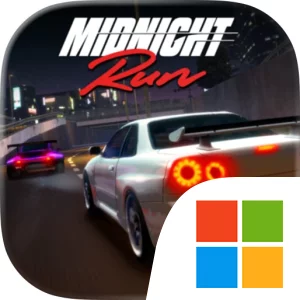
Play Midnight Run on Windows PC
Download the official Midnight Run Windows PC client and learn how to install and play the game on PC, with controls, system requirements, and practical tips.

Download Midnight Run Official Windows PC Client
Official Windows PC client provided by LDPlayer.
About the Official Midnight Run PC Client
Developer: Road Burn Pty Ltd
The core loop combines racing, garage management, collection, and detailed vehicle customization. You can take part in Highway Runs, Drift Events, Sprint Races, Time Attacks, Speed Checks, and Limited-Time Events, with each mode testing a different part of your street machine and your driving. A car that feels strong in a high-speed expressway run may need a different approach when you are drifting through a multi-story car park or competing for the best possible time. Your growing roster can be shaped through engine modifications, engine swaps, turbocharger upgrades, suspension tuning, custom wheels, widebody kits, aero kits, paint, and other visual details. That gives the garage a practical role beyond collecting: you are deciding how to spend earned cash, which vehicle deserves the next upgrade, and how to create a build that matches the events you want to pursue. Rare builds, recognizable automotive brands, and real-world names such as RWB - RAUH-Welt Begriff add a collecting and reputation layer, while collaborations, seasonal events, and exclusive challenges provide reasons to return for new objectives.
Multiplayer extends the same progression-minded structure beyond solo racing. You can compete against players worldwide, battle through multiplayer events, earn rewards, and climb the ranks in pursuit of the title of king of the midnight streets. Representing real-life crews and builders also gives the game a social identity: your reputation is tied not only to the cars you own, but to the names and culture you choose to stand behind. On PC, the larger display is especially useful when reading the visual differences between engine, suspension, turbocharger, wheel, and body-kit options in the garage, and when judging the route ahead through densely lit city streets, tunnels, docklands, and highway sections. Keyboard-and-mouse input also suits the repeated precision of Highway Runs, Drift Events, and Time Attacks: a keyboard provides direct control for steering, acceleration, and braking, while the mouse makes it easier to move through customization screens, select individual parts, and compare the many choices involved in a build. Whether your priority is a carefully tuned Japanese performance car, a collection of rare machines, crew reputation, or worldwide multiplayer rankings, Midnight Run gives each night a clear place within the larger push toward street-racing legend.
Screenshots
How to Download and Install the Official Midnight Run PC Client
- Download and install the official Windows client distributed by LDPlayer.
- Open the app and sign in with your Google Play account.
- Search for Midnight Run in the app store.
- Install the game and finish the first-launch download.
- Use the same game login if account sync is available.
Why Play Midnight Run on PC?
Menus, maps, resources, and combat details are easier to read on a desktop display.
Keyboard and mouse input makes repeated actions and long sessions more comfortable.
Desktop play avoids phone battery drain during longer farming sessions.
Keep guides, codes, and notes open alongside the game on PC.
Controls and Performance
These three settings solve most common issues when playing on PC.
Map navigation, skill use, and repeated resource actions first.
Lower resolution or graphics quality if crowded scenes lose frames.
Link your account before switching devices so progress can be restored safely.
Midnight Run Official PC Client FAQ
Can I play Midnight Run on PC?
Yes. Download the official Windows PC client distributed by LDPlayer and play with a larger screen, keyboard, and mouse controls.
Is Midnight Run better on PC than mobile?
Playing on PC can make longer sessions, detailed menus, and resource management more comfortable, while mobile is still convenient for quick check-ins.
Will my Midnight Run progress sync on PC?
Progress depends on the sign-in options supported by the game. Use the same linked Google, Facebook, Apple, or game account on both devices.
Why does Midnight Run lag on PC?
Lag can be caused by limited RAM, demanding graphics settings, outdated client files, or background apps. Lower the graphics settings and keep the PC client up to date.
DOWNLOAD STARTED
Your download is starting
Check your browser Downloads if it does not appear.
Official PC client for Windows, distributed by LDPlayer.
Download again