

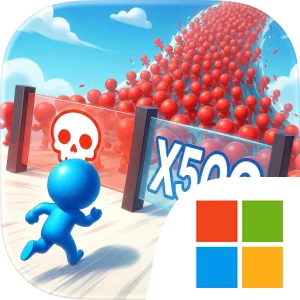
Play Mob Control on Windows PC
Download the official Mob Control Windows PC client and learn how to install and play the game on PC, with controls, system requirements, and practical tips.

Download Mob Control Official Windows PC Client
Official Windows PC client provided by LDPlayer.
About the Official Mob Control PC Client
Developer: Voodoo
Champions are central to Mob Control’s combat strategy. They are not just extra units to collect; they are powerful options that can help your growing force break through enemy mobs and claim the base. Choosing the best Champion combination for a particular battle becomes more important as the game introduces tougher layouts and different challenges. Winning battles also feeds the longer progression system. Victories can earn Championship Stars, valuable shields, and booster packs with different rarities. Championship Stars let you climb toward the Champions League, while shields help protect your base from enemy raids. In the armory, you can unlock and upgrade Cannons, Mobs, and Champions, then discover their evolutions as they level up. That gives the repeated battle loop a useful purpose: every successful run can improve your collection, strengthen your options, or move you closer to a higher competitive rank.
The game expands beyond its standard clashes through several distinct modes. Base Invasion lets you raid rival strongholds, take coins, and claim bricks, while Revenge and Counter-Attack give you a way to respond to players who have challenged your domain. Boss Levels use unique layouts and offer extra bonuses for overcoming more demanding adversaries. Tournaments and the Champions League add a competitive reason to keep refining your timing and deployment choices, and the monthly Season Pass provides quests, tier rewards, new heroes, Cannons, and skins. These systems make Mob Control more than a sequence of isolated levels: your battle results affect your base, collection, ranking, and available upgrades. The store description also positions the game as an evolving service, with new mechanics and content added each month. It is free to download with ads, while a Premium Pass or permanent no-ads package offers uninterrupted play; Skip'Its can also speed progress and provide extra rewards without watching ads.
On PC, the larger display is particularly useful when a level combines moving gates, speed boosts, and multipliers, since you have more room to read the battlefield and judge which opening will produce the strongest mob. A mouse should also make the most important moment-to-moment action feel natural: aiming at a gate, adjusting your shot, and selecting a Champion when the enemy mob demands a change in plan. The additional screen space helps when comparing Cannons, Mobs, and Champions in the armory or checking progression toward Championship Stars and the Champions League. Keyboard-and-mouse input can make repeated navigation between battles, upgrades, and base management more comfortable as well, especially when you are cycling through cards and preparing for another invasion. With its mix of multiplying crowds, direct aiming, collectible upgrades, base defense, and rival-focused modes, Mob Control offers a compact tower defense format that is easy to start but structured around continual tactical improvement.
Screenshots
How to Download and Install the Official Mob Control PC Client
- Download and install the official Windows client distributed by LDPlayer.
- Open the app and sign in with your Google Play account.
- Search for Mob Control in the app store.
- Install the game and finish the first-launch download.
- Use the same game login if account sync is available.
Why Play Mob Control on PC?
Menus, maps, resources, and combat details are easier to read on a desktop display.
Keyboard and mouse input makes repeated actions and long sessions more comfortable.
Desktop play avoids phone battery drain during longer farming sessions.
Keep guides, codes, and notes open alongside the game on PC.
Controls and Performance
These three settings solve most common issues when playing on PC.
Map navigation, skill use, and repeated resource actions first.
Lower resolution or graphics quality if crowded scenes lose frames.
Link your account before switching devices so progress can be restored safely.
Mob Control Official PC Client FAQ
Can I play Mob Control on PC?
Yes. Download the official Windows PC client distributed by LDPlayer and play with a larger screen, keyboard, and mouse controls.
Is Mob Control better on PC than mobile?
Playing on PC can make longer sessions, detailed menus, and resource management more comfortable, while mobile is still convenient for quick check-ins.
Will my Mob Control progress sync on PC?
Progress depends on the sign-in options supported by the game. Use the same linked Google, Facebook, Apple, or game account on both devices.
Why does Mob Control lag on PC?
Lag can be caused by limited RAM, demanding graphics settings, outdated client files, or background apps. Lower the graphics settings and keep the PC client up to date.
DOWNLOAD STARTED
Your download is starting
Check your browser Downloads if it does not appear.
Official PC client for Windows, distributed by LDPlayer.
Download again