
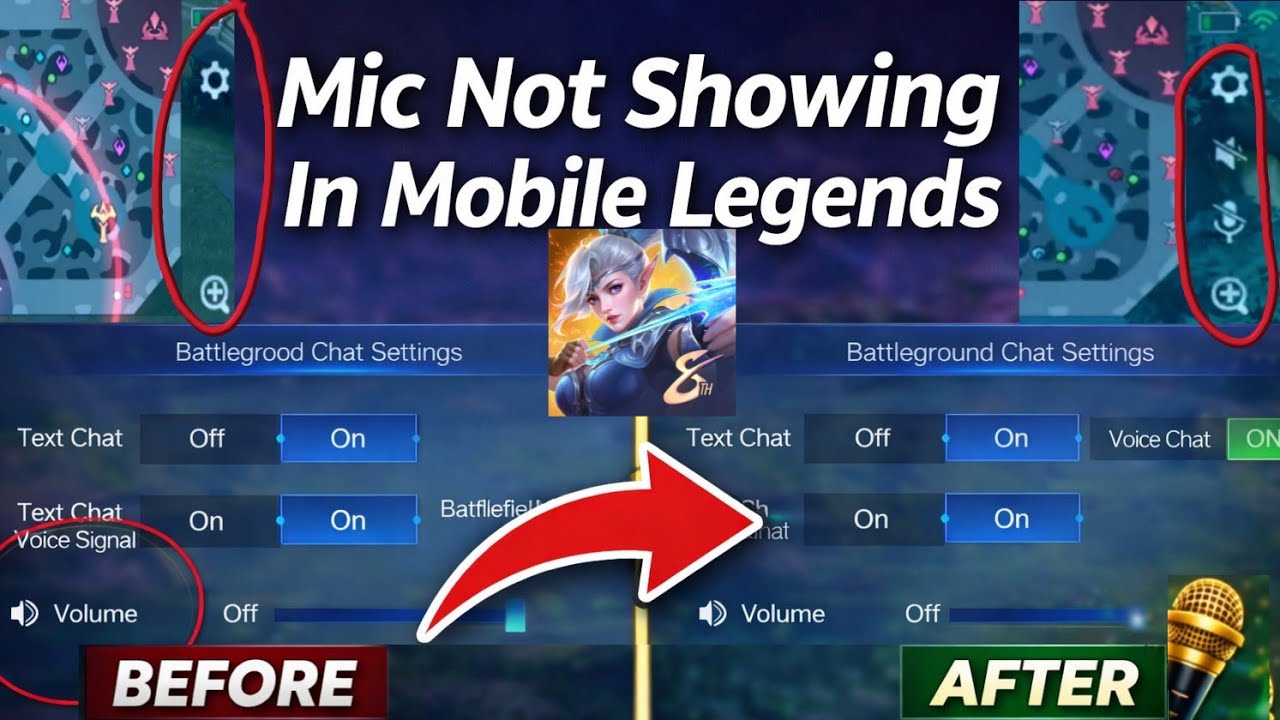
To restore missing voice chat icons in Mobile Legends: Bang Bang.US, clear the game client cache, confirm that voice settings are turned on, and ensure your device operating system grants microphone permissions to the application. When the microphone and speaker icons fail to render beside the mini-map and score tab, the game client is either suppressing the interface due to corrupted temporary assets, waiting for incomplete background downloads, or blocked by system privacy restrictions.
Clear the In-Game Client Cache
Clearing the client cache forces Mobile Legends: Bang Bang.US to rebuild interface elements without deleting account data, custom control configurations, or downloaded cosmetic files.
Follow these steps to clear the cache inside the game:
- Tap the Settings gear icon located in the upper-right corner of the main lobby.
- Select the "Network Test" tab from the left-hand menu.
- Tap the "Cache Clearing" option.
- Select "Clean" and confirm the prompt to let the client restart automatically.
Once the game restarts, launch practice mode to verify whether the speaker and microphone icons reappear. While Android users can also clear the app cache through their phone's Application Manager, avoid selecting "Clear Data" or "Clear Storage," which deletes full game resources and triggers a complete download.
Turn On In-Game Voice Chat Toggles
Game updates and maintenance periods occasionally reset audio toggles to default off states. If the master voice communication setting is disabled, the match interface will completely hide the speaker and microphone buttons.
- Open the Settings menu from the main lobby.
- Select the "Sound" tab.
- Scroll to the Voice Chat section and switch the primary "Voice Chat" toggle to On.
- Check the sliders for "Battlefield Voice Chat," "Speaker Volume," and "Mic Volume" to ensure they are not set to zero.
Enabling these options restores the in-match buttons immediately without requiring a full device restart.
Verify Device Permissions and Resource Downloads
Missing voice chat modules also occur when background asset downloads remain unfinished or mobile operating systems revoke hardware access.
Complete Resource Downloads
Check the lower-right corner of the main lobby for a circular download icon. If asset packages are queued or paused, keep the game open on a stable internet connection until downloads reach 100 percent. To detect and fix broken files, navigate to Settings > Network Test and run the "Resource Check" utility.
Grant Microphone Access
If the device operating system blocks audio recording, the game client suppresses the microphone HUD element:
- Android: Open device Settings > Apps > Mobile Legends: Bang Bang.US > Permissions > Microphone, and choose "Allow only while using the app."
- iOS: Open device Settings, scroll down to select Mobile Legends: Bang Bang.US, and toggle "Microphone" to the green enabled position.
Troubleshoot Persistent Voice Chat Failures
If cache resets and permissions do not resolve the issue, local network filtering may be blocking the Voice over IP (VoIP) connection. Campus networks, public Wi-Fi routers, and select mobile data carriers occasionally throttle or block voice gaming ports.
Use this diagnosis table to address remaining voice chat issues:
| Issue Symptom | Root Cause | Immediate Fix |
|---|---|---|
| Missing microphone and speaker icons | Corrupted temporary interface cache | Go to Settings > Network Test > Cache Clearing |
| Voice Chat section missing from Sound menu | Incomplete or interrupted asset downloads | Finish lobby asset downloads and run Resource Check |
| Speaker icon visible, but microphone icon absent | Device microphone permissions denied | Enable microphone permissions in device app settings |
| Voice interface disappears only on specific Wi-Fi | Router firewall blocks VoIP traffic | Switch to cellular data or adjust router firewall ports |

Free Mobile Legends: Bang Bang.US Codes
Current active codes and how to redeem them.

James Brown
James focuses on Android gaming on PC, emulator setup, controls, performance tuning, and practical troubleshooting for longer play sessions.
COMMUNITY
Player Comments
158 players commented on this guide.
Good guide for Mobile Legends: Bang Bang.US players. The strategy part was useful.
I wish I had read this before upgrading the wrong thing.
The tips are practical and easy to follow.
Nice guide. I am checking the other Mobile Legends: Bang Bang.US articles next.