
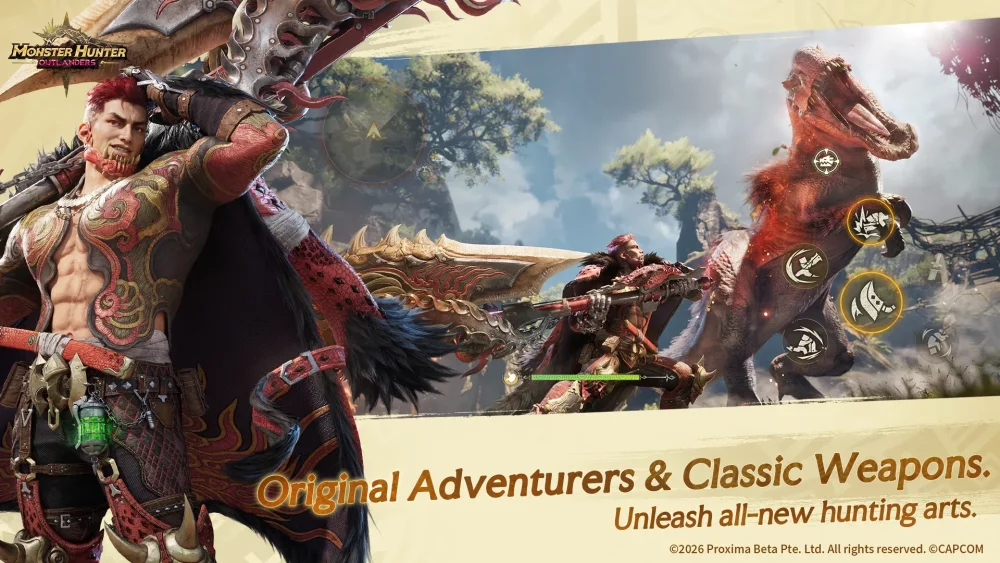
To achieve peak performance in Monster Hunter Outlanders, configuring a physical controller is the single most impactful adjustment you can make to your gameplay experience. While the mobile interface is functional for casual play, the complexity of modern monster combat—demanding precise dodges, frame-perfect counters, and fluid target tracking—requires the tactile feedback and consistent input response that only a dedicated gamepad provides. By prioritizing controller integration during your initial setup, you effectively bridge the gap between mobile convenience and the high-fidelity control expected from the Monster Hunter series.
Establishing Controller Priority for Complex Combat
The most significant hurdle for veteran hunters moving to Monster Hunter Outlanders is the transition from tactile, physical buttons to mobile touch controls. Relying exclusively on a flat screen makes complex, high-stakes maneuvers—such as timing weapon-specific special actions or dodging mid-combo—significantly more difficult.
Mapping your buttons to a compatible Bluetooth controller creates a consistent input environment. When you first log in, navigate immediately to the settings menu to verify your input detection and customize your key bindings. Mapping your primary attack, secondary skills, and evasion buttons to a physical layout allows your fingers to rest in a neutral position, preventing the "screen clutter" that often obscures telegraphs from agile monsters. This setup is not merely a preference; it is a mechanical necessity for players aiming to tackle end-game, high-difficulty hunts where precision is the difference between a successful carve and a failed quest.
Managing Weapon Skill Execution Under Pressure
Combat in Monster Hunter Outlanders relies heavily on the integration of unique weapon skills and character-specific abilities. Using a touch screen frequently leads to "fat-finger" errors, where a player might accidentally trigger an item or misfire a special ability during a critical opening. By utilizing a physical controller, you can isolate these high-value actions to dedicated shoulder buttons or triggers.
This separation of inputs is particularly vital during multi-stage boss fights. When a monster enters a frenzied state, the window of opportunity to land a heavy strike or execute a counter-attack is extremely narrow. A controller allows you to maintain full camera control using the right analog stick while simultaneously executing complex combos with your left hand. This optimization is nearly impossible to maintain consistently on a touch-sensitive surface, where your thumb must constantly jump between movement, camera, and ability buttons.
Adapting to Open-World Traversal Demands
The expansive, vertical nature of the world in Monster Hunter Outlanders requires constant, fluid movement, climbing, and aerial traversal. Navigating these environments using only touch-screen joysticks can lead to physical fatigue and imprecise movement, often resulting in wasted stamina or missed paths.
By assigning camera and movement control to physical analog sticks, you gain the fine-tuned control necessary to navigate vertical terrain and environmental hazards with ease. Beyond movement, the controller setup enhances your ability to track fast-moving monsters across the map. In the heat of a chase, the ability to flick the camera instantly to keep your target in view—without dragging a finger across the display and obscuring your vision—is a massive tactical advantage. This responsiveness ensures you stay locked onto the hunt, minimizing the time spent repositioning and maximizing your damage uptime.
Limitations and Practical Trade-offs
While controllers provide a superior interface for combat, players must remain aware that Monster Hunter Outlanders is primarily optimized for mobile hardware. You will likely encounter UI menus—such as the crafting interface, equipment sub-menus, or social tabs—that require a quick switch back to touch input.
- Keep your device accessible: Ensure your phone or tablet is positioned within reach so you can seamlessly toggle between the gamepad for combat and the screen for deep inventory management.
- Latency Management: Ensure your controller firmware is up to date to avoid input lag. In a game like Monster Hunter Outlanders, even a millisecond of latency can result in being caught in a monster's massive area-of-effect attack.
- Sensitivity Tweaks: If you find your controller is not responding as expected, prioritize checking the game's internal sensitivity settings before reverting to touch controls. Minor adjustments to the camera acceleration and stick dead-zones in the settings menu can often resolve connectivity or input mapping issues entirely.
Strategic Recommendations for Every Hunter
To get the most out of your setup, consider these expert-backed configuration tips:
- Prioritize Evasion: Always map your "Dodge" or "Roll" to a shoulder button (L1/LB or R1/RB). This ensures your thumb never has to leave the movement stick during a monster’s attack wind-up.
- Camera Snap: Use the "Target Lock" feature in conjunction with your right analog stick. If your controller allows for button remapping, assign "Reset Camera" to a quick-access button to instantly re-center your view after a high-mobility monster dashes past you.
- Weapon-Specific Layouts: Spend time in the training area for each weapon class. A Great Sword setup may benefit from having "Charge" on a trigger, while a Bow user might prioritize "Rapid Fire" on a face button. Tailor your controller layout to the specific rhythm of your weapon.
By moving your gameplay to a dedicated controller, you are not just improving your comfort; you are elevating your mechanical ceiling. Monster Hunter Outlanders is designed to be a deep, rewarding experience, and with the right input configuration, you ensure that every hunt is decided by your skill and strategy, rather than the limitations of your hardware.

Free Monster Hunter Outlanders Codes
Current active codes and how to redeem them.

Sarah Williams
Sarah specializes in RPG and collection games, explaining team building, character growth, and beginner-friendly ways to avoid expensive early mistakes.
COMMUNITY
Player Comments
39 players commented on this guide.
Good guide for Monster Hunter Outlanders players. The strategy part was useful.
This guide answered the exact question I had.
The tips are practical and easy to follow.
I tried this today and it worked better than my old setup.