
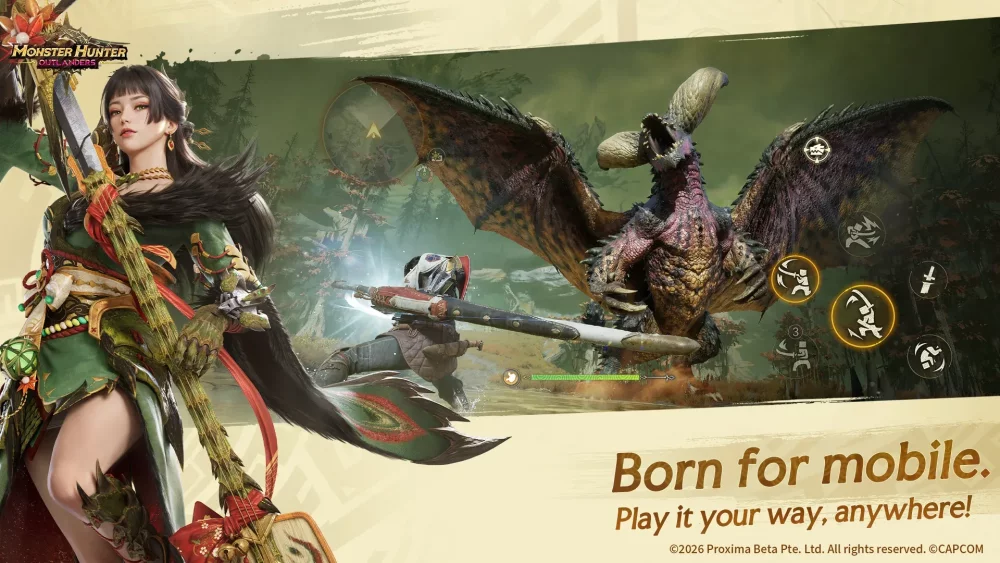
In Monster Hunter Outlanders, surviving fights and breaking monster parts requires coordinating movement on the left side of your screen with attack inputs on the right. Setting up your grip, understanding camera tools, and monitoring HUD resource bars keeps your attack rotations consistent during real-time combat.
Navigating the Default Control Layout
The touchscreen interface divides movement and combat actions across two primary zones:
- Left-Side Controls: A virtual analog stick controls character movement and positioning around the target.
- Right-Side Controls: Dedicated touch buttons handle standard weapon attacks, signature skills, and dodge rolls.
When approaching a monster in the open world, the exploration interface automatically transitions to show your active weapon skills. Use your left thumb to maintain positioning behind or to the side of a monster while using your right thumb to chain basic attacks and trigger weapon actions.
Managing Camera Angles and Lock-On
Keeping large creatures visible is critical for dodging incoming area-of-effect abilities and heavy telegraphs. Use two main methods to manage your visual field:
- Manual Panning: Swipe across any empty space on the right side of the screen to rotate the view manually around your character.
- Target Lock-On: Tap the lock-on toggle to fix the camera directly on the targeted creature. This keeps the monster centered automatically during fast mobility phases.
If your camera becomes obscured by terrain or close-quarters obstacles, tap the camera reset button positioned near the top HUD elements to center the view directly behind your character.
Tracking Cooldowns and Resource Gauges
Monitoring status indicators on the interface prevents unexpected downtime during combat:
| HUD Element | Location | Function | Action Required |
|---|---|---|---|
| Health & Stamina Bars | Top of screen | Tracks survivability and dodge capacity | Retreat to recover if stamina exhausts or health drops. |
| Skill Icons | Right control panel | Shows weapon skill cooldowns | Tap when icons glow or highlight to execute active skills. |
| Weapon Maintenance Gauge | Main HUD panel | Displays sharpness level or energy meter | Sharpen or recharge when levels drop to avoid damage reduction. |
Watch damage numbers and hit-stop effects during your attack sequences. White or low numbers indicate your strikes are hitting resistant armor, signaling that you should adjust your position with the virtual analog stick to target vulnerable monster weak points.

Free Monster Hunter Outlanders Codes
Current active codes and how to redeem them.

Emily Johnson
Emily writes practical mobile strategy guides with a focus on resource planning, base progression, and the early decisions that shape a long-term account.
COMMUNITY
Player Comments
66 players commented on this guide.
The tips are practical and easy to follow.
I tried this today and it worked better than my old setup.
This helped me understand strategy much better.
Good guide for Monster Hunter Outlanders players. The strategy part was useful.