
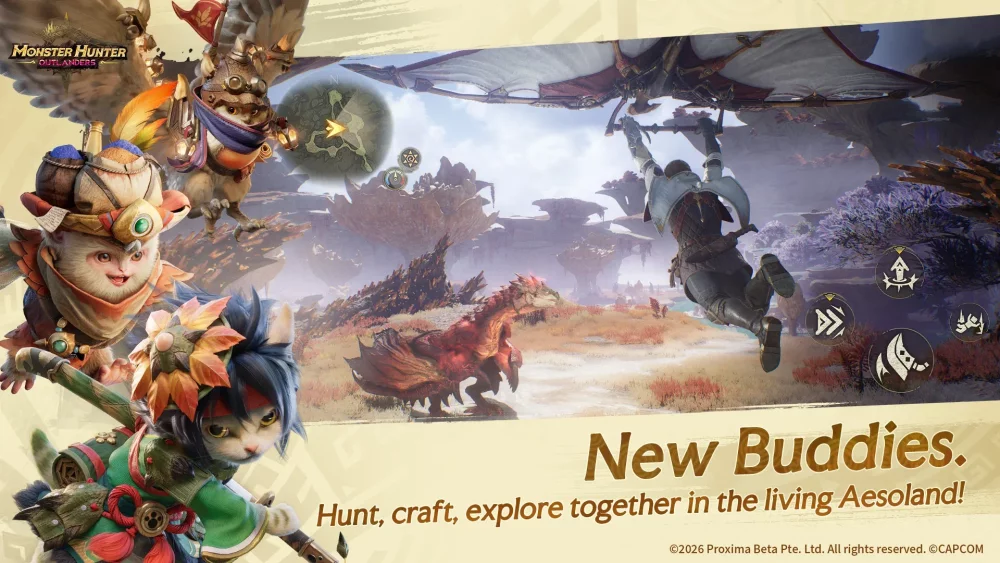
Achieving the perfect balance between graphical fidelity and frame rate stability is essential for success in Monster Hunter Outlanders. As a mobile action title that brings the expansive, high-stakes hunting experience of the franchise to handheld devices, the game demands significant processing power to render its complex environments and large-scale monster models. For competitive players, performance is not just a visual preference—it is a gameplay requirement. Dropped frames or thermal throttling can ruin your timing during crucial dodges, counters, and monster mounting sequences.
This guide provides an expert breakdown of how to tune your settings to achieve a console-quality experience while maintaining the responsiveness needed to take down the toughest apex predators.
Prioritizing Performance for Combat Precision
In Monster Hunter Outlanders, your primary goal is to maintain a consistent frame rate. When engaging in high-intensity hunts, such as battling the Radiant Prismatic Dragon, the game’s engine must track multiple hitboxes, particle effects, and environmental interactions simultaneously.
To ensure your device remains stable:
- Target Frame Rate: Always prioritize a stable 60 FPS over higher visual quality if your device struggles during combat. A steady 60 FPS provides the necessary input latency to react to monster telegraphs.
- Shadow Quality: This is the most taxing setting on mobile GPUs. If you notice stuttering, set shadows to "Medium" or "Low" first. This change often frees up significant overhead without making the game appear "flat."
- Post-Processing: Effects like motion blur, bloom, and depth of field can obscure vision. Disabling these or setting them to "Low" creates a cleaner image, making it easier to track monster limb movements.
Finding the Rendering Resolution Sweet Spot
Rendering resolution dictates the clarity of your game world, but it is also the primary driver of device heat. Because mobile devices rely on passive cooling, pushing the resolution to 100% (Native) for extended periods will almost certainly lead to thermal throttling—where your phone intentionally slows down its processor to prevent overheating.
We recommend setting your internal rendering resolution to 80% to 90% of your device’s native screen resolution. This "sweet spot" provides enough pixel density to keep the game looking sharp on smaller screens while significantly reducing the load on your GPU. By lowering this slightly, you keep the device cooler, which prevents the aggressive frame-rate dips that usually occur after 20–30 minutes of continuous hunting.
Mastering Camera Sensitivity and Field of View (FOV)
A common mistake new hunters make is leaving the default camera settings untouched. In Monster Hunter Outlanders, the camera is your primary tool for situational awareness, especially when fighting massive monsters that fill the screen.
- Expanded FOV: Increasing your Field of View allows you to see more of the battlefield. This is a massive tactical advantage, as it enables you to spot tail-swipe telegraphs or incoming projectiles from peripheral monsters that might otherwise be hidden by the camera’s focus on the primary target.
- Camera Sensitivity: Large monsters move quickly. If your sensitivity is too low, you will struggle to keep the monster in view during high-speed dashes. Conversely, if it is too high, you may over-correct during precision strikes. Start by increasing your "Horizontal Sensitivity" by 10-15% over the default and adjust from there until your camera tracking feels natural during a frantic encounter.
Managing Battery and Thermal Efficiency
Monster Hunter Outlanders is a graphically intensive game, and "battery-saving" modes on most smartphones often interfere with performance. To maintain a consistent experience:
- Disable Background Apps: Ensure no high-bandwidth apps (social media, video streaming) are running in the background. These consume RAM and cause spikes in CPU usage that lead to micro-stutters.
- Avoid Charging While Playing: Charging your device while the game is running generates excess heat. This heat is the #1 cause of performance degradation in mobile gaming. If possible, play on a full charge rather than tethered to a power source.
- Frame Rate Capping: If you find your device gets uncomfortably hot after short sessions, cap your frame rate at 30 FPS. While 60 FPS is ideal, a stable 30 FPS is much better than a fluctuating frame rate that bounces between 30 and 60, as the latter makes it nearly impossible to time your dodges correctly.
The Impact of Environmental Settings
The maps in Monster Hunter Outlanders are densely populated with flora, weather effects, and dynamic lighting. While these make for a beautiful experience, they can be detrimental to performance in specific zones.
- Volumetric Effects: Fog and dynamic weather are beautiful but heavy on resources. If your frame rate dips in heavily forested or swampy biomes, lower the "Environmental Detail" setting.
- Asset Loading: The game uses a dynamic streaming system to load the environment as you move. If you encounter frequent "pop-in" or loading hitches, ensure you have at least 5-10GB of free space on your device. Having a near-full storage drive slows down the read/write speeds of your device’s flash memory, directly impacting how quickly the game can stream in new textures as you traverse the map.
Expert Strategy: The "Clean Room" Testing Method
Before heading into a high-stakes hunt like the Radiant Prismatic Dragon, use the Training Ground to stress-test your settings. Perform your most complex combos and observe the frame rate. If you see even a single skip in animation, lower one setting—specifically shadows or foliage density—until the action is buttery smooth.
Remember, Monster Hunter Outlanders is about precision. It is better to play with high-performance settings that allow you to read every monster attack perfectly than to play with "Ultra" graphics that result in a sluggish, stuttering experience where every missed frame could mean a failed quest. By following these optimizations, you ensure your hardware works for you, not against you, in the pursuit of becoming a master hunter.

Free Monster Hunter Outlanders Codes
Current active codes and how to redeem them.

James Brown
James focuses on Android gaming on PC, emulator setup, controls, performance tuning, and practical troubleshooting for longer play sessions.
COMMUNITY
Player Comments
113 players commented on this guide.
Nice guide. I am checking the other Monster Hunter Outlanders articles next.
Good guide for Monster Hunter Outlanders players. The strategy part was useful.
Can you add more details about strategy in a future update?
I wish I had read this before upgrading the wrong thing.