

Download Ore & Oni Official Windows PC Client
Official Windows PC client provided by LDPlayer.
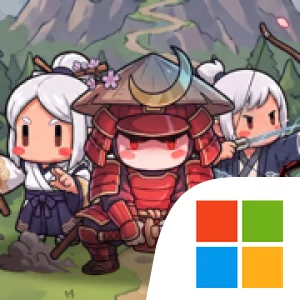
About the Official Ore & Oni PC Client
Developer: Expandable Software, Inc.
The central loop links production, investment, and defense. Mine carts deliver coins even while a battle is underway, so the economy continues working as you focus on the fight. You can improve the mining operation and shorten cart delivery times to bring in money more quickly, then use your earnings to strengthen the mine, buildings, and heroes. Those improvements carry forward as you advance, giving each stage a connection to the work done before it. Rather than treating a wave as an isolated encounter, Ore & Oni asks you to consider how today’s upgrades will help prepare for stronger enemies and more demanding stages later.
Combat adds a deliberate spending decision to that ongoing management. You command three hero skills, and each one costs coins. Using a skill at the right moment can help turn a dangerous fight around, but spending freely may leave fewer resources for the next opportunity. Saving coins also has a cost if the current wave overwhelms your heroes, so timing matters: assess the threat, decide whether to act now, and keep the mine’s income and future upgrades in mind. As oni become more dangerous, you must strengthen your heroes and adapt your strategy instead of relying on the same approach at every stage. The result is a repeating cycle of keeping production moving, choosing upgrades, timing skills, and responding to escalating waves.
On PC, a larger display can make it easier to keep the mine, settlement, and battle in view while you judge what needs attention. That context is useful when carts are still delivering coins during combat: you can follow the flow of income and consider an upgrade without losing sight of the immediate threat. Keyboard-and-mouse input also suits repeated management actions, such as selecting improvements for the mine or buildings and making quick decisions about when to use one of your three hero skills. When the action is moving quickly, clear access to the combat information and available choices can help you weigh spending against saving rather than treating every ability as an automatic response.
Ore & Oni is built around a useful tension: the mine never stops, but neither do the oni. Your economy can keep growing in the background, yet every coin spent on an immediate battle is a coin not put toward lasting improvements. Conversely, investing in shorter cart cycles and stronger buildings helps establish a better foundation, but it does not remove the need to handle the next wave tactically. If you enjoy games that pair ongoing resource management with active, skill-timing combat, the appeal lies in bringing those decisions together—keeping the operation productive, preparing your heroes, and defending the settlement as each stage raises the stakes.
Screenshots
How to Download and Install the Official Ore & Oni PC Client
- Download and install the official Windows client distributed by LDPlayer.
- Open the app and sign in with your Google Play account.
- Search for Ore & Oni in the app store.
- Install the game and finish the first-launch download.
- Use the same game login if account sync is available.
Why Play Ore & Oni on PC?
Menus, maps, resources, and combat details are easier to read on a desktop display.
Keyboard and mouse input makes repeated actions and long sessions more comfortable.
Desktop play avoids phone battery drain during longer farming sessions.
Keep guides, codes, and notes open alongside the game on PC.
Controls and Performance
These three settings solve most common issues when playing on PC.
Map navigation, skill use, and repeated resource actions first.
Lower resolution or graphics quality if crowded scenes lose frames.
Link your account before switching devices so progress can be restored safely.
Ore & Oni Official PC Client FAQ
Can I play Ore & Oni on PC?
Yes. Download the official Windows PC client distributed by LDPlayer and play with a larger screen, keyboard, and mouse controls.
Is Ore & Oni better on PC than mobile?
Playing on PC can make longer sessions, detailed menus, and resource management more comfortable, while mobile is still convenient for quick check-ins.
Will my Ore & Oni progress sync on PC?
Progress depends on the sign-in options supported by the game. Use the same linked Google, Facebook, Apple, or game account on both devices.
Why does Ore & Oni lag on PC?
Lag can be caused by limited RAM, demanding graphics settings, outdated client files, or background apps. Lower the graphics settings and keep the PC client up to date.
DOWNLOAD STARTED
Your download is starting
Check your browser Downloads if it does not appear.
Official PC client for Windows, distributed by LDPlayer.
Download again