
Play Overgeared Hero on Windows PC
Download the official Overgeared Hero Windows PC client and learn how to install and play the game on PC, with controls, system requirements, and practical tips.

Download Overgeared Hero Official Windows PC Client
Official Windows PC client provided by LDPlayer.
About the Official Overgeared Hero PC Client
Developer: 5minlab Co., Ltd.
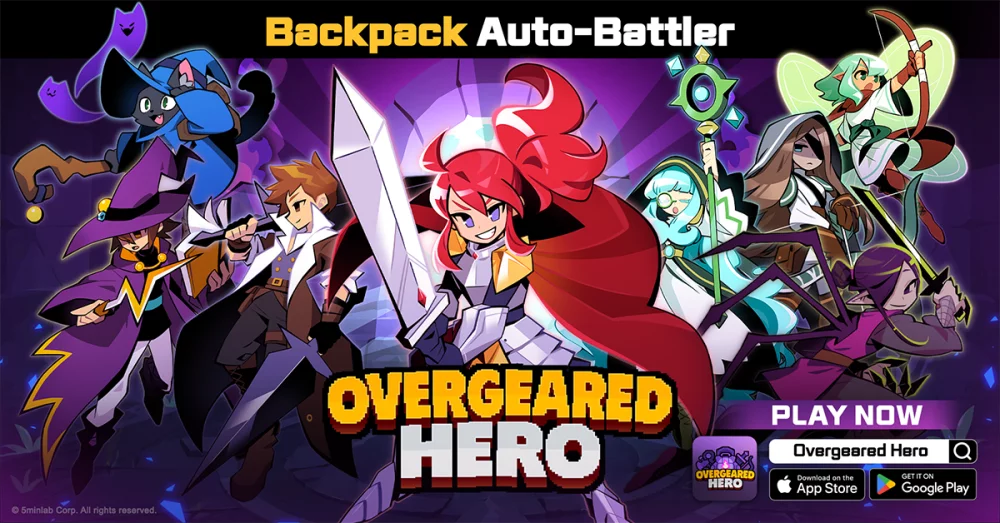
Each procedural roguelike run presents a fresh challenge, giving the merge-and-build loop room to develop in different directions. You choose a hero class that fits your preferred approach, combine class-specific gear with class skills, and train pets that fight alongside you. As you progress, you can chase epic and legendary equipment, merge duplicates into upgraded versions, expand your backpack, and refine the arrangement that drives your auto-battles. Since the fight reflects the decisions made in preparation, the important questions are what to keep, what to combine, where to place it, and how those choices work with your class and pets. Runs are designed for quick sessions, but the procedural structure, evolving equipment, and build experimentation provide reasons to return. Beyond individual runs, PvP lets you test your backpack design against other players, while leaderboards give your strategy a longer-term competitive target. On PC, a larger display makes the backpack grid easier to read when comparing rare, epic, and legendary gear, checking available space, and planning several items around attack or defense synergies. Keyboard-and-mouse input also suits the game’s preparation-focused interface: a mouse allows precise selection and placement of gear, pets, and other build pieces, while the keyboard can make repeated inventory and menu actions more comfortable during short sessions. The larger screen is equally useful when reviewing the full relationship between your class, class-specific gear, pet choices, and resulting combat setup before committing to a run. With its retro pixel presentation, merge progression, procedural runs, auto-battles, and PvP competition, Overgeared Hero: Merge RPG on PC is best understood as a strategy game where every backpack arrangement is a decision and every battle is the test of that decision.
Screenshots
How to Download and Install the Official Overgeared Hero PC Client
- Download and install the official Windows client distributed by LDPlayer.
- Open the app and sign in with your Google Play account.
- Search for Overgeared Hero in the app store.
- Install the game and finish the first-launch download.
- Use the same game login if account sync is available.
Why Play Overgeared Hero on PC?
Menus, maps, resources, and combat details are easier to read on a desktop display.
Keyboard and mouse input makes repeated actions and long sessions more comfortable.
Desktop play avoids phone battery drain during longer farming sessions.
Keep guides, codes, and notes open alongside the game on PC.
Controls and Performance
These three settings solve most common issues when playing on PC.
Map navigation, skill use, and repeated resource actions first.
Lower resolution or graphics quality if crowded scenes lose frames.
Link your account before switching devices so progress can be restored safely.
Overgeared Hero Official PC Client FAQ
Can I play Overgeared Hero on PC?
Yes. Download the official Windows PC client distributed by LDPlayer and play with a larger screen, keyboard, and mouse controls.
Is Overgeared Hero better on PC than mobile?
Playing on PC can make longer sessions, detailed menus, and resource management more comfortable, while mobile is still convenient for quick check-ins.
Will my Overgeared Hero progress sync on PC?
Progress depends on the sign-in options supported by the game. Use the same linked Google, Facebook, Apple, or game account on both devices.
Why does Overgeared Hero lag on PC?
Lag can be caused by limited RAM, demanding graphics settings, outdated client files, or background apps. Lower the graphics settings and keep the PC client up to date.
DOWNLOAD STARTED
Your download is starting
Check your browser Downloads if it does not appear.
Official PC client for Windows, distributed by LDPlayer.
Download again