
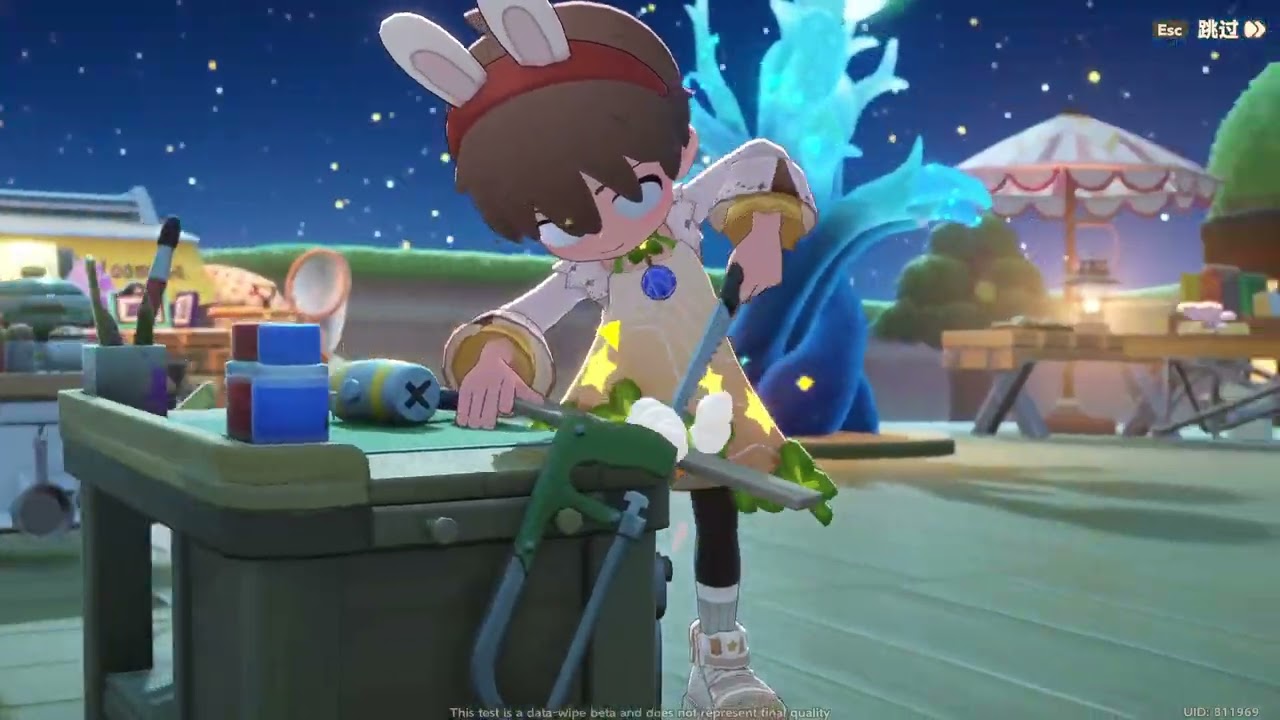
Navigating the vibrant, physics-rich world of Petit Planet requires more than just holding down a directional key. Because the game utilizes a sophisticated, reactive animation engine that factors in terrain elevation, object density, and momentum, your character’s movement is a core mechanical pillar. Understanding how to work with these systems rather than against them is the key to efficient island management and high-level decoration.
Whether you are optimizing your daily chores or designing complex, dense environments, mastering these movement dynamics will transform how you interact with your Petit Planet.
Understanding Fluid Traversal and Animation Transitions
Petit Planet does not use "snappy" or instantaneous movement logic. Instead, it relies on animation blending, where your character’s speed and gait shift dynamically based on your input duration and momentum.
The Momentum Loop
When you begin moving, the character initiates a walk-to-run transition. To achieve maximum movement speed, avoid jagged, flickering directional inputs. The game engine requires a small "frame window" to calculate the transition between these states. By maintaining a consistent, arcing directional input, you allow the engine to lock the character into a stable running animation, which is significantly more efficient for traveling across large map segments.
Navigating Inclines and Elevation
Terrain in Petit Planet isn't just cosmetic; it dictates your movement efficiency. When moving uphill, the character’s animation shifts to a more deliberate, heavy gait. This is a visual indicator of movement drag.
- The Jump-Momentum Trick: While jumping can help you traverse small obstacles, avoid repetitive jumping on steep inclines. The landing animation creates a brief "recovery state" that can actually slow your progress compared to walking a clear path.
- Strategic Pathing: Always prioritize flatter, cleared pathways when designing your island’s layout. If you must traverse a steep hill, approach it at an angle rather than head-on to reduce the drag on your character’s movement state.
Navigating "Soft Collision" and Density
One of the most distinct features of Petit Planet is its "soft collision" system. Unlike traditional simulation games where you simply bump into a wall, your character will lean, pivot, and adjust their hitbox when brushing against furniture or props.
Proximity Awareness for Designers
Because the game calculates collision dynamically, crowding your home or garden can lead to "input friction." To maintain a responsive feel:
- The Grid-Unit Rule: Aim for at least one full "grid unit" of space in primary corridors. This prevents the collision system from triggering the "near-object" animation, which slows down your movement speed significantly.
- Head Tracking Cues: Pay attention to where your character’s head is looking. The game uses subtle eye-tracking to highlight interactable objects. If your character’s head is constantly snapping toward nearby clutter, it means your movement is being interrupted by excessive "proximity checks," which can cause your character to feel sluggish.
Optimizing Inputs for Precise Placement
Movement is just as critical in Build Mode as it is during exploration. When you are editing your island, your character’s position acts as the anchor for your camera and interaction range.
The Fine-Tune Movement Technique
To achieve pixel-perfect placement, enter your build mode and use a "stutter-step" approach. Instead of holding down the movement key, tap it rhythmically to inch your character into the exact grid alignment required.
- Camera Alignment: Before placing an object, rotate your camera so your character is facing the target grid line head-on. This prevents "parallax errors" where you think you are placing an item in the correct spot, but the game interprets the position based on your character’s current orientation.
- Latency Mitigation: If you are editing a high-density area, you may notice input lag. This is the game engine struggling to process collision data for dozens of nearby interactable props. If you feel this "heavy" sensation, move to a sparser area of your island to finish your design, then return to finalize the placement.
Strategic Use of Traversal Tools
As you progress through Petit Planet, you will unlock specialized movement tools and traversal items. These are essential for endgame optimization, but they require timing to master.
Animation Canceling for Efficiency
Most specialized traversal tools involve a "wind-up" animation. A common mistake is to activate these tools while stationary or in the middle of a turn.
- Preparation: Trigger your tool while already moving in a straight line. This allows the animation to blend with your current momentum, reducing the transition time.
- The Roll-Cancel: Many traversal sequences can be interrupted by a jump or a specific directional shift. If you find yourself stuck in a long "landing" animation after a dash, immediately input a jump as your character touches the ground. This "roll-cancels" the recovery frames, allowing you to transition straight back into a sprint.
Decision-Making: Aesthetics vs. Functionality
The ultimate test of Petit Planet movement mastery is balancing your desire for a beautiful, dense island with the need for functional navigation.
- Create "Highways": Even if you want a cluttered, cozy forest aesthetic, leave "hidden" paths—areas where the collision density is kept low—to allow for quick travel between your storage, crafting, and social zones.
- Categorize Your Items: Keep non-interactive decorative items (like plants or small rocks) in high-density clusters, and keep interactive items (like workbenches or chests) in open areas. By separating these types of objects, you minimize the number of complex collision calculations the game performs as you pass by, ensuring your character remains responsive at all times.
By applying these principles, you move from simply "playing" Petit Planet to truly controlling the flow of your island. Remember that the game rewards deliberate, consistent movement; take the time to learn the rhythm of your character's animations, and you will find that even the most complex island layouts become easy to navigate.

Free Petit Planet Codes
Current active codes and how to redeem them.

Sarah Williams
Sarah specializes in RPG and collection games, explaining team building, character growth, and beginner-friendly ways to avoid expensive early mistakes.
COMMUNITY
Player Comments
49 players commented on this guide.
Can you add more details about heroes in a future update?
This helped me understand heroes much better.
I wish I had read this before upgrading the wrong thing.
I tried this today and it worked better than my old setup.