
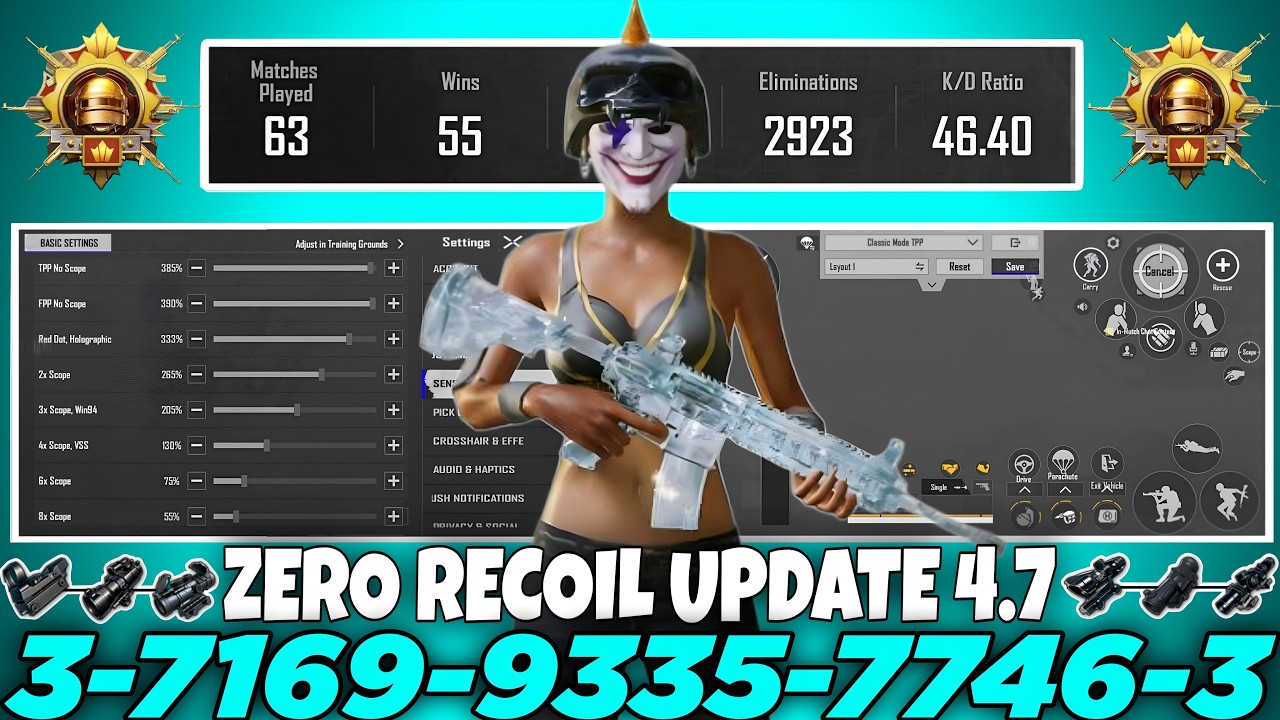
To achieve reliable recoil control in PUBG MOBILE, you must separate your sensitivity settings across Camera, Aim Down Sight (ADS), and Gyroscope for each optic magnification level. Shared cloud sensitivity codes rarely work across different devices or grip styles, so establishing baseline percentage ranges and calibrating them manually in the Training Grounds is the most dependable way to stabilize your aim.
How Camera, ADS, and Gyroscope Sensitivity Differ
Understanding what each sensitivity setting controls prevents conflicting adjustments:
- Camera Sensitivity (Scope): Governs rotation and tracking speed while looking through a scope without firing. If this setting is too low, you cannot lead moving enemies; if it is too high, small screen touches cause erratic aiming.
- ADS Sensitivity: Activates exclusively while firing your weapon. This slider determines how much downward screen drag is required to counter vertical and horizontal recoil during automatic fire.
- Gyroscope Sensitivity: Controls screen orientation using your device’s physical motion sensors rather than touch inputs. When set to "Always On," tilting the device handles vertical recoil pull and micro-adjustments, freeing your fingers for movement and utility controls.
Recommended Scope Sensitivity Ranges for Touch Players
Players who control recoil entirely with thumb drag need lower sensitivity values on high-magnification optics to maintain precision. Because higher zoom levels magnify every millimeter of screen movement, sensitivity percentages must decrease as optical magnification scales up.
| Scope Magnification | Camera Sensitivity Range | ADS Sensitivity Range | Primary Combat Application |
|---|---|---|---|
| Red Dot & Holographic | 50% – 60% | 55% – 65% | Close-range tracking and building clears |
| 2x Scope | 35% – 42% | 38% – 45% | Short-to-mid range rifle duels |
| 3x Scope | 22% – 28% | 25% – 32% | Standard mid-range assault rifle sprays |
| 4x Scope | 16% – 22% | 18% – 24% | Mid-to-long spray bursts and DMR fire |
| 6x Scope (Adjusted to 3x) | 12% – 16% | 20% – 26% | Long-distance precision spray transfers |
| 8x Scope | 8% – 12% | 10% – 14% | Bolt-action sniper rifle headshots |
When using a 6x scope dialed down to a 3x magnification level, PUBG MOBILE continues to apply your 6x scope sensitivity slider, not the 3x slider. Keeping your 6x ADS sensitivity tuned slightly above your standard 4x setting allows controllable assault rifle sprays while maintaining steady long-range sniping when unadjusted.
Recommended Scope Sensitivity Ranges for Gyroscope Players
Using full Gyroscope allows faster target acquisition and dampens recoil without requiring extensive downward swiping on the screen. High-magnification optics require lower gyroscope values to prevent natural hand tremors from throwing off crosshairs at distance.
| Scope Magnification | Gyroscope Sensitivity Range | ADS Gyroscope Range | Handling Focus |
|---|---|---|---|
| Red Dot & Holographic | 300% – 400% | 300% – 380% | Rapid close-quarters target acquisition |
| 2x Scope | 280% – 350% | 280% – 320% | Vehicle tracking and mid-range duels |
| 3x Scope | 200% – 260% | 220% – 275% | Sustained full-auto spray control |
| 4x Scope | 160% – 210% | 180% – 220% | DMR follow-up shots and burst fire |
| 6x Scope | 100% – 140% | 120% – 160% | Controlled long-range sprays |
| 8x Scope | 60% – 90% | 65% – 95% | Micro-adjustments for sniper headshots |
If you want smooth visual tracking while scanning but firmer resistance when pulling down automatic sprays, set your ADS Gyroscope roughly 10% to 15% lower than your base Gyroscope setting. If you struggle to pull down heavy-recoil 7.62mm weapons such as the Beryl M762, increase your ADS Gyroscope value instead to reduce wrist strain.
Step-by-Step Scope Calibration in the Training Grounds
Use the Training Grounds to calibrate your optics against static and moving targets without attachment interference:
- Equip an unmodified weapon: Pick up an M416 with no muzzle attachment, grip, or stock. Calibrating on bare weapons ensures your baseline sensitivity handles natural weapon recoil.
- Observe raw climb: Attach a Red Dot Sight, aim at a flat target board at 20 meters, and fire a full 30-round spray without touching the screen or tilting your device. Note the natural vertical spread.
- Tune vertical recoil pull: Fire another full magazine while actively pulling down. If your aim climbs above the target, raise your ADS or Gyroscope sensitivity by 3% to 5%. If your crosshair pulls below the target, lower the sensitivity by 3%.
- Test tracking speed: Move to the 50-meter moving target lane with a 3x or 4x scope. Track moving targets while firing single taps. If your crosshair lags behind the target, increase your Camera sensitivity by 2%.
- Re-equip weapon attachments: Once your groupings remain stable on a bare weapon, attach a compensator and foregrip to tighten your bullet spread further.
Device Factors That Alter Sensitivity Performance
Sensitivity settings do not translate identically across different phones and tablets due to hardware variances:
- Frame Rate and Touch Sampling: Displays running at 90 FPS or 120 FPS register touch input faster than standard 60 FPS panels. Applying a code made on a high-refresh flagship device to a 60 FPS phone often feels sluggish, requiring a 5% to 8% increase in touch ADS values to compensate.
- Surface Drag and Screen Protectors: Friction levels vary depending on whether you use finger sleeves, a matte protector, or bare glass. High friction requires higher sensitivity values to prevent your thumb from running out of screen space during prolonged sprays.
Free PUBG MOBILE Codes
Current active codes and how to redeem them.

Emily Johnson
Emily writes practical mobile strategy guides with a focus on resource planning, base progression, and the early decisions that shape a long-term account.
COMMUNITY
Player Comments
42 players commented on this guide.
The tips are practical and easy to follow.
This saved me time in the early game.
The explanation is clear, especially for beginners.
Can you add more details about strategy in a future update?