
Play Rogue Legend on Windows PC
Download the official Rogue Legend Windows PC client and learn how to install and play the game on PC, with controls, system requirements, and practical tips.

Download Rogue Legend Official Windows PC Client
Official Windows PC client provided by LDPlayer.
About the Official Rogue Legend PC Client
Developer: PocketHaven Games
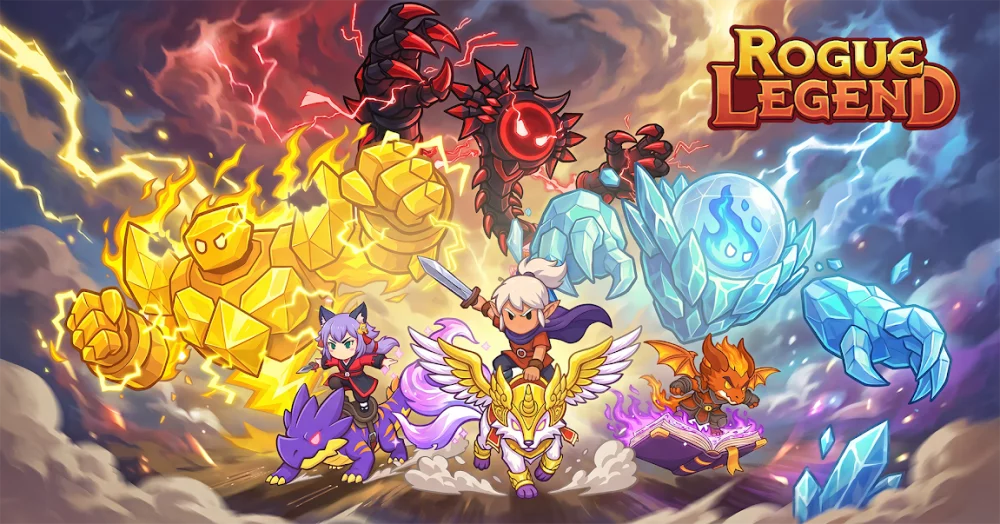
Combat is automatic on Enemy Tiles, but the run still gives you meaningful ways to shape your build. After each battle, you choose one of three upgrades, gradually defining the strengths that carry your hero toward tougher encounters and boss battles. Buffs can improve your immediate chances of survival, while debuffs and unexpected events may force you to adjust your plans. The main objective is to survive long enough to conquer each boss, earn rewards, unlock further challenges and abilities, and push farther on future runs. Because every session combines dice rolls, board events, upgrade choices, and combat growth, no two attempts need to follow exactly the same path. The idle RPG structure also supports steady progress between active sessions, keeping advancement moving without requiring every improvement to come from repeating the same actions manually.
Between runs, the lobby becomes the center of Rogue Legend’s longer-term RPG systems. The Gear System lets you collect and upgrade weapons, armor, and other equipment, including the chance to collect S weapons. The Talent System adds permanent character development through new stats, passive abilities, and bonuses that support different playstyles. Pets can be obtained and trained to join your hero in combat, while mounts provide stat bonuses and combat perks when equipped and ridden. The Hero Collection expands your tactical options further: you can collect additional heroes, level and ascend them to raise their base power, and swap between them to suit different boards, enemies, and builds. These systems give each run a broader purpose, since a defeat can still contribute to stronger equipment, improved talents, better companions, or a more suitable hero for the next attempt.
Playing Rogue Legend on PC also makes its planning-focused decisions easier to manage. A larger display gives you more room to read the board and track upcoming tile types, helping you consider whether a dice result is likely to lead toward an Enemy Tile, Shop Tile, buff, debuff, or minigame. Keyboard-and-mouse input makes repeated lobby actions more direct, including moving through upgrade choices, selecting gear, spending gold in shops, and switching between collected heroes. The extra screen space is especially useful when comparing weapons, armor, legendary equipment, talents, pets, mounts, and their associated bonuses before committing resources. It also helps when deciding which hero and build best match a particular board or enemy pattern. With its combination of automatic battles, manual upgrade decisions, dice-driven exploration, boss objectives, and collection-based progression, Rogue Legend is designed around a clear cycle: roll into a new run, react to each encounter, strengthen your hero, return to the lobby, and try to go farther next time.
Screenshots
How to Download and Install the Official Rogue Legend PC Client
- Download and install the official Windows client distributed by LDPlayer.
- Open the app and sign in with your Google Play account.
- Search for Rogue Legend in the app store.
- Install the game and finish the first-launch download.
- Use the same game login if account sync is available.
Why Play Rogue Legend on PC?
Menus, maps, resources, and combat details are easier to read on a desktop display.
Keyboard and mouse input makes repeated actions and long sessions more comfortable.
Desktop play avoids phone battery drain during longer farming sessions.
Keep guides, codes, and notes open alongside the game on PC.
Controls and Performance
These three settings solve most common issues when playing on PC.
Map navigation, skill use, and repeated resource actions first.
Lower resolution or graphics quality if crowded scenes lose frames.
Link your account before switching devices so progress can be restored safely.
Rogue Legend Official PC Client FAQ
Can I play Rogue Legend on PC?
Yes. Download the official Windows PC client distributed by LDPlayer and play with a larger screen, keyboard, and mouse controls.
Is Rogue Legend better on PC than mobile?
Playing on PC can make longer sessions, detailed menus, and resource management more comfortable, while mobile is still convenient for quick check-ins.
Will my Rogue Legend progress sync on PC?
Progress depends on the sign-in options supported by the game. Use the same linked Google, Facebook, Apple, or game account on both devices.
Why does Rogue Legend lag on PC?
Lag can be caused by limited RAM, demanding graphics settings, outdated client files, or background apps. Lower the graphics settings and keep the PC client up to date.
DOWNLOAD STARTED
Your download is starting
Check your browser Downloads if it does not appear.
Official PC client for Windows, distributed by LDPlayer.
Download again