
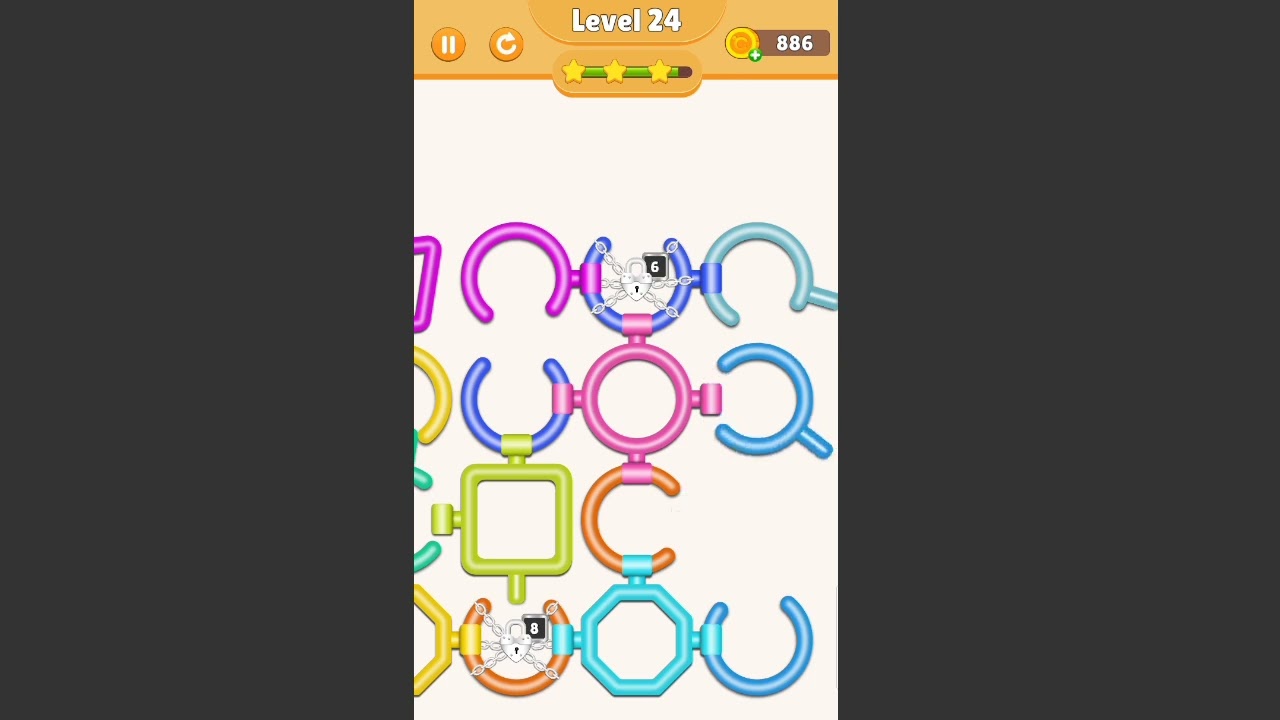
To solve Level 24 in Rotate Rings, align the open notches across all three concentric rings along a single axis, working from the outside layer inward. Once an unbroken exit path connects the center to the outer perimeter, the locked core automatically slides out to complete the stage.
Step-by-Step Alignment Order
Working from the outside inward prevents accidental turns and provides a fixed target for the more sensitive inner circles.
- Set the outer ring anchor: Drag the outer ring until its gap points toward the top-vertical position. Release your touch completely once it settles along this axis.
- Align the middle ring: Rotate the middle ring until its cutout matches the position of the outer gap. Ensure the borders flush together without overlapping edges.
- Turn the inner ring: Place your finger on the inner ring and ease its notch into line with the outer two gaps. Because the inner ring has a smaller radius, small finger movements cause larger rotations.
- Release the core: When all three gaps form a clean channel, the center element ejects through the opening, triggering completion and unlocking Level 25.
| Ring Layer | Radius and Sensitivity | Target Action |
|---|---|---|
| Outer Ring | Wide radius; lowest swipe sensitivity | Anchor gap to the top-vertical release vector |
| Middle Ring | Medium radius; prone to slight offset | Match cutout flush against the outer ring's gap |
| Inner Ring | Tight radius; highest swipe sensitivity | Fine-tune notch to open the final channel for the core |
Troubleshooting Blocked Channels and Touch Errors
If all three notches appear visually aligned but the core fails to exit, the pathway is still partially obstructed. The game requires precise clearance across the entire channel.
- Micro-adjust the middle ring first: The middle ring's scaling makes small angular errors harder to spot. Nudge it slightly left or right to remove invisible hitbox overhangs.
- Avoid starting from the inside: Rotating the inner ring first usually causes misalignments later, as subsequent swipes on larger rings can easily register across adjacent boundaries.
- Take the shortest rotational arc: Check whether a clockwise or counterclockwise turn requires fewer degrees of movement before dragging a ring to reduce handling errors.
- Swipe the outer edges: Keep finger contact along the far perimeter of the ring you want to turn to avoid accidentally triggering a neighboring layer.
- Lift fingers straight off the screen: Avoid sliding your finger away at the end of a rotation, which often introduces an unintended nudge that shifts the gap out of alignment.

Free Rotate Rings Codes
Current active codes and how to redeem them.

Sarah Williams
Sarah specializes in RPG and collection games, explaining team building, character growth, and beginner-friendly ways to avoid expensive early mistakes.
COMMUNITY
Player Comments
57 players commented on this guide.
The explanation is clear, especially for beginners.
I wish I had read this before upgrading the wrong thing.
Nice guide. I am checking the other Rotate Rings articles next.
Good guide for Rotate Rings players. The strategy part was useful.