
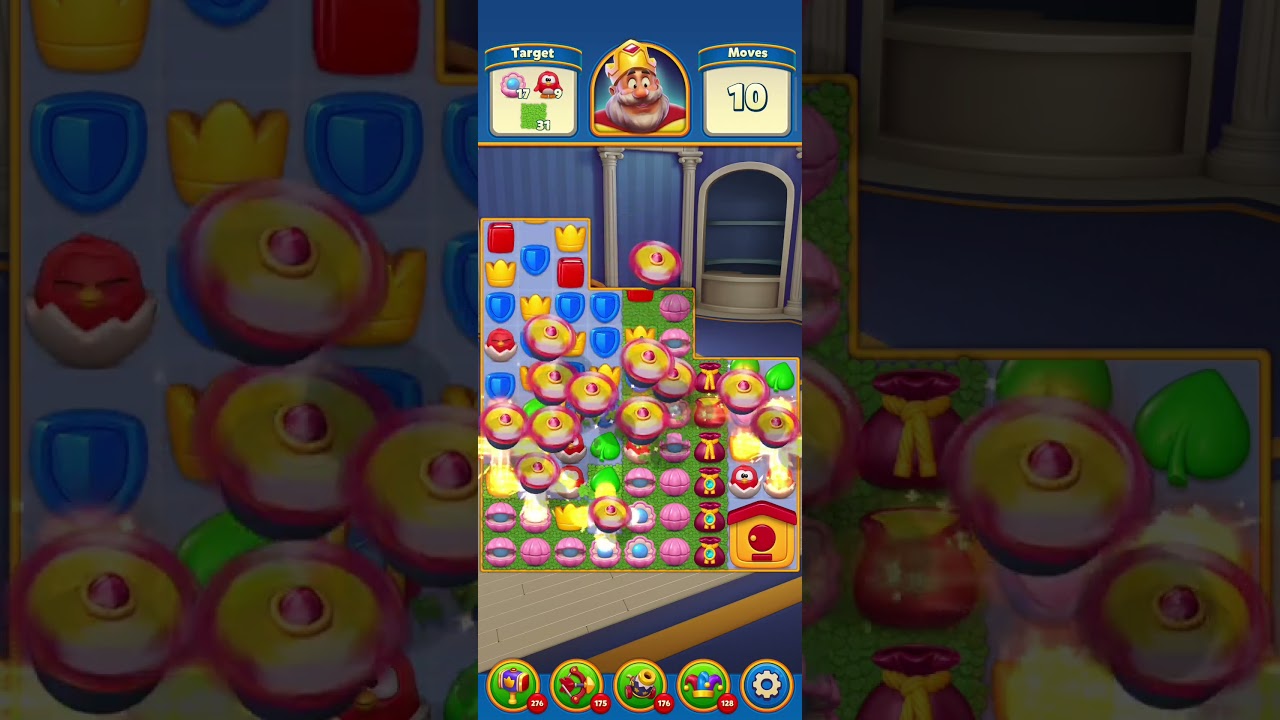
To beat Level 1416 in Royal Match without spending coins on pre-stage boosters or consumable items, use the double-swiping technique to execute two matches simultaneously. Making two independent tile swaps at the exact same instant forces the game engine to resolve both matches together before gravity causes upper tiles to fall. This prevents unintended cascades from displacing your setup, letting you strike blockers across two zones and assemble powerful combos in tight spaces.
How Double Swiping Works
In normal play, making a single match clears those tiles immediately, causing the tiles above to drop and fill the empty space. These automated cascades often displace nearby tiles, breaking planned alignments before you can make your next move.
Double swiping—also known as simultaneous movement—bypasses this sequential delay. When you place two fingers on the screen and swap two separate pairs of tiles at the exact same moment, both matches resolve within a single interaction phase. Because both moves register before the cascade cycle begins, gravity cannot shift or disrupt the second match.
| Match Technique | Move Resolution | Cascade Disruption | Obstacle Targeting |
|---|---|---|---|
| Single Swipe | Resolves one match per turn | High risk of shifting nearby tiles | Targets one blocker area |
| Double Swipe | Resolves two matches together | Locks both moves before tiles drop | Targets two separate areas at once |
Opening the Board and Clearing Obstacles
Level 1416 starts with tight tile mobility and heavy obstacle clusters. Without starting boosters like pre-placed Rockets or Light Balls, avoid chipping away at isolated corner tiles. Prioritize opening the interior columns through mid-board and bottom matches to draw fresh tiles from the top spawners.
When breaking multi-layered blockers, double swiping lets you dismantle durable barriers faster:
- Match tiles directly adjacent to an obstacle on one side while simultaneously making a match beneath or beside another blocker.
- Target two separate obstacle zones in the same motion to open both lanes without waiting for individual cascade cycles.
- Prevent a lower match from prematurely dropping and ruining an upper match adjacent to a critical blocker.
Assembling and Pairing Power-Ups
Beating this stage without consumable tools like the Royal Hammer or Arrow requires combining power-ups rather than detonating individual Rockets or Propellers. Standalone power-ups clear too few tiles per move to finish the level within the move limit.
Your primary clearing condition is pairing a Light Ball with a TNT or a Rocket. Achieving this is normally difficult because falling tiles frequently separate paired power-ups before they can be merged. Double swiping solves this positioning bottleneck:
- Identify a Light Ball near a target power-up separated by an off-color tile.
- Use one finger to clear the blocking tile while using your other finger to slide the power-up into alignment at the exact same moment.
- Merge the Light Ball with the TNT to transform all matching color tiles across the board into bombs, wiping out dense obstacle clusters in a single turn.
Rules for Reliable Input Execution
To perform simultaneous moves consistently without dropping inputs or wasting turns, follow these physical execution rules:
- Use Independent Coordinates: The two pairs of tiles must not share adjacent or overlapping grid spaces. Touching the same tile causes the game to cancel one of the inputs.
- Synchronize Touch and Release: Place both fingers down and swipe in their intended directions at the exact same split-second. If one finger lags, the game locks further inputs to calculate the first move.
- Wait Out Animations: Never attempt a double swipe during active screen shake, explosive blasts, or coin-collection animations. Lingering animations can cause the screen to drop touch inputs.
- Manage Move Economy: If your opening moves fail to clear central space or set up power-up alignments, restart the stage early to conserve lives and avoid spending coins on extra moves.
Free Royal Match Codes
Current active codes and how to redeem them.

James Brown
James focuses on Android gaming on PC, emulator setup, controls, performance tuning, and practical troubleshooting for longer play sessions.
COMMUNITY
Player Comments
79 players commented on this guide.
I wish I had read this before upgrading the wrong thing.
The explanation is clear, especially for beginners.
Nice guide. I am checking the other Royal Match articles next.
Good guide for Royal Match players. The strategy part was useful.