

In Saints Row: The Third, you design your character's physical build, facial features, and overall appearance during the initial tutorial setup. If you want to modify your body sliders, facial features, or skin tone after starting the campaign, visit any Image as Designed clinic located throughout Steelport to alter your appearance for a fee.
---
Navigating the Character Creator Sliders
The initial character creation suite allows for both realistic designs and extreme anatomical modifications. Opening the Advanced sliders under the Skin and Face menus gives you full control over facial structure, skin textures, and body proportions.
- Exaggerated Features: Pushing sliders to their minimum or maximum limits creates distinct, satirical character models that carry directly into all scripted campaign cutscenes.
- Visual Contrast: Bright skin tones and high-contrast facial settings make it easier to track your character model on screen during chaotic firefights filled with explosions and gunfire.
- Camera Obstruction Warning: Designing an oversized character build increases your model's screen footprint. Very large body frames can obscure low-level cover objects or small enemies directly in front of you.
---
Changing Your Appearance at Image as Designed
If your initial character build interferes with cover visibility or precision aiming during gameplay, you do not need to restart the game.
- Open your city map and locate an Image as Designed clinic icon in Steelport.
- Travel to the storefront and interact with the desk to access the plastic surgery menu.
- Readjust facial sliders, skin options, and physical proportions to fix visibility issues while maintaining your preferred design theme.
---
Clothing Layers and Store Inventory
Clothing items in Saints Row: The Third are strictly cosmetic and carry no gameplay stat penalties or bonuses. You can freely combine contrasting styles without affecting health or armor.
| Customization Option | Access Location | Function |
|---|---|---|
| Body & Face Sliders | Start Menu / Image as Designed | Adjusts anatomy, proportions, facial structure, and skin options. |
| District Outfits | Clothing Stores in Steelport | Unlocks localized hats, tops, bottoms, and footwear. |
| Accessory Layering | Wardrobes / Clothing Stores | Combines headwear, eyewear, and shoe layers over base clothes. |
To expand your wardobe, visit clothing shops across different Steelport districts as you open up the city map. Store inventories vary by location, allowing you to layer hats, glasses, and distinct shoes over base outfit sets.
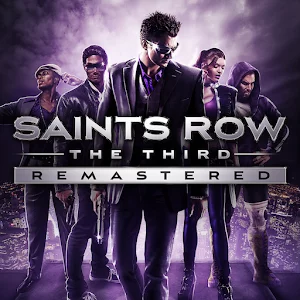
Free Saints Row: The Third Codes
Current active codes and how to redeem them.

James Brown
James focuses on Android gaming on PC, emulator setup, controls, performance tuning, and practical troubleshooting for longer play sessions.
COMMUNITY
Player Comments
49 players commented on this guide.
This helped me understand heroes much better.
The tips are practical and easy to follow.
The explanation is clear, especially for beginners.
Nice guide. I am checking the other Saints Row: The Third articles next.