

Play Save PetResQ Draw Brain Puzzle on Windows PC
Download the official Save PetResQ Draw Brain Puzzle Windows PC client and learn how to install and play the game on PC, with controls, system requirements, and practical tips.

Download Save PetResQ Draw Brain Puzzle Official Windows PC Client
Official Windows PC client provided by LDPlayer.
About the Official Save PetResQ Draw Brain Puzzle PC Client
Developer: FALCON WARRIORS
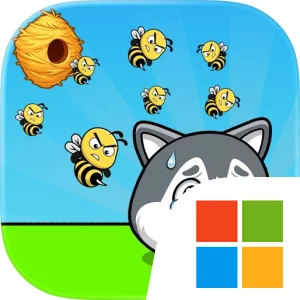
The central loop is simple to learn but leaves room for creative problem-solving. You touch and drag to draw a line around the dog or other pet, then watch to see whether your barrier blocks every attacking bee and keeps the animal away from traps such as spikes, bombs, lava, and water. Because the description allows different solutions for every line challenge, you can approach a scene by testing the safest protective shape rather than following one fixed answer. Timing matters as well: the line must be placed before the bee reaches the character, and a solution that looks strong at first still has to withstand the full 10-second survival requirement. That combination of logic, timing, and drawing makes each level a compact strategy exercise, while the relaxing presentation, adorable animals, smooth animations, and colorful graphics keep the tone accessible for players of all ages. On a larger PC display, it is easier to inspect the complete scene before acting, notice where hazards and open spaces are positioned, and judge whether a proposed barrier actually covers the pet from every direction. Keyboard-and-mouse input also provides a steady setup for repeated rescue attempts: the mouse is especially useful when carefully tracing the protective line around a dog or cat, while the keyboard can complement standard interface navigation as you move between completed and newly unlocked brain teasers in the PC build. That control arrangement is most valuable when a small change in the line can determine whether the pet survives or falls to a trap. Rather than relying on combat abilities, inventories, or complex management systems, Save PetResQ Draw Brain Puzzle focuses its progression on mastering these quick visual puzzles, recognizing each new hazard, and discovering clever ways to shield every animal.
Screenshots
How to Download and Install the Official Save PetResQ Draw Brain Puzzle PC Client
- Download and install the official Windows client distributed by LDPlayer.
- Open the app and sign in with your Google Play account.
- Search for Save PetResQ Draw Brain Puzzle in the app store.
- Install the game and finish the first-launch download.
- Use the same game login if account sync is available.
Why Play Save PetResQ Draw Brain Puzzle on PC?
Menus, maps, resources, and combat details are easier to read on a desktop display.
Keyboard and mouse input makes repeated actions and long sessions more comfortable.
Desktop play avoids phone battery drain during longer farming sessions.
Keep guides, codes, and notes open alongside the game on PC.
Controls and Performance
These three settings solve most common issues when playing on PC.
Map navigation, skill use, and repeated resource actions first.
Lower resolution or graphics quality if crowded scenes lose frames.
Link your account before switching devices so progress can be restored safely.
Save PetResQ Draw Brain Puzzle Official PC Client FAQ
Can I play Save PetResQ Draw Brain Puzzle on PC?
Yes. Download the official Windows PC client distributed by LDPlayer and play with a larger screen, keyboard, and mouse controls.
Is Save PetResQ Draw Brain Puzzle better on PC than mobile?
Playing on PC can make longer sessions, detailed menus, and resource management more comfortable, while mobile is still convenient for quick check-ins.
Will my Save PetResQ Draw Brain Puzzle progress sync on PC?
Progress depends on the sign-in options supported by the game. Use the same linked Google, Facebook, Apple, or game account on both devices.
Why does Save PetResQ Draw Brain Puzzle lag on PC?
Lag can be caused by limited RAM, demanding graphics settings, outdated client files, or background apps. Lower the graphics settings and keep the PC client up to date.
DOWNLOAD STARTED
Your download is starting
Check your browser Downloads if it does not appear.
Official PC client for Windows, distributed by LDPlayer.
Download again