
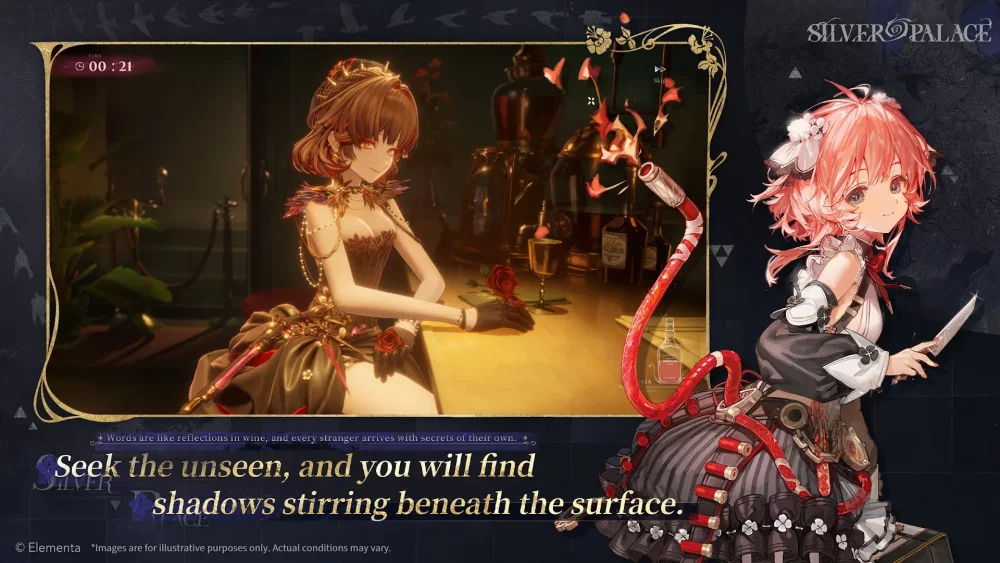
Navigating the complex interface of SilverPalace is the first step toward effective progression. Because the game blends fast-paced match-3 mechanics with real-time hero combat, the UI is designed to provide dense information quickly. Players who master the navigation flow—moving between the character hub, mission deployment, and resource management—significantly reduce downtime, allowing them to focus on tactical decision-making and squad optimization rather than searching for menus.
Mastering the Character Hub Interface
The Character Hub in SilverPalace is your primary command center. It is not merely an aesthetic space for viewing models; it is a functional dashboard for assessing your squad’s readiness.
- The Rotation Tool: Use the 360-degree camera rotation to inspect character models. In SilverPalace, visual cues on gear sets often indicate elemental affinities or specific equipment perks that are not immediately obvious in the static character list.
- Status Indicators: Pay close attention to the sidebar icons. These indicators notify you of "Ready for Deployment" status, pending upgrade nodes, or missing gear components. If a character icon has a pulsing border, it indicates that a new skill level or equipment tier is available for immediate application.
- Squad Synergy Previews: Hovering over your primary character selection in the hub will display team-wide synergy buffs. Before committing to a stage, ensure you aren't ignoring these passive bonuses, as they are often the difference between a successful clear and a failed encounter.
Streamlining Menu Navigation and Quest Tracking
SilverPalace utilizes a tiered menu system designed to prioritize active objectives. The "Mission Deployment" screen is the most frequently accessed menu, and learning its shortcuts is vital.
- Prioritize the Mission Tab: Upon entering the main menu, the Mission Tab is your anchor. It displays current chapter requirements and, more importantly, the recommended Power Level for the next stage.
- Navigation Bar Shortcuts: The bottom navigation bar contains persistent icons for Inventory, Roster, and Shop. Memorize the physical location of these buttons. During intense progression sessions, "muscle memory" navigation saves critical time when you are forced to swap gear or upgrade a hero mid-session.
- The "Back" Flow: SilverPalace is designed with a hierarchical menu structure. If you are deep in the Inventory, a single "back" input will return you to the Roster, and a second will return you to the Mission Map. Avoid clicking the "Home" icon if you are already in a sub-menu, as this will reset your progress to the main hub.
Utilizing Social Interaction and Assistant Menus
The assistant NPCs and social hubs provide more than just narrative context; they act as the primary gatekeepers for daily rewards and event-specific mission triggers.
- Dialogue Prompts: Always scan for dialogue bubbles above NPCs in the hub. These aren't just for flavor; they often grant "Discovery Rewards" (small amounts of currency or stamina) that are easily missed if you rush to the combat screens.
- UI Customization: For players who find the screen cluttered during combat, navigate to the Assistant Settings. You can toggle off non-essential combat text or floating icon overlays. This is particularly useful on smaller screens where the match-3 puzzle board needs to remain clear of visual noise to ensure accurate combo execution.
Managing Resource Displays and Currency Tiers
Understanding the top-tier resource bar is fundamental to long-term progression in SilverPalace. You are managing three distinct types of assets, each with a different priority:
- Stamina Gauge: This is your limiting factor for daily progress. Always check this before starting any high-difficulty story mission. If your stamina is below the threshold for the mission, the UI will turn the "Deploy" button red; do not attempt to bypass this, as the game will force you into a purchase menu.
- Gold vs. Event Currency: SilverPalace distinguishes between permanent gold and temporary event materials. Always prioritize spending event-specific currency before the event timer expires, as these resources often do not carry over to the next season or update.
- Resource Topping: When you are short on materials, the "Quick Shop" icon within the resource bar allows for instant access to the store. This avoids exiting the squad management screen entirely, keeping you in the context of your hero builds.
Tactical Deployment and Squad Readiness
The deployment screen is the final check before a match. It is here that you finalize the composition of your match-3 team and the active hero abilities you will bring into combat.
- Synergy Glows: When you select characters that share a faction or elemental synergy, the UI will highlight their connection with a distinct glow. If you see this glow, you have successfully optimized your squad for passive damage or defensive bonuses.
- Deployment Order: The order in which you slot your characters into the deployment window matters. The hero in the first slot is often the "Lead," whose ultimate ability is granted priority in the initial cooldown phase. Drag and drop characters to shift their position until you see the "Leader Bonus" notification appear.
- Recommended Thresholds: If the mission difficulty is marked "Hard" or above, the UI will provide a "Recommended Element" suggestion. Ignore this at your own peril—SilverPalace mechanics heavily favor elemental weaknesses, and a lower-level team with the correct element will almost always outperform a higher-level team that lacks the correct synergy.
Avoiding Common UI Mistakes
Many players struggle in SilverPalace because they fail to utilize the following features:
- Ignoring the "Auto-Equip" filter: While manual gear management is better for min-maxing, the auto-equip function is highly reliable for mid-game progression. Use it to quickly catch up side-characters without manually searching for their missing components.
- Forgetting the Inbox: Rewards are frequently sent to the Inbox rather than being added directly to your inventory. Check the mailbox icon at the top right of the hub every time you finish a chapter; failing to claim these items can leave you without the upgrade materials needed for the next tier of difficulty.
- Underestimating the Mission Tooltips: Before starting a stage, the mission info window lists potential drops. If you are farming for a specific material, use this window to confirm the drop rate. If the item you need isn't listed, you are wasting stamina.
By adopting a disciplined approach to the SilverPalace interface, you transform the menus from a hurdle into a strategic tool. Focus on these core elements—resource management, squad synergy, and navigation shortcuts—to ensure that you remain efficient, prepared, and ready for the challenges that lie ahead in the game's various stages.

Free SilverPalace Codes
Current active codes and how to redeem them.

Michael Smith
Michael covers live-service games, events, reward systems, and efficient daily routines, turning frequent updates into clear actions for players.
COMMUNITY
Player Comments
87 players commented on this guide.
This helped me understand heroes much better.
The explanation is clear, especially for beginners.
This guide answered the exact question I had.
This saved me time in the early game.