
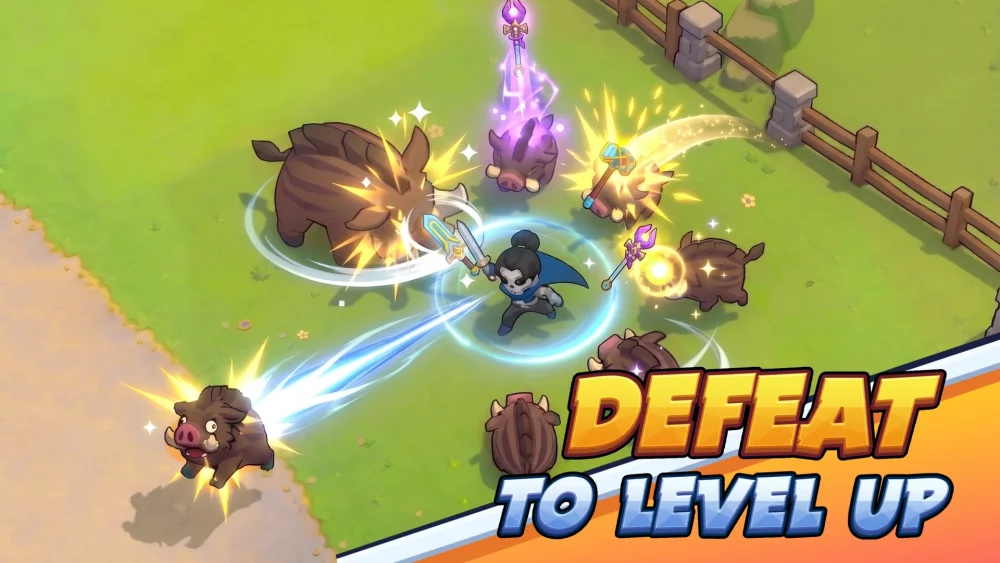
Modding Skull Hero through the Thunderstore platform is the most effective way to extend the game’s longevity, allowing you to experiment with unique balance adjustments, custom visual effects, and mechanical tweaks that go beyond the standard experience. While Skull Hero is designed as a challenging action-adventure, the community-driven modding scene offers tools that allow you to tailor the difficulty, streamline farming, or completely overhaul how your hero interacts with the mysterious lands.
This guide provides the authoritative steps to set up, manage, and safely enjoy a modded version of Skull Hero without compromising your base game stability or save data.
Why Use Thunderstore for Skull Hero Mods?
The Thunderstore Mod Manager is the industry-standard tool for games like Skull Hero. It acts as a centralized repository and execution layer. Unlike manual file-swapping—which risks corrupting your game directory—Thunderstore creates a "virtual" environment for your mods. This means your original game files remain untouched, allowing you to launch either a "Vanilla" or "Modded" version of the game at any time with a single click.
Using a manager is essential because most Skull Hero mods rely on a framework called BepInEx. This core utility acts as the bridge between the game engine and the custom scripts. The Thunderstore manager handles the installation of BepInEx and all necessary dependencies automatically, saving you from complex troubleshooting.
Step-by-Step: Setting Up Your Modded Environment
To begin, follow these steps to ensure a clean and stable installation:
- Download the Manager: Navigate to the official Thunderstore website and download the Mod Manager application.
- Select the Game: Open the manager and search for "Skull Hero." Once selected, the manager will prompt you to create a "Profile." Creating a fresh profile is highly recommended, as it keeps your modded settings separate from any default game configurations.
- Install Dependencies: When you select your first mod, the manager will often flag "dependencies." Always accept these; they are the prerequisite files (like BepInEx) required for the mod to run.
- Launch via the Manager: Always launch the game through the "Modded" button within the Thunderstore interface. This ensures that the game engine loads the modded environment correctly.
Managing Mod Compatibility and Stability
Because Skull Hero was not developed with an official "open" modding API, stability is dependent on how well mods interact with the base code. Following these expert practices will prevent crashes during intense boss fights or monster waves:
- The Incremental Approach: Never install ten mods at once. Enable them in small groups, launch the game, and verify that the core mechanics (like head-swapping or movement) function normally before adding more.
- Version Checking: Always verify that your installed mods are updated to match your current version of Skull Hero. After any official game update, wait 24–48 hours for mod authors to push compatibility patches.
- The "Disable" Diagnostic: If your game fails to launch or crashes during a boss encounter, use the "Disable All" function in the manager. Re-enable them one by one to isolate the specific mod causing the conflict.
Popular Categories of Skull Hero Modifications
Players typically modify Skull Hero to address specific pain points or to create a "New Game Plus" style challenge. Here are the most common ways to customize your hero:
1. Balance and Difficulty Tweaks
If you find specific boss encounters too punishing or the farming curve too slow, you can use mods to adjust enemy health pools, damage output, or currency drop rates. This is perfect for players who want to focus on build crafting and synergy testing rather than raw reaction-time difficulty.
2. Quality of Life (QoL) Enhancements
These mods remove the "friction" from gameplay. Examples include increased movement speed, refined map navigation, or improved item management. These are widely considered the "safest" mods, as they don't fundamentally change the game's challenge but make the experience more fluid for long-term players.
3. Visual and Cosmetic Overhauls
These mods provide custom character skins, weapon effects, or UI adjustments. They have the lowest risk of causing gameplay bugs and are the easiest way to give your hero a fresh aesthetic look during long farming sessions.
Protecting Your Save Data
One of the most important aspects of modding is protecting your progress. While most mods are safe, some scripts can accidentally overwrite or corrupt your save file if they interact with the game’s internal state incorrectly.
- Manual Backups: Before installing any mod, navigate to your save file directory and copy the contents to a separate folder on your desktop.
- Profile Isolation: Use the profile feature in the Thunderstore manager to keep your "Vanilla" save progress entirely separate from your "Modded" profile. This prevents a modded script from accidentally flagging your vanilla save as "invalid."
- Community Verification: Only download mods from the official Thunderstore repository. Avoid external third-party sites that claim to host "Skull Hero hacks," as these are often malware-ridden and do not provide the stability of community-vetted mods.
Engaging with the Modding Community
The Skull Hero modding scene is driven by active communication. If you encounter a bug or have a suggestion for a feature, use the Discord links provided by the mod authors on the Thunderstore page.
Joining these communities is also the best way to find "curated mod packs." Veteran players often share their lists of stable, balanced mods that work together to overhaul the game’s mechanics without breaking the experience. Learning from these players allows you to skip the trial-and-error phase and jump straight into a refreshed, highly-polished version of Skull Hero that better aligns with your playstyle.
By following these professional guidelines, you ensure that your journey through the mysterious lands of Skull Hero remains both challenging and entirely your own.

Free Skull Hero Codes
Current active codes and how to redeem them.

Sarah Williams
Sarah specializes in RPG and collection games, explaining team building, character growth, and beginner-friendly ways to avoid expensive early mistakes.
COMMUNITY
Player Comments
144 players commented on this guide.
This saved me time in the early game.
I tried this today and it worked better than my old setup.
This helped me understand heroes much better.
Can you add more details about heroes in a future update?