
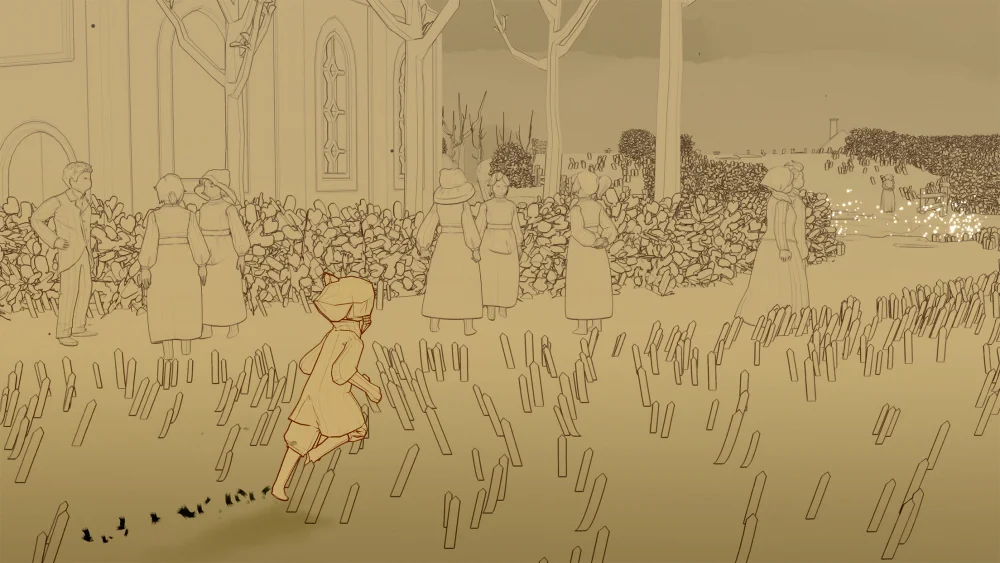
In Sky: Children of the Light, flight is more than just travel—it is the core mechanic of exploration, social interaction, and self-expression. While the game’s controls are intuitive, true mastery of the skies requires a shift from passive navigation to active flight management. Whether you are struggling to reach high-altitude collectibles or finding yourself constantly running out of energy, these advanced techniques will transform how you experience the game's vast, beautiful landscapes.
Understanding Flight Modes: Glide vs. Flap
The most critical skill for any Sky player is knowing when to switch between the two primary flight modes, toggled via the icon in the top-right corner of your screen. Players who ignore this button often find their movement clunky or inefficient.
Glide Mode: Horizontal Efficiency
Glide mode is your default travel state and should be used for 90% of your movement. It focuses on momentum and horizontal speed. When in Glide mode, your character maintains altitude with minimal energy cost, allowing you to cross massive gaps between islands. Use this when you are already at your desired elevation or when descending toward a point of interest.
Flap Mode: Vertical Ascent
Flap mode turns your character’s focus toward verticality. Each flap consumes a segment of your Winged Light energy but provides a significant burst of upward momentum. This mode is essential for climbing steep cliff faces or reaching high-altitude platforms. The golden rule here is "purposeful flapping": once you have reached your target height, immediately toggle back to Glide mode to stop draining your energy reserves unnecessarily.
Mastering Camera-Based Steering
Many players attempt to steer using only the movement joystick, which results in wide, sweeping arcs that make precise landings nearly impossible. In Sky: Children of the Light, the camera is your primary steering wheel.
- Look to Turn: Before making a sharp turn, pan your camera in the direction you intend to travel. Your character will naturally lean into the trajectory you have established.
- The "Nose-First" Method: By keeping your character’s nose pointed toward your target destination before you initiate a flap, you convert your energy into directed movement rather than wasted motion.
- Practice in Tight Spaces: Use the stone arches in the Daylight Prairie to practice "weaving." If you can navigate through the arches while keeping your camera locked on the next target, you have mastered the fundamental linkage between vision and flight path.
Managing Altitude and Precision Landings
One of the most common newbie mistakes is failing to plan for a landing, leading to players sliding off ledges or missing platforms entirely. Landing requires a transition from high-speed momentum to a "soft" touch.
- The Early Descent: Don't wait until you are over your target to drop altitude. Switch to Glide mode early and aim for a shallow, downward angle.
- The Brake Technique: If you are coming in too fast, pull back on your movement joystick. This acts as an air brake, reducing your horizontal speed significantly.
- The Mid-Air Stall: If you are still overshooting, perform a quick "stop" by tapping the flight icon to cancel your momentum, or pivot your camera 180 degrees to force a sharp turn that bleeds off speed.
Strategic Energy Conservation
Running out of light mid-flight isn't just an inconvenience; it can force you to restart a climb or fall into dangerous territory. Mastering your energy gauge is about environmental awareness.
Cloud Surfing
Clouds are the "fuel stations" of Sky. If you are flying long distances, prioritize a path that weaves through cloud banks. Not only do clouds recharge your energy continuously, but they also provide an upward draft that can carry you over obstacles without costing a single Winged Light charge.
The Double-Flap Protocol
If you are uncertain about your remaining energy, avoid "panic flapping." Use one strong, controlled flap to test your lift. If you don't reach the ledge, use the second flap only when you are certain it will result in a landing. Saving that final charge is the difference between a successful climb and falling back to the base of a cliff.
Advanced Maneuvers: The "Spiral Climb"
When you need to gain height in a very confined area (like inside a narrow chimney or tower), standard flapping might be too wide. Use the Spiral Climb technique:
- Switch to Flap mode.
- Hold the movement joystick to the left or right while flapping.
- By constantly circling while ascending, you keep your character within a tight horizontal space while maximizing vertical gain. This is an essential skill for navigating the more complex, enclosed structures in the Hidden Forest or Vault of Knowledge.
Common Mistakes to Avoid
- Over-Flapping: New players often flap as fast as possible. This wastes energy and makes your flight path erratic. Always pause for a fraction of a second between flaps to assess your trajectory.
- Ignoring Wind Currents: Pay attention to the visible wind currents in areas like the Hidden Forest. These currents are designed to assist your flight—fighting against them is a waste of energy.
- Forgetting to Recharge: When you see a lantern, social light, or a friendly player, take a moment to "hover" near them. A full energy bar is your best insurance policy against a long fall.
Conclusion: Practice Makes Perfect
Sky: Children of the Light rewards players who treat flight as a deliberate skill. By dedicating time in low-risk zones to practice these mechanics—specifically the transition between Glide and Flap modes—you will build the muscle memory required for the game’s more challenging late-game areas. Don't look at flight as just a way to get from A to B; look at it as a way to interact with the world. Once you stop fighting the controls and start working with them, you’ll find that the skies of Sky become much more accessible and infinitely more rewarding.

Free Sky: Children of the Light Codes
Current active codes and how to redeem them.

James Brown
James focuses on Android gaming on PC, emulator setup, controls, performance tuning, and practical troubleshooting for longer play sessions.
COMMUNITY
Player Comments
136 players commented on this guide.
This guide answered the exact question I had.
Nice guide. I am checking the other Sky: Children of the Light articles next.
This helped me understand strategy much better.
The tips are practical and easy to follow.