
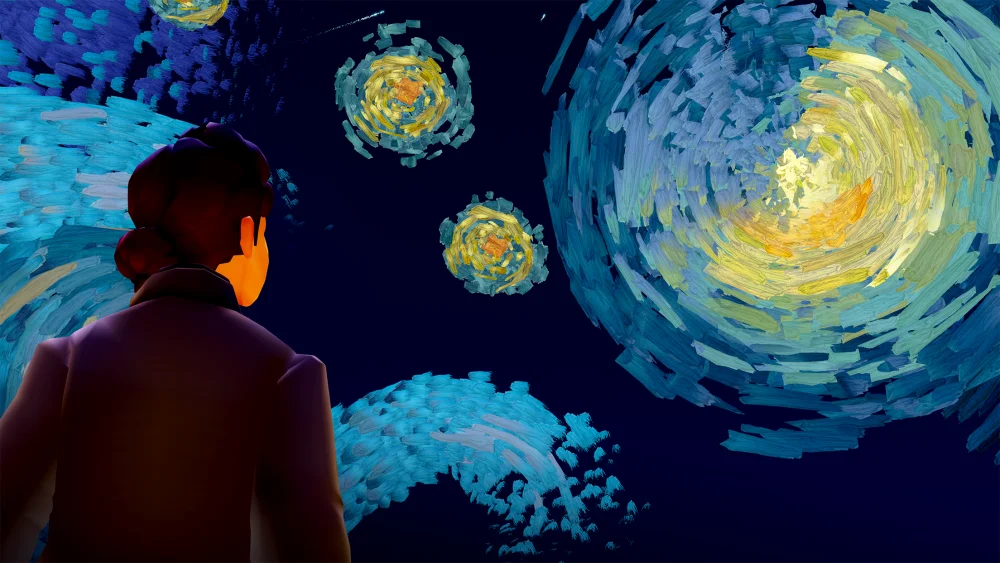
To attend the Aurora Concert in Sky: Children of the Light, reach the Coliseum at the end of the Valley of Triumph, sit in the stadium bleachers before the performance begins, and follow the guided group flight cues during the show.
Entering the Coliseum and Pre-Show Setup
During active community event periods, you can access the concert venue directly:
- Travel to the venue: Walk through the Valley of Triumph race exits, or use the direct teleport offered by the event guide located at Home or Aviary Village.
- Group up early: The concert uses instancing technology that replaces the standard eight-player cap with thousands of silhouette spirits. If attending with friends, establish a hand-holding chain before entering or before the countdown ends, as tracking specific players in the crowd is difficult once the show starts.
- Claim a stadium seat: Sit in an open bleacher spot. Sitting locks your camera angle toward the stage and displays the countdown timer until the performance begins.
- Use venue emotes: While waiting, use the bottom emote bar to wave glowing light sticks, trigger unified cheers, or send chime calls across the arena.
Accessing the Venue Outside Event Windows
When official community events are not active, the concert instance cannot be entered through regular Coliseum visits or standard home teleports.
- Cape Requirement: Entering the show between events requires the Wings of AURORA cape cosmetic.
- Attending Without the Cape: Players who do not own the cape can hold hands with a player who does. Have the cape owner lead the group through the Coliseum entrance gate and interact with the concert activation circle. Maintain the hand-holding link throughout the transition screen so your group remains in the private concert server rather than separating into the standard public Coliseum.
Flight Forms and Interactive Mechanics
During musical numbers such as "Runaway" and "All is Soft Inside," the concert lifts your avatar from the stands and temporarily transforms your character into glowing light creatures.
Wing energy is infinite throughout these musical movements, so conserving flaps or seeking recharge clouds is unnecessary. Momentum carries your creature along a shared flight path. Pushing forward accelerates within the swarm, while steering left or right maneuvers around other players. When the game controls the camera to showcase narrative scenes, keep your creature centered in the active view rather than fighting the framing.
| Form | Sequence Focus | Flight Behavior | Control Priority |
|---|---|---|---|
| Giant Manta Ray | "Runaway" / Wide vistas | Wide turning radius with constant glide speed | Stay in the forward air streams near the front of the pod. |
| Light Swarm / Butterfly | Introspective song sections | Agile, sharp vertical adjustments | Align with illuminated light rings to track audio cues. |
| Free-Roam Avatar | "Queendom" / Stadium finale | Standard avatar movement with high-jump launch pads | Move across ground projections and cheer clusters on the floor. |
Narrative Transitions and Stage Obstacles
The concert moves through distinct tonal shifts. Darker sequences such as "The Seed" shift the arena into a battlefield featuring smoke, debris, and manifestations of Dark Dragons (Krill).
- Maintain Formation: Stay grouped around the central Aurora spirit or the thickest cluster of player silhouettes to avoid striking invisible boundaries.
- Interact with Prompts: When music builds to a peak, tap the glowing interaction spheres that appear on-screen to trigger shared effects that clear the arena of debris and darkness.
Post-Show Gathering
After the finale of "Queendom," the venue converts into an open social space on the Coliseum floor. Aurora remains on the central platform, where players can activate confetti and take photos.
During active event seasons, themed spirits appear along the stage perimeter selling instruments, cosmetics, and music sheets. If crowded instances cause visual stutter or input delay on mobile platforms, reduce your graphics quality or disable optional UI prompts in the settings menu while browsing the floor.
Free Sky: Children of the Light Codes
Current active codes and how to redeem them.

Sarah Williams
Sarah specializes in RPG and collection games, explaining team building, character growth, and beginner-friendly ways to avoid expensive early mistakes.
COMMUNITY
Player Comments
102 players commented on this guide.
This saved me time in the early game.
Good guide for Sky: Children of the Light players. The updates part was useful.
This guide answered the exact question I had.
The explanation is clear, especially for beginners.