
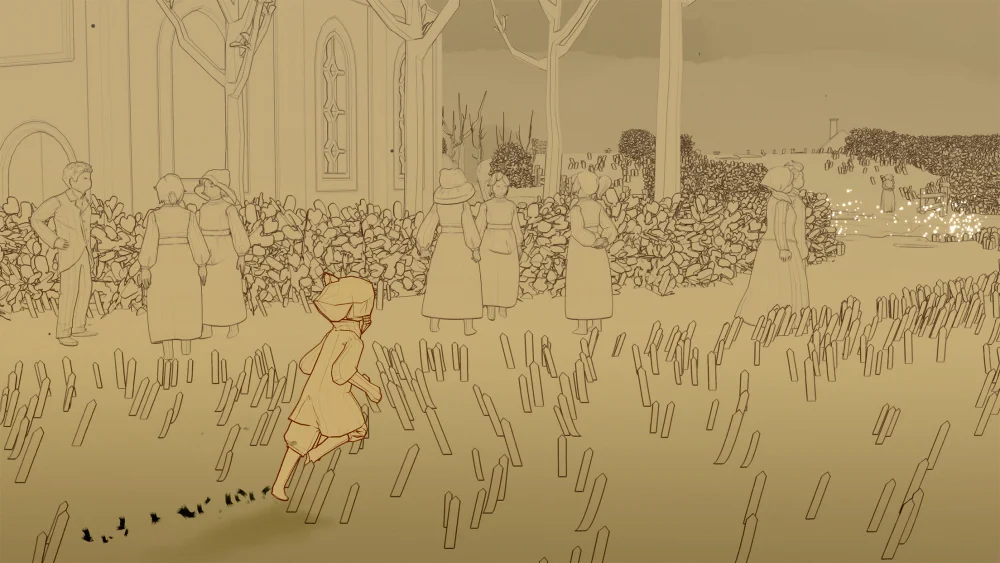
To join an online friend in Sky: Children of the Light, go to Home or Aviary Village, step onto the friendship constellation platform, and open your friend roster. Select your friend's glowing star, then tap the join button on their avatar profile to warp directly into their server.
Opening the Friendship Constellation
Both players must already be registered on each other's friend roster before either can initiate a warp. Access your friend list from either primary social hub:
- Home: Step onto the circular stone disc located between the realm portals. Tap the interaction icon that appears above your character to look up at the sky, then cycle past the realm spirit constellations to open your friend constellation.
- Aviary Village: Walk up to the friendship altar in the central plaza and tap the interaction prompt to bring up the identical constellation interface.
Checking if a Friend Is Online
The constellation screen displays visual cues that indicate a friend's current status:
- Faded, static star: The player is offline. Selecting their star only allows you to send daily light or inspect their friendship tree.
- Pulsing, glowing star: The player is online and playing. Expanding rings of light radiate outward from their name.
- Avatar projection: Selecting a glowing star displays a 3D preview of their character on the stone pad, showing their equipped cape, outfit, and stance.
- Proximity marker: If the player is already in your immediate room or social hub, the menu reflects their presence nearby instead of offering a cross-server warp.
Warping to Your Friend's Realm
Once you confirm a friend is online, join their active game session:
- Select your friend's pulsing star in the constellation.
- Locate the join icon on the right side of the screen, positioned above their friendship tree. The icon depicts a running figure moving toward another figure.
- Tap the join icon and confirm the prompt asking if you want to join their location.
- Wait for the realm transition screen to load.
Your character will spawn directly beside your friend's position in their realm, such as Daylight Prairie, Hidden Forest, Valley of Triumph, or Golden Wasteland.
Holding Hands in Multiplayer
After spawning next to your friend, tap on their character to open their interaction menu and select the hand-hold icon at the base level of the friendship tree. Once your friend taps the floating icon above your avatar to accept, your characters link hands.
| Role | Movement Control | Light and Energy Interaction |
|---|---|---|
| Leader | Guides all flight paths, ground movement, and realm gates | Consumes standard cape wing flaps during flight |
| Follower | Automatic movement; hands-free navigation | Passively recharges the leader's cape light through proximity |
Resolving Failed Warp Attempts
If a warp fails or deposits you back at Home, the issue typically stems from server restrictions or map loading:
- Full room cap (8-player limit): Map instances in Sky: Children of the Light support a maximum of eight simultaneous players. If your friend is in a full zone, wait a moment for a slot to clear, have them move to a quieter sub-area, or have them meet you at Home.
- Cutscenes and zone transitions: Attempting to warp while your friend is watching a cutscene, meditating at an altar, or moving between loading gates can interrupt the transfer. Ensure your friend is stationary in an active zone before confirming the join prompt.
Free Sky: Children of the Light Codes
Current active codes and how to redeem them.

Sarah Williams
Sarah specializes in RPG and collection games, explaining team building, character growth, and beginner-friendly ways to avoid expensive early mistakes.
COMMUNITY
Player Comments
56 players commented on this guide.
The explanation is clear, especially for beginners.
This saved me time in the early game.
This helped me understand strategy much better.
Can you add more details about strategy in a future update?