
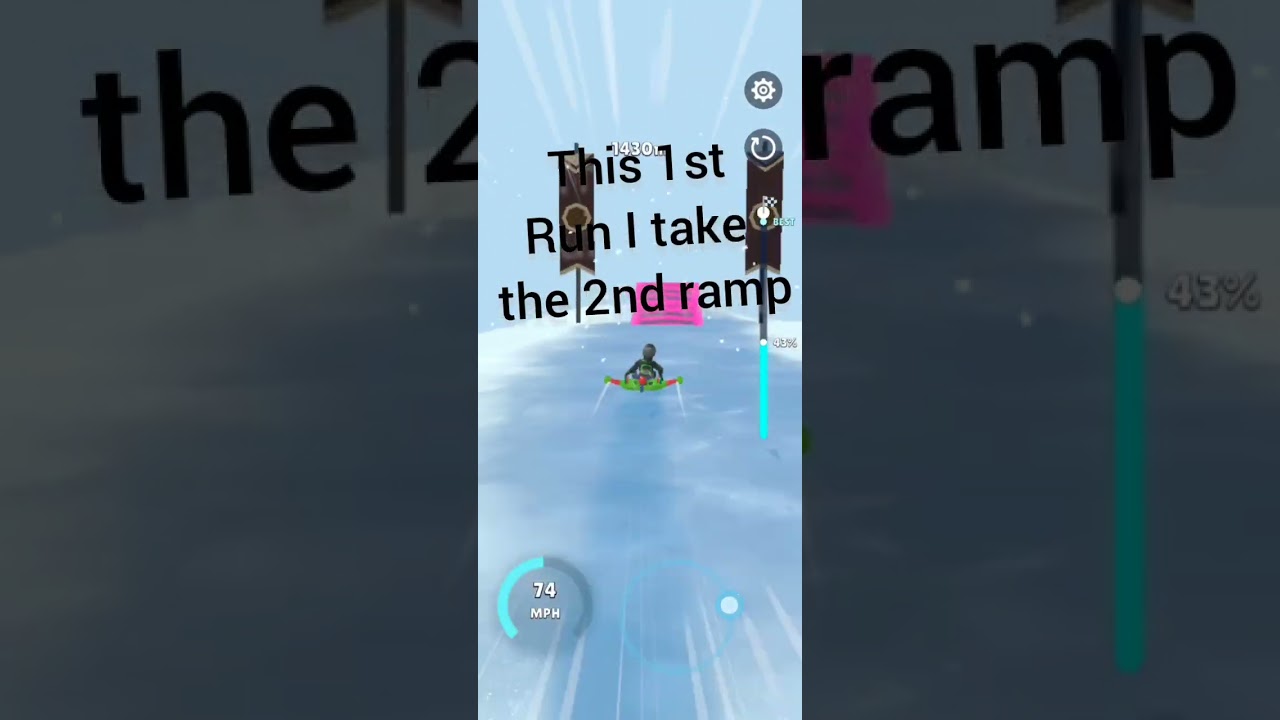
To eliminate forced ad breaks and bypass ticket recharge timers in Sled Surfers, switch your device to Airplane Mode and advance your system clock. Pairing offline grinding with straight slingshot launches and parallel jump landings allows you to farm coins quickly and upgrade your sled without interruptions.
Disabling Ads with Airplane Mode
Turning off network connectivity stops forced interstitial ads from appearing between runs while keeping local downhill physics active. In Sled Surfers, mandatory video ads trigger after failed attempts, wiped-out jumps, and finished courses. Because stage generation and physics run directly on your hardware, an active connection is not required to complete runs.
Enabling Airplane Mode or turning off Wi-Fi and mobile data prevents ad servers from delivering pop-ups, allowing you to restart runs immediately. However, offline play prevents you from using opt-in rewarded ads:
| Feature | Offline Mode (Airplane Mode) | Online Mode (Connected) |
|---|---|---|
| Forced Pop-Up Ads | Blocked | Triggers between runs |
| Restart Speed | Instant restart | Interrupted by video ads |
| End-of-Run Multipliers | Disabled | Accessible via voluntary ads |
| Free Revives | Disabled | Accessible via voluntary ads |
| Best Situation | Practice runs and coin grinding | High-score milestone runs |
Stay offline while learning tricky downhill layouts. Once you post an exceptional run or clear a milestone course where an ad multiplier provides substantial coin gains, reconnect your network before collecting your reward.
Bypassing Ticket Cooldowns with Clock Resets
Advancing your device's internal clock bypasses cooldown timers for prize chests, lucky wheels, and bonus event stages. Sled Surfers checks ticket replenishment timers against the local device clock rather than a dedicated server.
To safely reset your ticket count:
- Spend your current tickets on event runs, crates, or wheel spins until your balance reaches zero.
- Minimize Sled Surfers and open your device's system settings.
- Open the Date & Time menu and turn off automatic time synchronization.
- Advance the system clock forward by two hours or set the date forward by one full day.
- Reopen Sled Surfers to claim your refilled tickets and spins.
Timer Lockout Risk: If you set your device clock back to the correct time while a ticket timer is actively counting down, the game can record a negative time offset. This freezes ticket regeneration until the real-world calendar catches up to the advanced date. To prevent lockouts, spend all replenished tickets while the time is advanced, close Sled Surfers completely from your app switcher, turn automatic time back on, and then relaunch the game.
Launch Alignment and Landing Mechanics
Consistent downhill runs depend on a straight launcher release and matching your sled runners to the slope angle.
Center-Axis Slingshot Launch
Pulling the sled directly backward along the launcher's center axis provides the highest starting speed. Dragging the sling diagonally creates lateral sway, forcing your sled to scrape the side barriers and bleed off forward momentum before hitting the main slope. Pull straight back to maximum tension, check that your touch input is centered, and release smoothly to clear opening ravines.
Jump Flips and Nice Sliding
Holding the screen while airborne starts a flip. Over-rotating or under-rotating causes nose-first and tail-heavy crashes that end your run instantly:
- Apex Release: On standard jumps, execute a single flip and lift your finger near the peak of the jump arc so the sled levels out naturally before descent.
- Match the Incline: Inspect the landing zone during descent. Tilt the sled so both runners contact the snow flush with the hill's downward angle.
- Nice Sliding Boost: Landing parallel to the snowy slope triggers a "Nice Sliding" prompt. This cancels ground friction and gives your sled an immediate forward speed boost.
- Chasm Management: When approaching wide chasms, skip extra flips. Focus entirely on landing flush to preserve enough kinetic energy to clear the next ramp.
Upgrade Priority for Downhill Progression
Invest your coins into Slingshot Power and Sled Speed before purchasing Coin Boosts. Buying economy upgrades early leaves your sled without the speed needed to cross large gaps on advanced tracks.
- Slingshot Power (First Priority): Increases release velocity from the starting gate. High launch power carries you safely over opening rock fields and straight into the downhill speed groove.
- Sled Speed (Second Priority): Lowers friction across flatter snow sections and maintains momentum between consecutive jump transitions.
- Coin Boosts (Third Priority): Increases currency yield from collected coins. Upgrade this only after your sled consistently clears courses and reaches the finish line.
Free Sled Surfers Codes
Current active codes and how to redeem them.

James Brown
James focuses on Android gaming on PC, emulator setup, controls, performance tuning, and practical troubleshooting for longer play sessions.
COMMUNITY
Player Comments
65 players commented on this guide.
This guide answered the exact question I had.
Nice guide. I am checking the other Sled Surfers articles next.
This saved me time in the early game.
I wish I had read this before upgrading the wrong thing.