

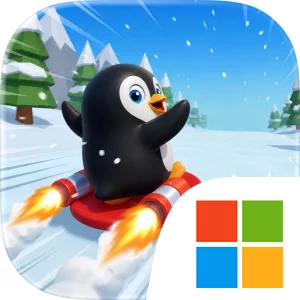
Play Sled Surfers on Windows PC
Download the official Sled Surfers Windows PC client and learn how to install and play the game on PC, with controls, system requirements, and practical tips.

Download Sled Surfers Official Windows PC Client
Official Windows PC client provided by LDPlayer.
About the Official Sled Surfers PC Client
Developer: Crazy Labs
Progression in Sled Surfers comes through both repeated runs and longer-term unlocks. The game includes level-based challenges alongside its endless runs, giving you objectives beyond simply surviving for as long as possible. You can also work toward unlocking tons of surfer characters and sleds, turning successful play into a collection goal as well as a distance challenge. Those unlocks give repeated attempts a practical purpose: even when a run ends early, you are working toward the broader goal of expanding your available characters and sleds. On PC, a larger display is useful for reading the path ahead across the wider view, especially when a snowy track leads from open mountains into tighter spaces such as caves or subways. Seeing trees, ice, and power-ups sooner can help you choose whether to stay on a safer line, shift position, or prepare for a jump rather than reacting at the last possible moment. Keyboard-and-mouse input can also make repeated directional corrections feel more deliberate during high-speed sections, when a small adjustment determines whether you dodge an obstacle or collide with it. A keyboard is well suited to quick, consistent movement commands, while the mouse can help keep attention centered on the visible route and its upcoming hazards. These advantages do not remove the challenge; they make the important information easier to read and the basic actions easier to repeat accurately. With its combination of endless downhill runs, level-based challenges, power-ups, varied environments, and unlockable surfers and sleds, Sled Surfers on PC is best approached as a focused score-and-progression game: learn the flow of each run, survive the next obstacle, collect what you can, and push your distance a little farther on the next attempt.
Screenshots
How to Download and Install the Official Sled Surfers PC Client
- Download and install the official Windows client distributed by LDPlayer.
- Open the app and sign in with your Google Play account.
- Search for Sled Surfers in the app store.
- Install the game and finish the first-launch download.
- Use the same game login if account sync is available.
Why Play Sled Surfers on PC?
Menus, maps, resources, and combat details are easier to read on a desktop display.
Keyboard and mouse input makes repeated actions and long sessions more comfortable.
Desktop play avoids phone battery drain during longer farming sessions.
Keep guides, codes, and notes open alongside the game on PC.
Controls and Performance
These three settings solve most common issues when playing on PC.
Map navigation, skill use, and repeated resource actions first.
Lower resolution or graphics quality if crowded scenes lose frames.
Link your account before switching devices so progress can be restored safely.
Sled Surfers Official PC Client FAQ
Can I play Sled Surfers on PC?
Yes. Download the official Windows PC client distributed by LDPlayer and play with a larger screen, keyboard, and mouse controls.
Is Sled Surfers better on PC than mobile?
Playing on PC can make longer sessions, detailed menus, and resource management more comfortable, while mobile is still convenient for quick check-ins.
Will my Sled Surfers progress sync on PC?
Progress depends on the sign-in options supported by the game. Use the same linked Google, Facebook, Apple, or game account on both devices.
Why does Sled Surfers lag on PC?
Lag can be caused by limited RAM, demanding graphics settings, outdated client files, or background apps. Lower the graphics settings and keep the PC client up to date.
DOWNLOAD STARTED
Your download is starting
Check your browser Downloads if it does not appear.
Official PC client for Windows, distributed by LDPlayer.
Download again