
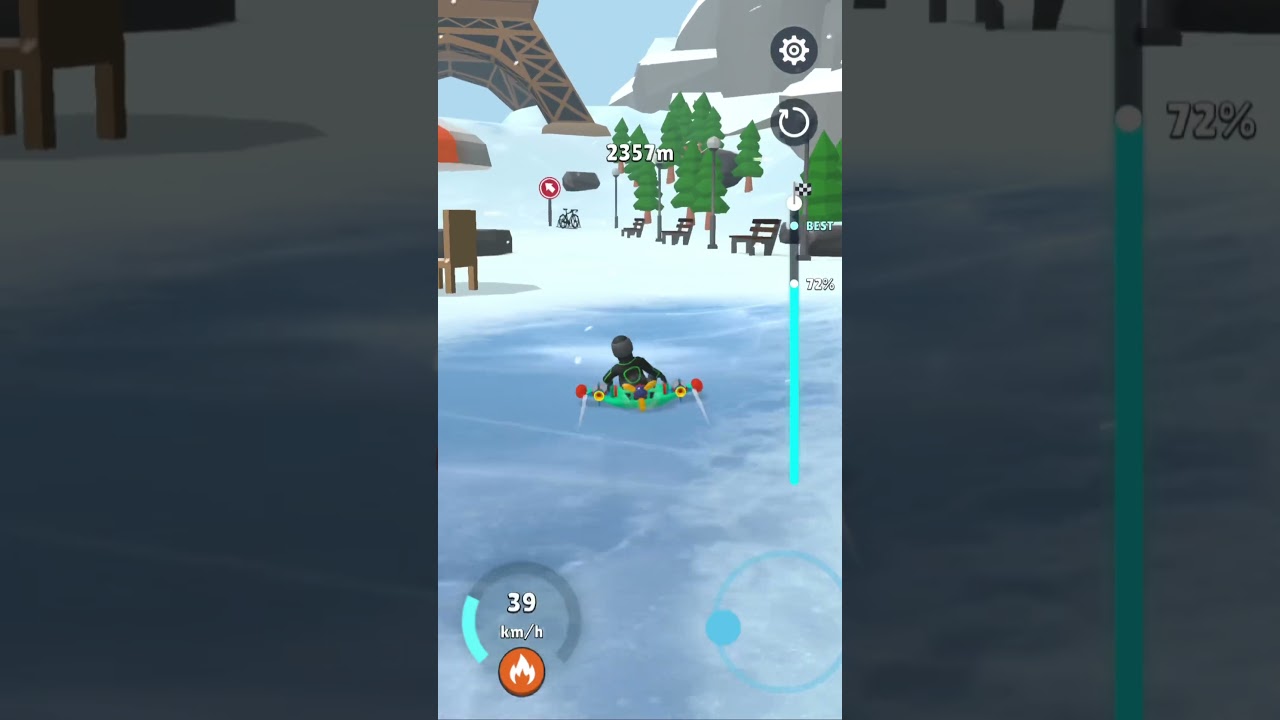
To beat Level 25 in Sled Surfers, tilt your sled to match the angle of each downhill slope before landing, triggering the "Nice Sliding" momentum boost. Level 25 features closely packed, rolling snow mounds that punish backflips and nose-dives. Preserving forward speed across the undulating dips and flat transitions requires controlled launch power, precise landing angles, and reserved booster usage.
Slingshot Launch Angle and Pull Strength
The starting platform in Level 25 sits elevated above the first series of mounds. Pulling the slingshot back to maximum power creates an arc that is too high, making your descent difficult to control and causing you to crash past the first downward transition.
- Draw the slingshot back with a moderate, direct pull rather than stretching it to full capacity.
- Aim the flight trajectory directly toward the downward decline of the first snow mound.
- Touch down smoothly on the falling edge to begin sliding immediately, rather than slamming flat into an upward crest.
How to Align Pitch for Nice Sliding
Mid-air rotation controls how your sled interacts with the snow. Pressing and holding the screen tilts your rider backward to start rotating. Releasing your hold locks the sled runners at their current angle. Touching down flush against the hillside registers as "Nice Sliding," granting a speed boost and frictionless glide.
- Parallel Slope Match: Release the hold right as the runners align parallel to the descending slope. This prevents bouncing and provides maximum downhill acceleration.
- Nose-Down Dive: Releasing too early leaves the front tip pointed downward into the snow, resulting in a sudden stop or crash.
- Tail Strike: Holding the screen too long forces the rear of the sled into the slope first, creating a violent upward bounce that sheds accumulated speed.
Handling Rolling Dips
Unlike stages with massive drops that allow multiple backflips, Level 25 features short valleys between consecutive crests. Gaining speed on a decline quickly launches the sled off the next rise. Hunting for stunt rotations on these small jumps usually results in bad landing angles.
Use brief taps rather than sustained holds to stabilize your pitch in the air, keeping your runners ready for the next decline.
| Landing Posture | Result on Speed | Crash Risk | Tactical Value for Level 25 |
|---|---|---|---|
| Flush Slope Match | Maximum acceleration | Very Low | Essential for clearing dips smoothly |
| Tail Strike Landing | Moderate loss with upward bounce | Medium | Usable only on very shallow drops |
| Nose-First Impact | Full stop or immediate crash | Critical | Fails the run; avoid at all costs |
| Flat Ridge Land | Heavy friction drag | Low | Depletes momentum before the next rise |
Preserving Momentum on Flat Transitions
Friction on flat snow quickly drains forward velocity, making it hard to reach the next decline. Converting downhill gravity into forward drive via clean landings is the primary way to cross these sections.
If your sled loses momentum entering a flat stretch, tap your rocket booster in short bursts rather than draining the tank at once. Use the booster only while the runners are grounded to propel the sled safely forward. Firing the booster mid-air can cause uncontrolled rotations that ruin your landing alignment.
Recommended Upgrade Priorities
If you consistently stall on the rises or struggle across flat ground, upgrade your gear attributes before starting another run:
- Sled Speed: Prioritize this attribute first to increase base velocity and momentum retention after each smooth landing.
- Slingshot Power: Upgrade second to ensure you clear the opening gap with sufficient starting speed.
- Booster Duration: Upgrade third to give yourself extra thrust for recovering from missed landing angles or crossing the final stretch.
Free Sled Surfers Codes
Current active codes and how to redeem them.

Emily Johnson
Emily writes practical mobile strategy guides with a focus on resource planning, base progression, and the early decisions that shape a long-term account.
COMMUNITY
Player Comments
156 players commented on this guide.
Good guide for Sled Surfers players. The strategy part was useful.
This saved me time in the early game.
I wish I had read this before upgrading the wrong thing.
This guide answered the exact question I had.