
Play Soccer Kickoff League on Windows PC
Download the official Soccer Kickoff League Windows PC client and learn how to install and play the game on PC, with controls, system requirements, and practical tips.

Download Soccer Kickoff League Official Windows PC Client
Official Windows PC client provided by LDPlayer.
About the Official Soccer Kickoff League PC Client
Developer: Abdul Qayyum
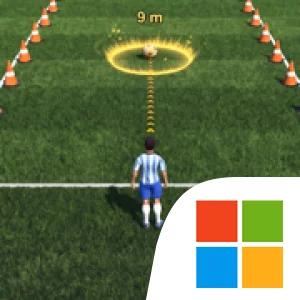
Training is more than a prelude to the competition. Pass Training asks you to work on accuracy, while Shoot Training centers on powerful, precise attempts at goal. Sprint Training develops speed and stamina, and Tactics Training introduces soccer strategy and positioning. Completing each level unlocks further challenges, making progress depend on working through these different parts of play rather than jumping straight into international matches. The drills also give each skill a practical purpose: accurate passing helps move the ball, shooting creates chances to score, sprinting supports movement across the field, and tactical awareness helps determine where players should be positioned. The store description presents these as accessible controls with deeper gameplay for players who want either a casual introduction or a more competitive experience.
After training, the focus shifts to national squads and team matches. You can pick a favorite country, build a strategy, and face other teams in international competition. This makes match preparation part of the game’s central loop: practice specific skills, complete a level to open new challenges, then bring what you have learned into a team contest. The available description does not specify a roster-building or equipment system, so the emphasis is instead on developing your soccer abilities and making tactical choices. Realistic 3D graphics, animations, and physics are intended to give passes, shots, and sprints a more lifelike feel, while the range of training and match situations gives the game a progression from rookie practice toward the stated aim of becoming a soccer champion.
On PC, a larger display can make it easier to follow the action across the pitch and keep track of positioning during Tactics Training and international matches. Seeing more of the field at once is useful when deciding where to move or how to approach a team-versus-team situation, rather than focusing only on the ball. Keyboard-and-mouse input can also make repeated training actions feel deliberate: you can practice passing accuracy, line up shots, and handle sprints with direct input, then use the same control setup as you move into matches. Together, the bigger view and precise controls support the game’s two main demands—refining individual techniques in drills and applying them as part of a broader strategy. Soccer Kickoff League is therefore best understood as a training-led soccer simulation: progress through targeted exercises, unlock new challenges, choose a national team, and put your passing, shooting, speed, stamina, and positioning to work in international competition.
Screenshots
How to Download and Install the Official Soccer Kickoff League PC Client
- Download and install the official Windows client distributed by LDPlayer.
- Open the app and sign in with your Google Play account.
- Search for Soccer Kickoff League in the app store.
- Install the game and finish the first-launch download.
- Use the same game login if account sync is available.
Why Play Soccer Kickoff League on PC?
Menus, maps, resources, and combat details are easier to read on a desktop display.
Keyboard and mouse input makes repeated actions and long sessions more comfortable.
Desktop play avoids phone battery drain during longer farming sessions.
Keep guides, codes, and notes open alongside the game on PC.
Controls and Performance
These three settings solve most common issues when playing on PC.
Map navigation, skill use, and repeated resource actions first.
Lower resolution or graphics quality if crowded scenes lose frames.
Link your account before switching devices so progress can be restored safely.
Soccer Kickoff League Official PC Client FAQ
Can I play Soccer Kickoff League on PC?
Yes. Download the official Windows PC client distributed by LDPlayer and play with a larger screen, keyboard, and mouse controls.
Is Soccer Kickoff League better on PC than mobile?
Playing on PC can make longer sessions, detailed menus, and resource management more comfortable, while mobile is still convenient for quick check-ins.
Will my Soccer Kickoff League progress sync on PC?
Progress depends on the sign-in options supported by the game. Use the same linked Google, Facebook, Apple, or game account on both devices.
Why does Soccer Kickoff League lag on PC?
Lag can be caused by limited RAM, demanding graphics settings, outdated client files, or background apps. Lower the graphics settings and keep the PC client up to date.
DOWNLOAD STARTED
Your download is starting
Check your browser Downloads if it does not appear.
Official PC client for Windows, distributed by LDPlayer.
Download again