
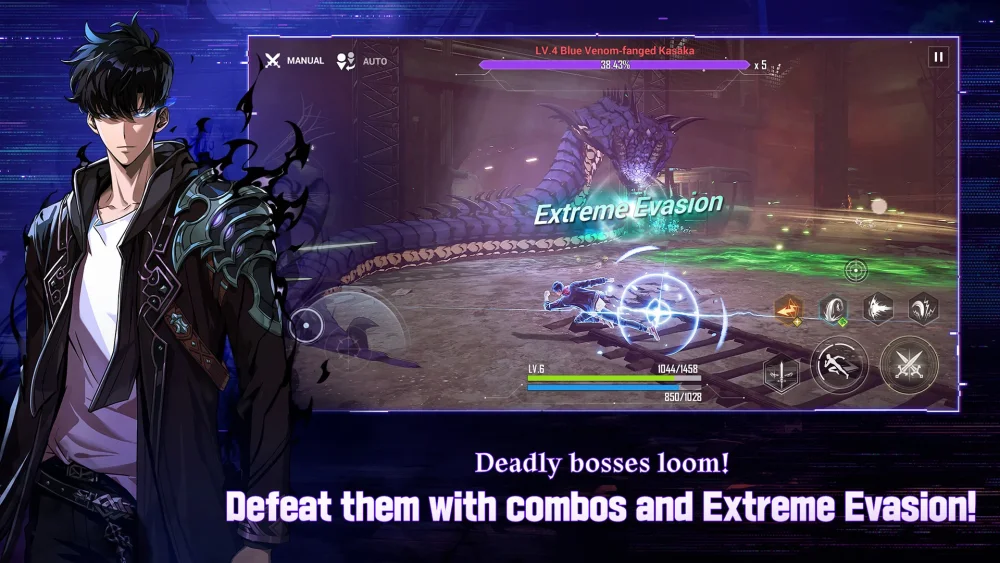
In Solo Leveling:Arise, visual fidelity is more than just an aesthetic choice; it is a tactical advantage. Because the game relies heavily on frame-perfect dodges, skill rotations, and identifying subtle enemy wind-up animations, your graphics settings directly impact your ability to clear high-difficulty content. To perform at your best, you must balance high-resolution textures with a stable 60FPS frame rate. This guide covers how to calibrate your settings to ensure your hardware delivers a competitive, crystal-clear experience in every boss raid and story encounter.
The Mechanical Necessity of 60FPS in Solo Leveling:Arise
In Solo Leveling:Arise, combat is governed by "Extreme Evasion" mechanics. When you dodge at the last possible millisecond, you trigger a time-slow effect that allows for a massive burst of counter-damage. If your frame rate fluctuates or drops during these moments, your input window becomes inconsistent, leading to mistimed dodges and unnecessary damage.
A consistent 60FPS creates a smooth, predictable rhythm to the combat. When the frame rate is locked, your brain can more easily map the timing of enemy telegraphs. If your system is struggling to maintain 60FPS, you are effectively fighting the engine rather than the boss. Prioritizing performance over pure visual flair is the first step toward mastering the game’s more difficult endgame challenges, such as the Workshop of Brilliant Light.
Configuring Ultra Graphics for Maximum Combat Clarity
While "Ultra" presets offer the best visual experience, they can sometimes introduce excessive "visual noise"—particle effects and lighting blooms that obscure critical information. To optimize for both beauty and utility, navigate to the graphics menu and adjust these specific categories:
- Texture Quality: Set to Ultra. This maintains the sharpness of character models and, more importantly, keeps the environment clear so you can easily distinguish between walkable terrain and hazards.
- Shadow Quality: Set to High. Sharp, accurate shadows help ground characters in the arena, making it easier to judge spatial depth when dashing toward or away from an enemy.
- Effect Quality: Set to Medium or High. This is the most critical setting. On "Ultra," the sheer volume of particle effects from your skills can hide boss telegraphs. If you find yourself losing track of the boss during a flurry of attacks, lower this setting to reduce visual clutter without sacrificing overall game fidelity.
Managing Thermal Throttling and System Load
Solo Leveling:Arise is a demanding title, particularly on mobile devices. As your device heats up, the internal processor will intentionally slow down (thermal throttling) to protect itself, which causes sudden, jarring frame drops.
To prevent this during critical raids:
- Use a Power Source: Always play while plugged into a charger if possible, as battery-save modes on mobile devices often cripple GPU performance.
- External Cooling: If playing on a phone, use a dedicated cooling fan or play in a cool environment to keep the hardware running at peak clock speeds.
- Resolution Scaling: If you are seeing dips in frame rate, keep your textures at Ultra but lower the "Resolution Scale" slightly. This keeps the game looking sharp while significantly reducing the load on your GPU.
Improving Visual Fidelity for Enemy Telegraphs
Bosses in Solo Leveling:Arise use specific color-coded indicators to signal unblockable attacks or wide-area sweeps. On lower-end settings, these indicators can appear blurry or dim, blending into the ground textures.
Running on higher settings ensures that these indicators—often bright red or orange—have high contrast against the floor. This visual clarity allows for earlier reaction times. When you can spot a boss’s wind-up animation the moment it starts, you can position yourself more effectively, saving your dash charges for when they are truly needed. Understanding the why behind your settings helps you prioritize what to keep high and what to tone down to ensure you never miss a boss's "tell."
The "Stress Test" Strategy for Endgame Content
Before attempting end-game modes like the Workshop of Brilliant Light, you must verify your stability. The game’s combat engine handles massive amounts of data when multiple Hunters are on screen, all executing Ultimate Skills simultaneously.
How to perform a stress test:
- Enter the Training Room.
- Select your most graphically intensive party composition (focus on Hunters with high-particle Ultimate Skills).
- Execute all Ultimate Skills in quick succession against a dummy.
- Monitor your frame rate. If you see stuttering, lower your "Effect Quality" or "Anti-Aliasing" settings one level at a time.
This ensures that when you are in the middle of a high-stakes raid, your game won't lag at the exact moment you need to execute a perfect rotation.
Summary Checklist for Competitive Play
To summarize, your goal is to create a setup that favors responsiveness over pure graphical excess. Use this checklist before heading into major battles:
- Cap the Frame Rate: If your screen is 60Hz, lock the game at 60FPS. Do not force an unlocked frame rate if your hardware cannot sustain it, as this causes unstable input lag.
- Minimize Background Apps: Close all browser tabs and background applications on PC to ensure the full power of your hardware is dedicated to the game.
- Contrast Matters: Adjust your monitor or device brightness to ensure that the dark areas of the game aren't too deep, as many boss telegraphs are dark-hued.
- Consistent Settings: Find a balanced "Hybrid" profile that keeps textures sharp but limits particle-heavy effects. Stick to this profile across all game modes so your muscle memory for dodging remains consistent.
By treating your graphics settings as a component of your combat strategy, you align your hardware capabilities with your mechanical skills. In Solo Leveling:Arise, the player who sees the attack first is the player who survives the encounter. Optimization is the key to elevating your gameplay from casual sessions to professional-level mastery.

Free Solo Leveling:Arise Codes
Current active codes and how to redeem them.

James Brown
James focuses on Android gaming on PC, emulator setup, controls, performance tuning, and practical troubleshooting for longer play sessions.
COMMUNITY
Player Comments
147 players commented on this guide.
Good guide for Solo Leveling:Arise players. The strategy part was useful.
Can you add more details about strategy in a future update?
The tips are practical and easy to follow.
I tried this today and it worked better than my old setup.