
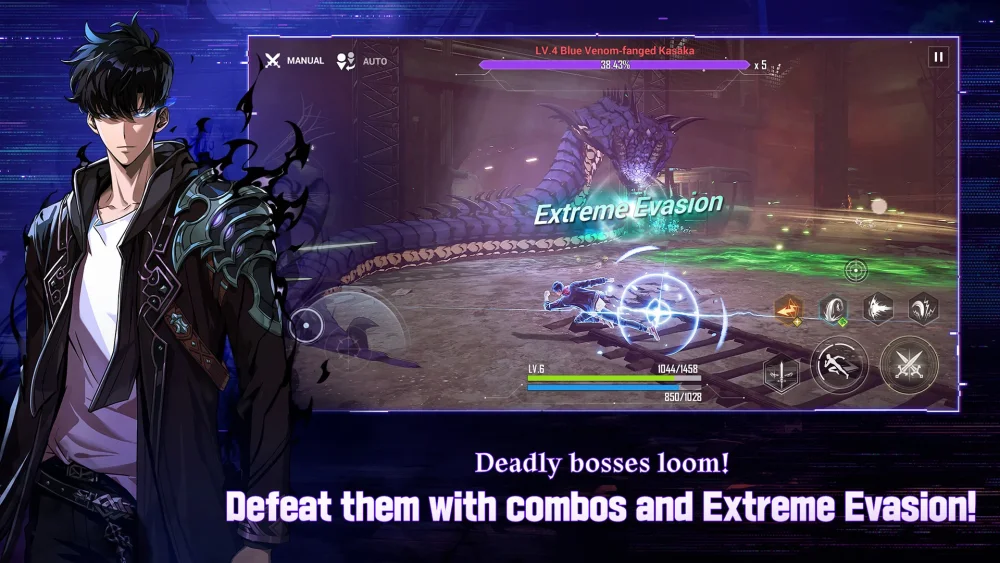
Mastering the fast-paced, action-oriented combat of Solo Leveling:Arise requires a level of mechanical precision that touch controls often struggle to provide. Whether you are climbing the ranks in the Workshop of Brilliant Light or pushing through high-level gate dungeons, transitioning to a controller setup is the single most effective way to improve your reaction times. A controller provides tactile feedback and consistent input registration, which are essential for executing frame-perfect dodges and fluid skill rotations. This guide details how to configure your hardware to ensure your input-to-action time is as low as possible, giving you a distinct competitive edge in every fight.
Configuring Controller Sensitivity for Precision Tracking
In Solo Leveling:Arise, the camera is your most important tool for situational awareness. If your sensitivity is too low, you will struggle to track fast-moving bosses like Igris or Cerberus, leading to missed windows for counter-attacks. Conversely, sensitivity that is too high causes shaky, imprecise movement that leads to wasted frames.
To calibrate your controller for peak performance:
- The Tracking Test: Enter a low-stakes encounter and attempt to keep your camera centered on a mobile enemy while moving in a circle. If the camera lags behind or overshoots, adjust your horizontal sensitivity in increments of 5%.
- Verticality: Keep your vertical sensitivity slightly lower than your horizontal sensitivity. In Solo Leveling:Arise, most threats are grounded; you rarely need aggressive vertical adjustments, and a lower setting helps keep your aim steady during high-pressure boss combos.
- Deadzone Awareness: If your controller supports it, ensure your stick deadzone is set to the lowest possible value without causing "stick drift." This ensures that the moment you nudge the analog stick, Sung Jinwoo reacts instantly.
Mapping Combat Skills for Maximum Efficiency
Solo Leveling:Arise relies on a complex UI that can feel cramped on a touchscreen. A controller allows you to offload these functions to dedicated hardware, freeing up your mental bandwidth to focus on boss mechanics rather than hunting for icons on the screen.
When customizing your layout, prioritize "Action Economy"—the ability to perform multiple tasks simultaneously. Use these principles to organize your keybinds:
- Dodge as Priority: Map your dodge to a shoulder button (L1/LB or R1/RB). You must be able to move your character while simultaneously hitting the dodge command. Mapping this to a face button forces you to take your thumb off the movement stick, which is a death sentence in high-level content.
- Core Skill Rotations: Group your main damage-dealing skills on the face buttons (A/B/X/Y or Cross/Circle/Square/Triangle). This allows for "piano-style" inputs where you can roll through your cooldowns without shifting your hand position.
- Ultimate and Support Skills: Map your Ultimate and Support Hunter abilities to the triggers (L2/R2 or LT/RT). Because these are used less frequently than basic skills, placing them on the triggers prevents accidental misfires during heated exchanges.
Minimizing Input Latency in High-Density Encounters
Input latency is the silent killer in Solo Leveling:Arise. Even a 50ms delay can be the difference between a "Perfect Dodge" and taking massive damage.
To ensure the most responsive experience:
- Wired Over Wireless: If playing on PC, use a USB-C cable for your controller. Bluetooth introduces interference and signal latency that can manifest as "ghosting" or delayed skill activations.
- Hardware Optimization: High visual settings can cause micro-stutters that make the game feel unresponsive. If you notice a delay, reduce your "Particle Density" and "Shadow Quality." The game will feel significantly "snappier" once your frame rate stabilizes, making the timing window for your dodges much more forgiving.
- Close Background Processes: If playing on a mobile device paired with a controller, ensure that background apps are closed. System resource competition can cause intermittent input registration drops.
Managing the Controller vs. Touch Transition
While controllers are superior for active combat, Solo Leveling:Arise is still a mobile-first game at its core. You will find that menu navigation, gear enhancement, and inventory management are often faster and more intuitive via touch.
The Hybrid Strategy: Adopt a "Combat Mode" and "Menu Mode" workflow. Use your controller exclusively for dungeons, raids, and the Workshop of Brilliant Light. Once you return to the main lobby, transition to touch controls to handle the UI-heavy tasks like artifact leveling or shop purchases.
Avoid the temptation to switch control methods mid-dungeon. Muscle memory is vital in Solo Leveling:Arise; if you switch back and forth, you will inevitably fumble an input during a boss fight. Commit to the controller for the duration of your "grind session" to build the necessary reflexes for high-tier content.
Common Mistakes to Avoid
- Ignoring the "Perfect Dodge" Window: Many players try to play aggressively to maximize DPS. However, the game rewards the "Perfect Dodge" mechanic with massive damage windows. If you find yourself failing these, re-evaluate your controller positioning—ensure your thumb is always hovering over the dodge button, not just your attack buttons.
- Over-relying on Auto-Aim: While auto-aim helps with general combat, it can prioritize the wrong targets in a crowd. Use your right stick to manually override the target lock when you need to focus down a specific boss limb or secondary enemy.
- Neglecting Controller Updates: If you are using a modern console controller (PS5 DualSense or Xbox Series X), ensure the controller firmware is updated via your PC or console. Outdated firmware can lead to inconsistent input polling rates.
By treating your controller setup as a precision instrument rather than just a convenience, you can significantly improve your performance in Solo Leveling:Arise. Focus on ergonomic button mapping, minimize hardware-side latency, and maintain consistency in your input method to conquer the most challenging content the game has to offer.

Free Solo Leveling:Arise Codes
Current active codes and how to redeem them.

James Brown
James focuses on Android gaming on PC, emulator setup, controls, performance tuning, and practical troubleshooting for longer play sessions.
COMMUNITY
Player Comments
133 players commented on this guide.
The explanation is clear, especially for beginners.
This helped me understand strategy much better.
The tips are practical and easy to follow.
This saved me time in the early game.