
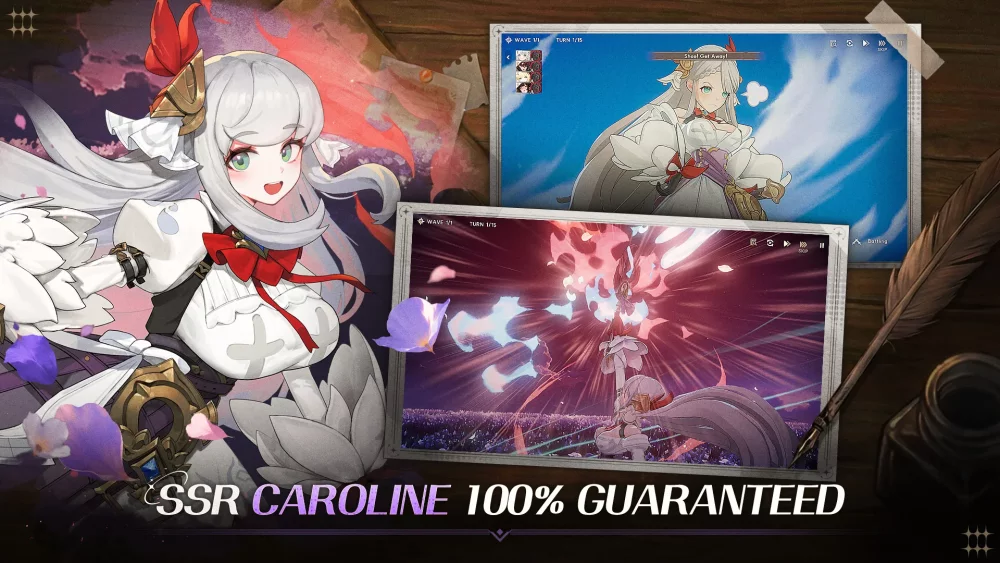
Mastering the user interface is essential for success in Star Sailors, particularly when navigating the high-paced combat encounters that define the experience. For players looking to optimize their performance, understanding the layout and the placement of critical combat indicators can significantly improve reaction times and tactical decision-making.
Understanding the Combat Interface Layout
The Star Sailors combat UI is designed to provide immediate feedback on character status and ability availability. Familiarizing yourself with these zones allows for smoother skill chaining and damage output management.
| UI Element | Primary Function | Tactical Importance |
|---|---|---|
| Character Portrait | Monitors HP/Status | Essential for tracking character survival. |
| Skill Icons | Displays cooldown timers | Allows for precise ability sequencing. |
| Ultimate Gauge | Tracks "Special" readiness | Crucial for timing heavy burst damage. |
| Targeting Reticle | Displays enemy priority | Helps focus fire on high-threat targets. |
Tactical UI Tips for Efficient Combat
1. Optimize Skill Sequencing
Always keep an eye on the skill icon overlays. In Star Sailors, ability cooldowns are visually tracked directly on the icons. Do not spam skills; instead, observe the cooldown refresh rate to ensure you are ready to trigger synergy combos the moment they become available.
2. Monitor Resource Gauges
Your ability to perform ultimate maneuvers is dictated by the energy gauge located near your active character’s HUD. Managing this resource effectively ensures that you can execute your most powerful attacks during critical phases of a battle, rather than wasting them on minor mobs.
3. Maintain Awareness of Cooldown Overlays
A common mistake for newer players is ignoring the "dimming" effect on icons, which signifies an active cooldown. When an icon is dimmed, the ability is unusable. Prioritize your rotation by using secondary skills while your primary "burst" ability is cycling through its cooldown.
4. Utilize Visual Cues for Enemy Targeting
The combat interface provides clear visual indicators when you have locked onto a target. Before committing to a rotation, ensure your reticle is fixed on the intended priority target. In multi-enemy encounters, use the provided UI toggles to switch targets efficiently, preventing your character from wasting high-cooldown skills on low-health enemies.
Refining Your Combat Flow
To elevate your combat performance, practice these steps during lower-difficulty story missions:
- Visual Scanning: Spend one mission focusing entirely on the placement of your skill icons without looking at the center of the screen.
- Cooldown Timing: Practice firing an ability as soon as the icon fully illuminates, reducing downtime between sequences.
- Target Switching: Practice quickly tapping between different enemy indicators to ensure your team's damage is distributed correctly.
By turning the combat UI into a secondary instinct, you can focus more on the rhythm of the battle and less on searching for button placements, ultimately leading to higher efficiency in difficult Star Sailors encounters.

Free Star Sailors Codes
Current active codes and how to redeem them.

Michael Smith
Michael covers live-service games, events, reward systems, and efficient daily routines, turning frequent updates into clear actions for players.
COMMUNITY
Player Comments
28 players commented on this guide.
The tips are practical and easy to follow.
The explanation is clear, especially for beginners.
Good guide for Star Sailors players. The strategy part was useful.
This guide answered the exact question I had.