
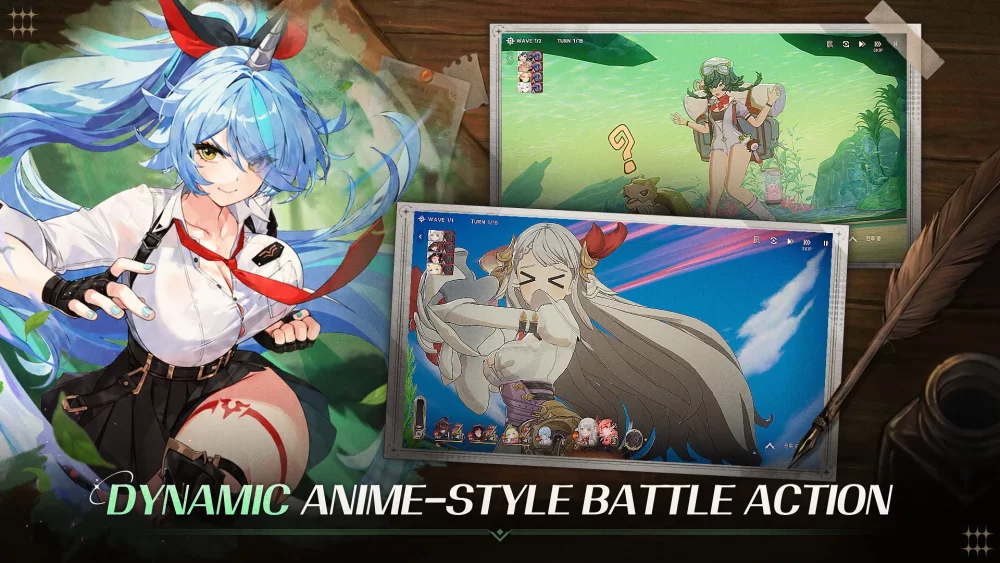
Mastering the opening moments of Star Sailors requires a clear understanding of the UI and the foundational command structure introduced in the first 15 minutes. By prioritizing the identification of menu icons and the basic unit placement mechanics, players can bypass initial confusion and establish a solid tactical base. This guide focuses on the critical interface interactions and early-game navigation steps necessary to transition smoothly from the tutorial phase into your first real combat encounters.
Navigating the Primary Command Interface
The command interface in Star Sailors is your primary hub for all management tasks. Familiarizing yourself with the layout early is key to efficient progress.
- Top Navigation Bar: This area typically tracks your primary resources, currency, and stamina levels. Always check this before starting a new mission to ensure you have enough resources.
- Central HUD: Provides direct access to your current squad configuration and active missions.
- Bottom Menu Icons: Use these to toggle between the character roster, the shop, and the mission selection map.
Identifying Essential Menu Icons
| Icon Type | Purpose | Interaction Tip |
|---|---|---|
| Character Profile | Managing unit levels | Use this to check gear before sorties. |
| Mission Map | Selecting campaign stages | Look for indicator markers for rewards. |
| Shop/Exchange | Spending earned currency | Check for daily free refresh items. |
Mastering Early Combat Command Basics
During the opening tutorial, Star Sailors introduces the core combat loop. Understanding how to deploy your units effectively during these scripted sequences determines how quickly you can clear early stages.
- Deployment Zones: Pay attention to the highlighted grid sections on the battlefield. Placing your units in the correct zone maximizes their initial attack reach.
- Unit Interaction: Keep an eye on the icons that appear above your characters during combat. These usually indicate available skills or special attacks that can be triggered once the cooldown timer expires.
- Targeting Priority: While the tutorial may suggest targets, focus on eliminating high-threat, low-health enemies first to reduce incoming damage to your formation.
Optimizing Your First 15 Minutes
Progressing through the initial stages is not just about clearing enemies; it is about setting up your long-term efficiency.
- Follow the On-Screen Prompts: The tutorial is designed to show you the most efficient way to access menus; do not skip these interactions in your first run.
- Check Your Inventory: Immediately after the first set of tutorial battles, open your inventory to see if any starter rewards or currency items have been deposited.
- Review Character Skills: Use the downtime between the first few stages to read the tooltips for your starting units to understand their specific roles in battle.

Free Star Sailors Codes
Current active codes and how to redeem them.

Michael Smith
Michael covers live-service games, events, reward systems, and efficient daily routines, turning frequent updates into clear actions for players.
COMMUNITY
Player Comments
131 players commented on this guide.
Nice guide. I am checking the other Star Sailors articles next.
Good guide for Star Sailors players. The early game part was useful.
This helped me understand early game much better.
This guide answered the exact question I had.