
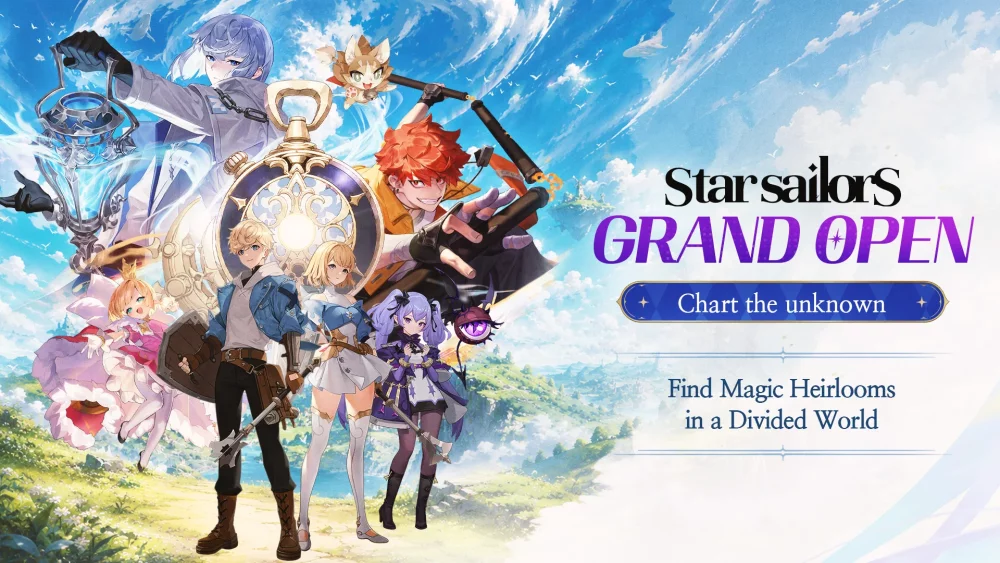
For players looking to bolster their inventory, finding and redeeming gift codes is one of the most effective ways to gain a head start in Star Sailors. Developer-distributed codes provide essential resources that can help you accelerate your progression, upgrade your characters, or save currency for upcoming banners.
This guide covers where to source these codes and the proper steps to ensure they are applied successfully to your account.
Where to Find Valid Star Sailors Codes
Promotional codes are typically released through official channels or by community creators who partner with the developers. To ensure you aren't missing out on time-sensitive rewards, keep an eye on the following:
- Official Social Media: Follow the official Star Sailors X (Twitter) account and join the Discord server. These are the primary sources for global code drops.
- Community Content Creators: Experienced players and community guides often receive exclusive codes from the developers to share with their audiences. Checking videos and posts from trusted community members is a great way to find active codes that may not be widely advertised in-game.
- In-Game Announcements: Always check the "Notice" or "Mail" sections within the Star Sailors interface, as developers sometimes push codes directly to players during events or maintenance periods.
How to Redeem Your Codes
Once you have located a valid code, follow these steps to claim your items. Please note that the redemption process may vary slightly based on your platform (iOS, Android, or PC), but the general workflow remains consistent:
- Launch the game and ensure you are logged into your primary account.
- Navigate to the Settings menu, usually found by tapping your player profile icon or the gear icon on the main home screen.
- Look for the "Gift Code" or "Redeem" button within the account or settings tab.
- Enter the code exactly as it appears. Codes are often case-sensitive and may include numbers or special characters. Avoid adding extra spaces before or after the string.
- Confirm the entry. If the code is valid and active, a notification will appear, and the rewards will be sent directly to your In-Game Mail.
Troubleshooting Common Redemption Issues
If you encounter an error while trying to redeem a code, check the following common causes:
| Issue | Potential Cause | Solution |
|---|---|---|
| "Invalid Code" | Typo or case sensitivity | Double-check the spelling and ensure capitalization matches the source. |
| "Expired Code" | Time limit reached | Codes are often limited-time offers. Check the source date to see if the code has passed its expiration window. |
| "Already Redeemed" | One-time use restriction | Most codes are limited to one use per account. Ensure you haven't already claimed it on your current profile. |
| "Network Error" | Poor connection | Ensure you have a stable internet connection before attempting to redeem. |
Pro-Tips for Maximizing Rewards
- Act Fast: Many community-distributed codes have a limited number of redemptions. If you see a new code, redeem it as soon as possible to ensure you don't miss out.
- Check Character Limits: Some codes might be specific to certain regions or server versions. Always verify that the code source aligns with the server you are playing on.
- Stay Organized: If you find a list of codes, try them one by one. If one fails, it does not necessarily mean the others will; some codes may be account-specific or campaign-specific.
Free Star Sailors Codes
Current active codes and how to redeem them.

Michael Smith
Michael covers live-service games, events, reward systems, and efficient daily routines, turning frequent updates into clear actions for players.
COMMUNITY
Player Comments
138 players commented on this guide.
This saved me time in the early game.
I tried this today and it worked better than my old setup.
Good guide for Star Sailors players. The redeem codes part was useful.
The tips are practical and easy to follow.