
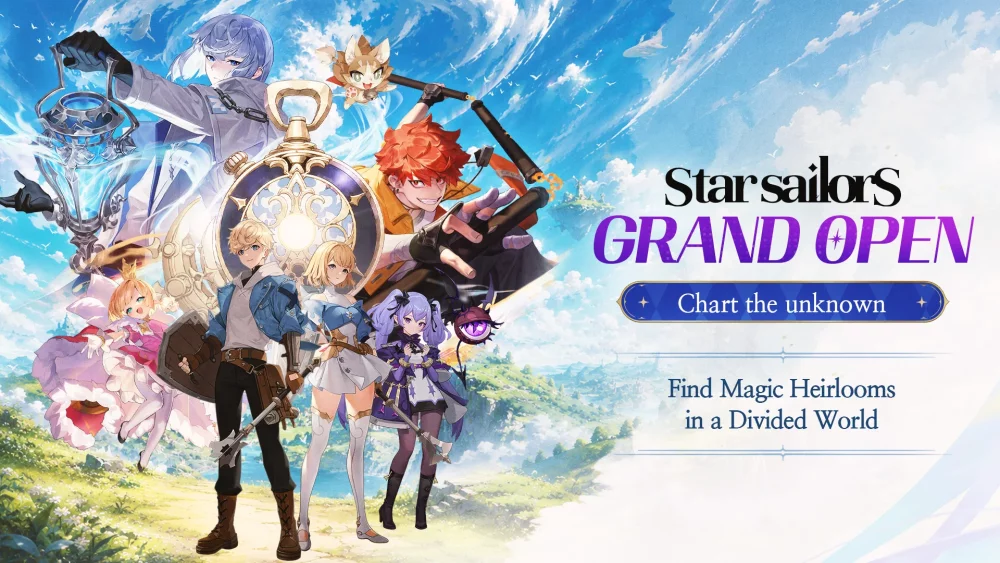
Star Sailors offers a high-fidelity visual experience that relies on fluid animations and detailed character models. To get the best out of the game, players should prioritize adjusting their graphics settings based on their mobile device's heat management and battery life. By balancing frame rates and visual effects, you ensure that the storytelling sequences remain smooth and that character art is displayed at its highest potential without risking mid-mission performance drops or hardware overheating.
Optimizing Graphics for Narrative Immersion
The visual storytelling in Star Sailors is a core component of the experience. Because the game features detailed 2D character art and cinematic sequences, maintaining a consistent frame rate is vital.
- Frame Rate Priority: Set your frame rate to high if your device allows it. This makes the character animations in both combat and story dialogue feel significantly more fluid and responsive.
- Resolution Settings: If you experience device stuttering during intense combat sequences, lowering the resolution slightly can stabilize your performance without sacrificing the aesthetic quality of the character portraits.
- Thermal Management: If your device becomes hot during extended sessions, consider disabling unnecessary post-processing effects. This reduces the load on your GPU and helps maintain performance consistency throughout longer play sessions.
Managing Visual Fidelity and Battery Life
For players who prefer longer sessions, managing how the game renders its environment is key to account longevity and smooth progression.
| Setting | Impact on Performance | Impact on Visuals |
|---|---|---|
| High Resolution | High | Sharp, crisp character models |
| High Frame Rate | Medium | Smooth animation flow |
| Post-Processing | Medium | Enhanced lighting and depth |
| Power Saving Mode | Low | Reduces battery drain |
If you notice visual "tearing" or lag during cutscenes, prioritize lowering the resolution first. This is often more effective than reducing the frame rate, as the game’s aesthetic relies heavily on the quality of its character sprites and background art. Always restart the application after changing significant visual settings to ensure the new parameters are fully applied by the engine.

Free Star Sailors Codes
Current active codes and how to redeem them.

Michael Smith
Michael covers live-service games, events, reward systems, and efficient daily routines, turning frequent updates into clear actions for players.
COMMUNITY
Player Comments
78 players commented on this guide.
I wish I had read this before upgrading the wrong thing.
Good guide for Star Sailors players. The strategy part was useful.
This guide answered the exact question I had.
Can you add more details about strategy in a future update?