
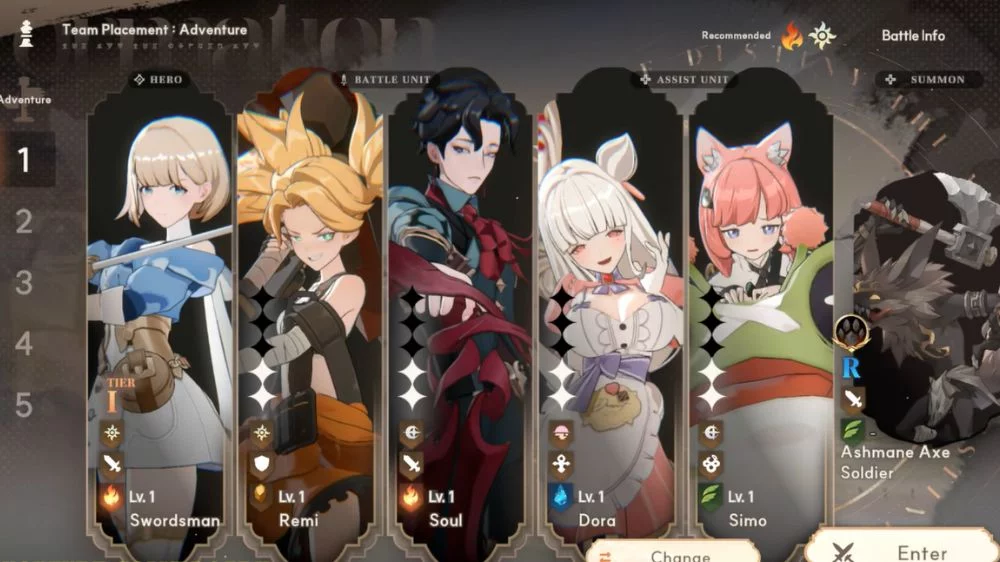
For players jumping into Star Sailors, understanding the nuances of the interface and the flow of combat is essential for long-term success. While the game features a familiar turn-based framework, mastering the specific UI layout and the rhythm of combat encounters will significantly reduce your time spent in menus and increase your efficiency in clearing stages.
Navigating the Combat Interface
The combat screen in Star Sailors is designed to provide quick access to character skills and tactical information. To maximize your performance, keep these UI elements in mind:
- Skill Panel: Located at the bottom of the screen, this area displays your available character abilities. Pay close attention to the cooldown indicators; mismanaging these can leave you vulnerable during high-difficulty encounters.
- Action Order Bar: Situated at the top or side of the screen, the action bar shows the turn sequence for both your squad and the enemy. Use this to anticipate when you need to trigger defensive buffs or healing skills.
- Target Selection: You can manually switch targets by tapping on enemy units. In boss encounters, focusing fire on specific parts or minions is often the key to survival.
Tactical Combat Priorities
Combat in Star Sailors rewards players who understand the interaction between character abilities and enemy weaknesses.
| Combat Phase | Focus Area | Recommended Action |
|---|---|---|
| Pre-Battle | Buff Activation | Activate any team-wide buffs before initiating the first attack. |
| Engagement | Skill Sequencing | Chain your high-damage skills after the enemy’s defense has been lowered. |
| Crisis Management | HP Recovery | Don’t wait for your health to hit critical; rotate your healer’s cooldowns early. |
Essential Combat Efficiency Tips
To get the most out of your team during intense battles, consider these practical strategies:
1. Optimize Skill Timing
Avoid using all your powerful skills at once. In Star Sailors, it is often more effective to stagger your high-impact abilities to maintain consistent damage output throughout the battle. This prevents "damage downtime" where your team is left with only basic attacks.
2. Monitor Enemy "Telegraphs"
Many tougher enemies in Star Sailors will signal their strongest attacks. Watch for charging animations or icon changes above the enemy's head. When you see these cues, shift your focus to defensive positioning or activating shields if your squad supports them.
3. Master the Menu Shortcuts
Navigating back and forth between the combat screen and the character menu can be tedious. Familiarize yourself with the "Quick Return" buttons often found in the top corners of the UI. This allows you to check your team's current stats or equipment status without exiting the combat flow entirely.
4. Adjusting Battle Speed
If you are repeating stages for resource farming, ensure you are utilizing the speed-up toggle if available. However, for progression stages or boss fights, keep the combat at normal speed to ensure you react correctly to changing environmental hazards or enemy phase shifts.
By focusing on these tactical elements, you can navigate the complexities of Star Sailors with more confidence, ensuring that your squad remains competitive regardless of the challenge.

Free Star Sailors Codes
Current active codes and how to redeem them.

Emily Johnson
Emily writes practical mobile strategy guides with a focus on resource planning, base progression, and the early decisions that shape a long-term account.
COMMUNITY
Player Comments
152 players commented on this guide.
Can you add more details about strategy in a future update?
This helped me understand strategy much better.
This saved me time in the early game.
The tips are practical and easy to follow.