

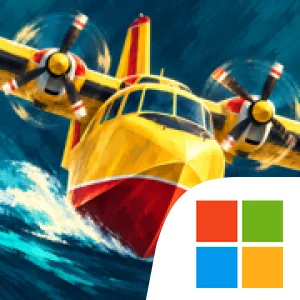
Play Super Scooper: Flight Sim on Windows PC
Download the official Super Scooper: Flight Sim Windows PC client and learn how to install and play the game on PC, with controls, system requirements, and practical tips.

Download Super Scooper: Flight Sim Official Windows PC Client
Official Windows PC client provided by LDPlayer.
About the Official Super Scooper: Flight Sim PC Client
Developer: Seven Summits Studio Ltd
The central gameplay loop revolves around the demanding physics of aerial water scooping and low-altitude drops. To combat blazes across the terrain, you must skim across the bay or open sea at high speed, lower the intake probes, and draw more than six thousand litres of water into the internal tanks within seconds. The flight model dynamically responds to this intake, meaning the aircraft handles noticeably heavier with every litre collected, turning a nimble climb into a calculated test of throttle management and pitch control. After gathering water, you must navigate toward burning hillsides, line up your approach against the wind and terrain, and open the payload doors at the precise height to extinguish the flames. Outside the central firefighting loop and the first wildfire of the season, Chapter I features narrative missions tailored to the islanders, such as flying an urgent race home, navigating an emergency landing, or assisting with a wedding to remember. In between scheduled assignments, you can visit the hangar to customize your aircraft with distinct paint schemes before venturing out in Free Flight across varying conditions, from tranquil golden hours to sudden rain and rolling ocean storms.
Taking Super Scooper: Flight Sim on PC enhances the experience through the visual fidelity of a large display and the precision of keyboard and mouse controls, especially during high-risk maneuvers. The larger screen makes a substantial difference when executing high-speed water scoops on the bay, allowing you to gauge wave height, spot crossing boat traffic, and monitor your descent angle with much greater accuracy before deploying your probes. A wide field of view also proves invaluable when combating fires during adverse weather, helping you distinguish hillside smoke through haze, rain, and dark nighttime lighting. Meanwhile, mouse and keyboard inputs grant immediate, tactile authority over sensitive flight surfaces; you can effortlessly micro-adjust the stick to counteract severe weight shifts after a full water pickup, manage flaps and landing gear with dedicated key presses, and accurately time your payload door release over target coordinates without obscuring your instruments or the flight path ahead.
Screenshots
How to Download and Install the Official Super Scooper: Flight Sim PC Client
- Download and install the official Windows client distributed by LDPlayer.
- Open the app and sign in with your Google Play account.
- Search for Super Scooper: Flight Sim in the app store.
- Install the game and finish the first-launch download.
- Use the same game login if account sync is available.
Why Play Super Scooper: Flight Sim on PC?
Menus, maps, resources, and combat details are easier to read on a desktop display.
Keyboard and mouse input makes repeated actions and long sessions more comfortable.
Desktop play avoids phone battery drain during longer farming sessions.
Keep guides, codes, and notes open alongside the game on PC.
Controls and Performance
These three settings solve most common issues when playing on PC.
Map navigation, skill use, and repeated resource actions first.
Lower resolution or graphics quality if crowded scenes lose frames.
Link your account before switching devices so progress can be restored safely.
Super Scooper: Flight Sim Official PC Client FAQ
Can I play Super Scooper: Flight Sim on PC?
Yes. Download the official Windows PC client distributed by LDPlayer and play with a larger screen, keyboard, and mouse controls.
Is Super Scooper: Flight Sim better on PC than mobile?
Playing on PC can make longer sessions, detailed menus, and resource management more comfortable, while mobile is still convenient for quick check-ins.
Will my Super Scooper: Flight Sim progress sync on PC?
Progress depends on the sign-in options supported by the game. Use the same linked Google, Facebook, Apple, or game account on both devices.
Why does Super Scooper: Flight Sim lag on PC?
Lag can be caused by limited RAM, demanding graphics settings, outdated client files, or background apps. Lower the graphics settings and keep the PC client up to date.
DOWNLOAD STARTED
Your download is starting
Check your browser Downloads if it does not appear.
Official PC client for Windows, distributed by LDPlayer.
Download again