

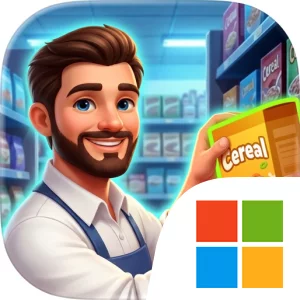
Play Superstore Story 3D on Windows PC
Download the official Superstore Story 3D Windows PC client and learn how to install and play the game on PC, with controls, system requirements, and practical tips.

Download Superstore Story 3D Official Windows PC Client
Official Windows PC client provided by LDPlayer.
About the Official Superstore Story 3D PC Client
Developer: Pusilung HK Limited
The central gameplay cycle starts with ordering and stocking trending products, then watching how customers respond to your selection, prices, and layout. Empty shelves can limit sales, while competitive prices and promotional sales can help maximize daily revenue. Checkout speed is another practical concern, since long lines can undermine customer satisfaction and make efficient cashier management just as important as choosing what to sell. You can hire cashier assistants, managers, and security guards, assigning your growing workforce to the tasks that keep the operation running smoothly. As the store becomes more automated, skilled workers allow you to step back from repeated duties and concentrate on broader strategy, including which departments to unlock and where to invest next. Idle tycoon progression also means the business can continue earning cash while you are away, giving you resources to reinvest when you return. Expansion reaches beyond larger shelves and premium products: successful management can open bakeries and clothing sections, then lead toward gas stations, drive-thrus, and huge parking lots. On PC, the larger display makes it easier to read the store’s full 3D layout, compare different areas before rearranging shelves, and keep track of several operational concerns at once. Keyboard-and-mouse input is also well suited to repeated management actions such as selecting products, placing stock, adjusting prices, and navigating between departments or upgrade options. When you are balancing staff roles, checkout efficiency, promotions, and expansion costs, the additional screen space and precise pointing help you inspect the business more methodically. Whether you prefer the incremental rewards of an idle tycoon game or the decisions of a business simulator, Superstore Story 3D is defined by the practical details of retail: full shelves, fast service, smart investment, and a store layout designed to turn everyday customer traffic into sustained growth.
Screenshots
How to Download and Install the Official Superstore Story 3D PC Client
- Download and install the official Windows client distributed by LDPlayer.
- Open the app and sign in with your Google Play account.
- Search for Superstore Story 3D in the app store.
- Install the game and finish the first-launch download.
- Use the same game login if account sync is available.
Why Play Superstore Story 3D on PC?
Menus, maps, resources, and combat details are easier to read on a desktop display.
Keyboard and mouse input makes repeated actions and long sessions more comfortable.
Desktop play avoids phone battery drain during longer farming sessions.
Keep guides, codes, and notes open alongside the game on PC.
Controls and Performance
These three settings solve most common issues when playing on PC.
Map navigation, skill use, and repeated resource actions first.
Lower resolution or graphics quality if crowded scenes lose frames.
Link your account before switching devices so progress can be restored safely.
Superstore Story 3D Official PC Client FAQ
Can I play Superstore Story 3D on PC?
Yes. Download the official Windows PC client distributed by LDPlayer and play with a larger screen, keyboard, and mouse controls.
Is Superstore Story 3D better on PC than mobile?
Playing on PC can make longer sessions, detailed menus, and resource management more comfortable, while mobile is still convenient for quick check-ins.
Will my Superstore Story 3D progress sync on PC?
Progress depends on the sign-in options supported by the game. Use the same linked Google, Facebook, Apple, or game account on both devices.
Why does Superstore Story 3D lag on PC?
Lag can be caused by limited RAM, demanding graphics settings, outdated client files, or background apps. Lower the graphics settings and keep the PC client up to date.
DOWNLOAD STARTED
Your download is starting
Check your browser Downloads if it does not appear.
Official PC client for Windows, distributed by LDPlayer.
Download again