
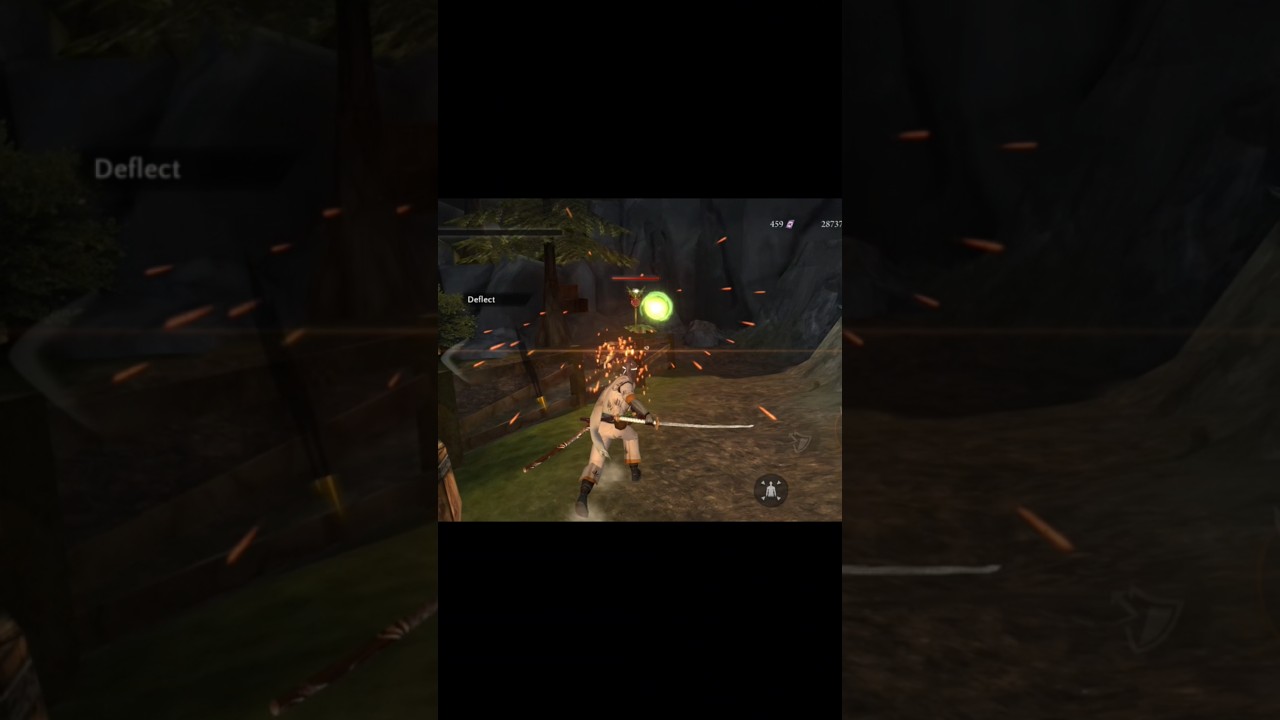
In Takashi Ninja Warrior, outfits change your character's visual model without resetting your campaign progress, altering your sword mechanics, or modifying base combat stats. You can browse, preview, and equip available skins at any time through the customization menu.
How to Access and Equip Outfits
You can manage Takashi's wardrobe directly from the main title hub or through the pause menu when resting near a safe zone.
- Open the character customization or inventory wardrobe interface.
- Highlight any unlocked or locked costume to view it on the 3D preview pedestal.
- Rotate the character model to inspect the outfit from all angles, including rear details such as sheaths and back armor.
- Select an owned outfit and tap the equip button to apply it immediately to active combat stages without restarting the game.
Costume Themes and Visual Profiles
The wardrobe features distinct visual themes ranging from historical shinobi garments to mythical armor.
| Outfit Theme | Visual Characteristics | Visual Profile |
|---|---|---|
| Traditional Shinobi | Lightweight cloth, wrapped limbs, fabric face masks | Streamlined, minimal geometric bulk |
| Heavy Armored Samurai | Plated kabuto helmets, layered shoulder pauldrons, lacquered chest plates | Wide silhouette, rigid plates |
| Demon / Oni Attire | Horned masks, jagged contours, dark crimson accents | Intimidating, high-contrast edges |
| Elite Shadow Garb | Form-fitting dark fabrics, muted metallics, compact gear | Low visual noise, dark palette |
Animation Readability and Environment Contrast
While outfits do not alter your attack speed or dodge frames, the geometry and color of your selected costume affect how easily you track movements during combat.
- Hitbox and Silhouette Tracking: Bulky samurai armor gives Takashi an imposing, wider outline, making it easier to track your exact position when surrounded by mob swarms. Conversely, slim shinobi robes remove protruding shoulder and waist geometry, keeping dodge rolls, parry stances, and incoming enemy attack indicators visually clear.
- Dark Biomes (Dungeons and Swamps): Costumes with bright cloth, white wraps, or gold inlays stand out cleanly against murky cavern and swamp backdrops.
- Bright Courtyards and Snow: Darker fabrics provide sharp contrast against stone paths, snowy grounds, and well-lit fortress yards.
- Third-Person View Angle: Because the camera sits behind Takashi during exploration and combat, check rear gear and scabbards in the preview window to ensure the back view suits your preference.
How to Unlock New Costumes
Locked outfits display their specific unlock criteria directly in the wardrobe screen. You can acquire new designs through several methods:
- Gold Coins: Standard campaign currency earned by clearing stages, defeating regional bosses, and opening hidden chests throughout the realm can be saved and spent on basic costumes.
- Premium Currency: Advanced skins featuring intricate armor plating or glowing details require premium currency accumulated from milestones or special store purchases. Check your balance before purchasing to ensure you do not divert funds needed for critical character stat upgrades or primary weapons.
- Promotional and Milestone Unlocks: Certain versions offer outfits tied to specific progression milestones or optional promotional reward options in the shop menu. Selecting a locked outfit confirms whether it requires a direct purchase or a campaign objective.
Free Takashi Ninja Warrior Codes
Current active codes and how to redeem them.

James Brown
James focuses on Android gaming on PC, emulator setup, controls, performance tuning, and practical troubleshooting for longer play sessions.
COMMUNITY
Player Comments
128 players commented on this guide.
This helped me understand heroes much better.
The explanation is clear, especially for beginners.
The tips are practical and easy to follow.
Can you add more details about heroes in a future update?