

Play Tiny Room Stories Eclipse on Windows PC
Download the official Tiny Room Stories Eclipse Windows PC client and learn how to install and play the game on PC, with controls, system requirements, and practical tips.

Download Tiny Room Stories Eclipse Official Windows PC Client
Official Windows PC client provided by LDPlayer.
About the Official Tiny Room Stories Eclipse PC Client
Developer: Kiary Games Ltd
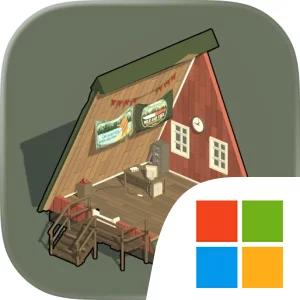
The central gameplay loop combines exploration, hidden-object searching, and escape room-style puzzle solving. You inspect an environment, rotate the diorama to reveal overlooked areas, interact with objects, and connect the information you find to a mechanical riddle or larger obstacle. Some solutions may require recognizing a visual clue, understanding how pieces of an environment fit together, or locating a hidden object that is easy to miss from a single viewpoint. This makes the game’s sense of progression feel earned: solving one challenge opens access to another location and pushes the investigation further into the forest’s restricted spaces. On PC, the larger display is especially useful when you are examining a detailed scene for small clues, switches, or other interactive elements, since more of the diorama and its environmental details can remain visible at once. Mouse input also suits the game’s point-and-click design, giving you precise control when rotating locations, selecting objects, and checking corners for hidden items. A keyboard-and-mouse setup is practical when repeatedly moving between examination, interaction, and puzzle-solving actions, while the game’s one-handed controls keep the overall interface approachable. The offline format also makes the investigation self-contained, letting you focus on the mystery, the mechanical puzzles, and the steadily expanding set of locations without requiring an online connection. For players drawn to detective games, escape room puzzles, and story-focused adventures, Tiny Room Stories Eclipse on PC offers a focused investigation where progress comes from reading spaces carefully, testing ideas, and uncovering what lies behind the forest’s locked doors and abandoned structures.
Screenshots
How to Download and Install the Official Tiny Room Stories Eclipse PC Client
- Download and install the official Windows client distributed by LDPlayer.
- Open the app and sign in with your Google Play account.
- Search for Tiny Room Stories Eclipse in the app store.
- Install the game and finish the first-launch download.
- Use the same game login if account sync is available.
Why Play Tiny Room Stories Eclipse on PC?
Menus, maps, resources, and combat details are easier to read on a desktop display.
Keyboard and mouse input makes repeated actions and long sessions more comfortable.
Desktop play avoids phone battery drain during longer farming sessions.
Keep guides, codes, and notes open alongside the game on PC.
Controls and Performance
These three settings solve most common issues when playing on PC.
Map navigation, skill use, and repeated resource actions first.
Lower resolution or graphics quality if crowded scenes lose frames.
Link your account before switching devices so progress can be restored safely.
Tiny Room Stories Eclipse Official PC Client FAQ
Can I play Tiny Room Stories Eclipse on PC?
Yes. Download the official Windows PC client distributed by LDPlayer and play with a larger screen, keyboard, and mouse controls.
Is Tiny Room Stories Eclipse better on PC than mobile?
Playing on PC can make longer sessions, detailed menus, and resource management more comfortable, while mobile is still convenient for quick check-ins.
Will my Tiny Room Stories Eclipse progress sync on PC?
Progress depends on the sign-in options supported by the game. Use the same linked Google, Facebook, Apple, or game account on both devices.
Why does Tiny Room Stories Eclipse lag on PC?
Lag can be caused by limited RAM, demanding graphics settings, outdated client files, or background apps. Lower the graphics settings and keep the PC client up to date.
DOWNLOAD STARTED
Your download is starting
Check your browser Downloads if it does not appear.
Official PC client for Windows, distributed by LDPlayer.
Download again